
 MikroWizard
Pro
What it is #
Two-factor sign-in asks for a code from an authenticator app after the password. The same codes can be used as one-time passwords for router logins.
Example uses
- Protect admin accounts against stolen passwords.
- Engineers log in to routers with a code that changes every 30 seconds.
Pro Included in MikroWizard Pro. Two-factor sign-in and one-time passwords for router logins.
Before you start #
- Edition: Pro.
- Each user needs an authenticator app on their phone (any TOTP app).
- Keep a second administrator with two-factor, who can turn it off for someone who lost their phone.
Turn on two-factor for your own account #
- Click your name at the top right and choose setup otp.
- Click Enable TOTP and scan the QR code with an authenticator app (any TOTP app).
- Enter the 6-digit code to confirm.
From now on MikroWizard asks for a code after your password. To turn it off, open setup otp again and confirm with a current code.
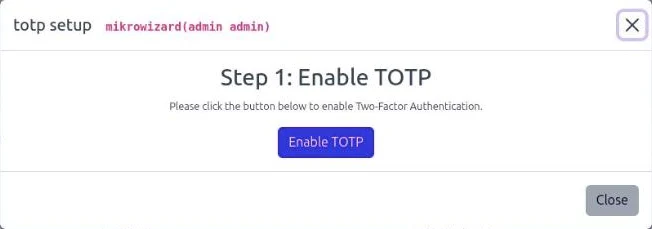
An administrator can also turn TOTP on or off for a user under Security Restrictions (fingerprint button in Users Management).
One-time passwords for router logins #
When a user logs in to a router (WinBox, SSH, WebFig) through MikroWizard’s RADIUS, they can use their current TOTP code as the password. Use OTP for device login in Security Restrictions decides this per user:
| Option | Effect |
|---|---|
| System Defined | Follows Force Device OTP in Security and enforcement switches. |
| TOTP | The user logs in to routers with the current code from their app. |
| Password | The user logs in to routers with their normal password, even when Force Device OTP is on. |
How router logins with a code work #
The user types their MikroWizard username and, as password, the 6-digit code shown in the app at that moment. MikroWizard’s RADIUS checks the code instead of the password. A code someone sees over a shoulder is useless a moment later.
Lost phone #
An administrator with Users Full opens Security Restrictions for the user and turns TOTP off. The user signs in with their password and sets up TOTP again. If no administrator can sign in, see Forgot the admin password.
Common problems #
| Problem | Cause and fix |
|---|---|
| Codes are always wrong | The phone’s clock is off. Turn on automatic time on the phone. |
| Router login with the code fails | The user’s Use OTP for device login is Password, or System Defined with Force Device OTP off. |
| Router login with the password fails | The user must use the code: TOTP, or System Defined with Force Device OTP on. |


