Automate nightly configuration backups, inspect drift with side-by-side visual diffing, roll back bad changes with 1 click, construct conditional logic flowcharts across thousands of devices, and clone golden master router configurations.
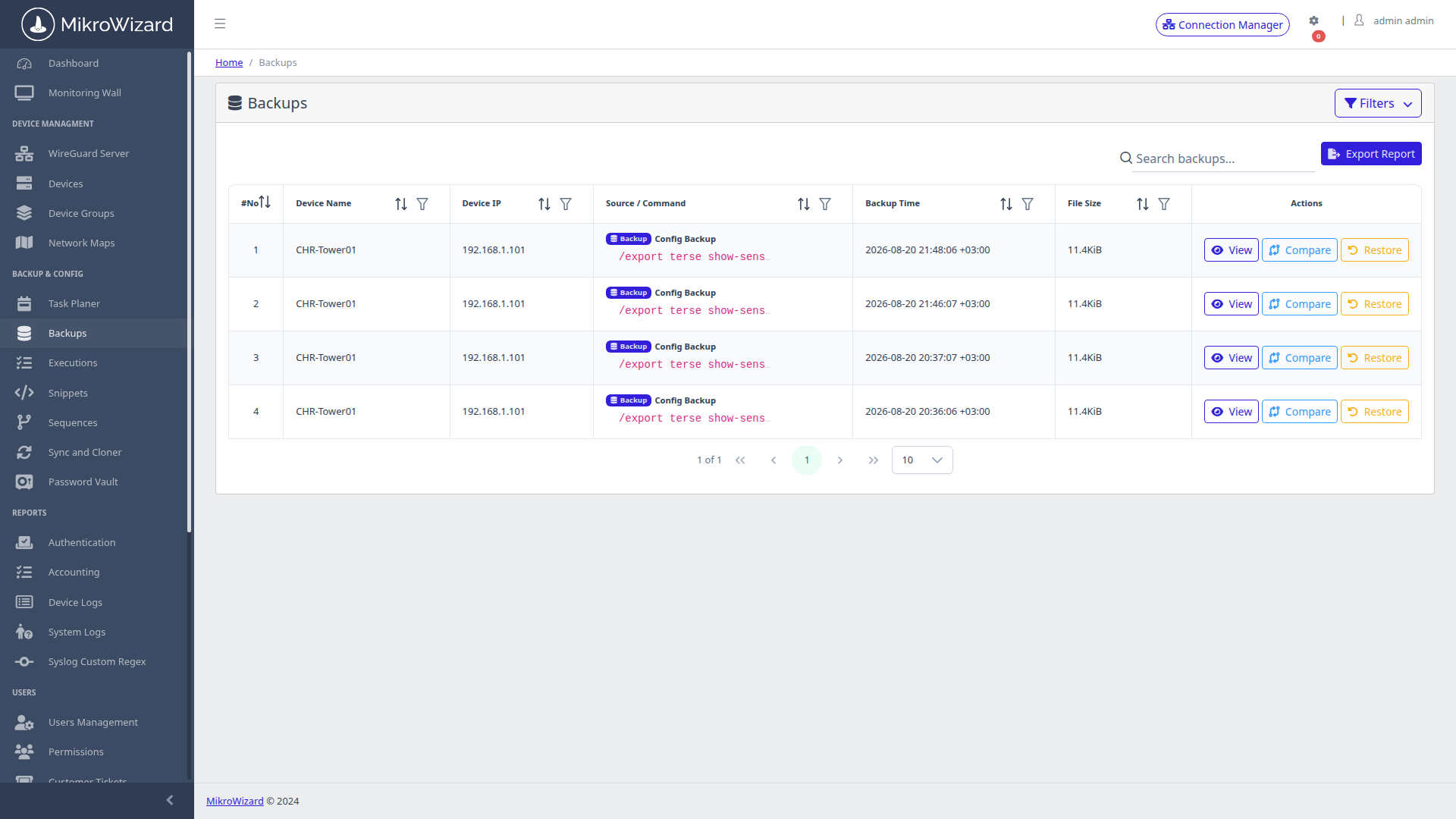
Maintain a centralised, searchable archive of all fleet configuration snapshots. Captures both RouterOS binary .backup files and human-readable .rsc script exports with origin source tagging (Scheduled, Manual, Pre-Change).
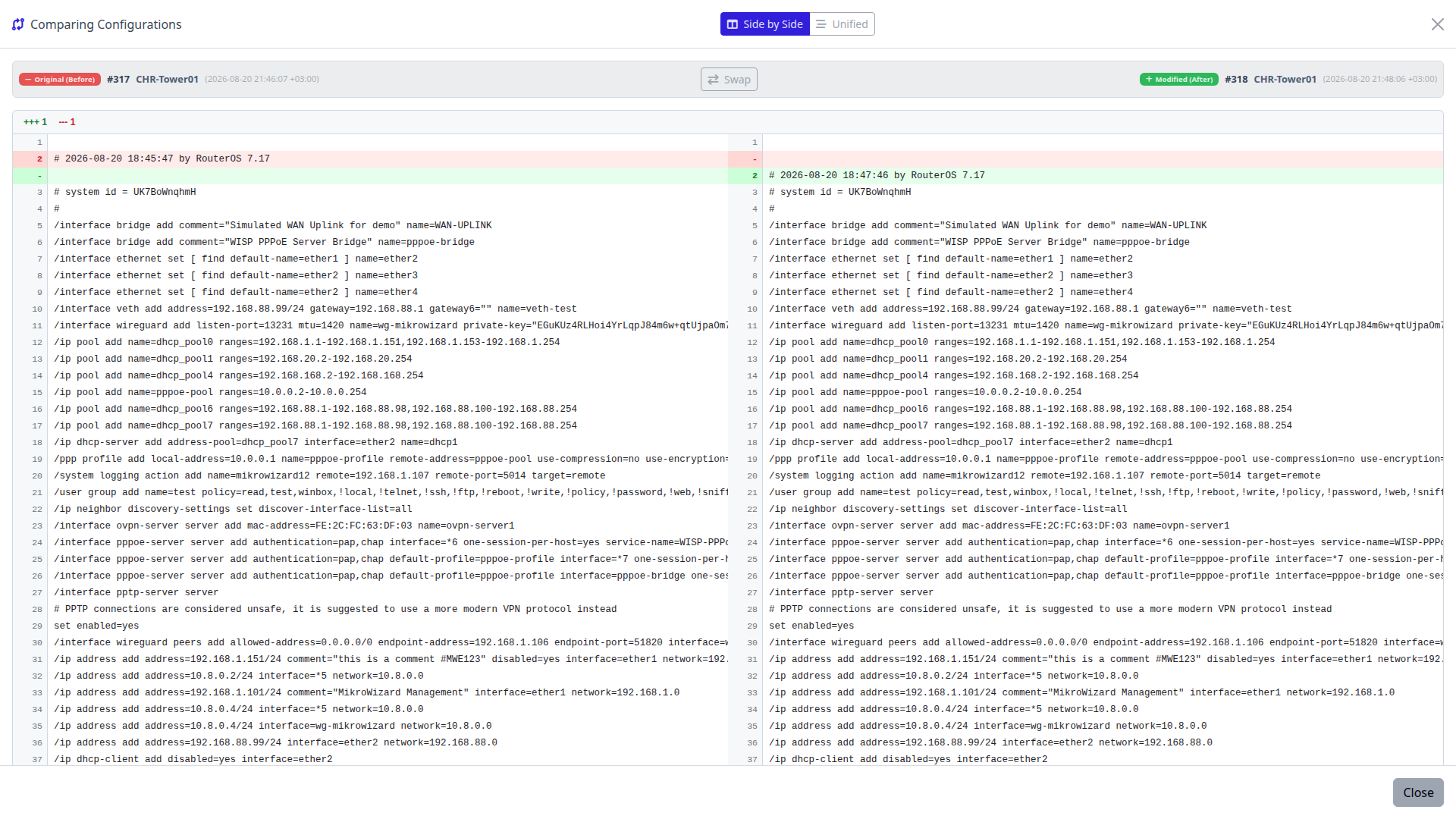
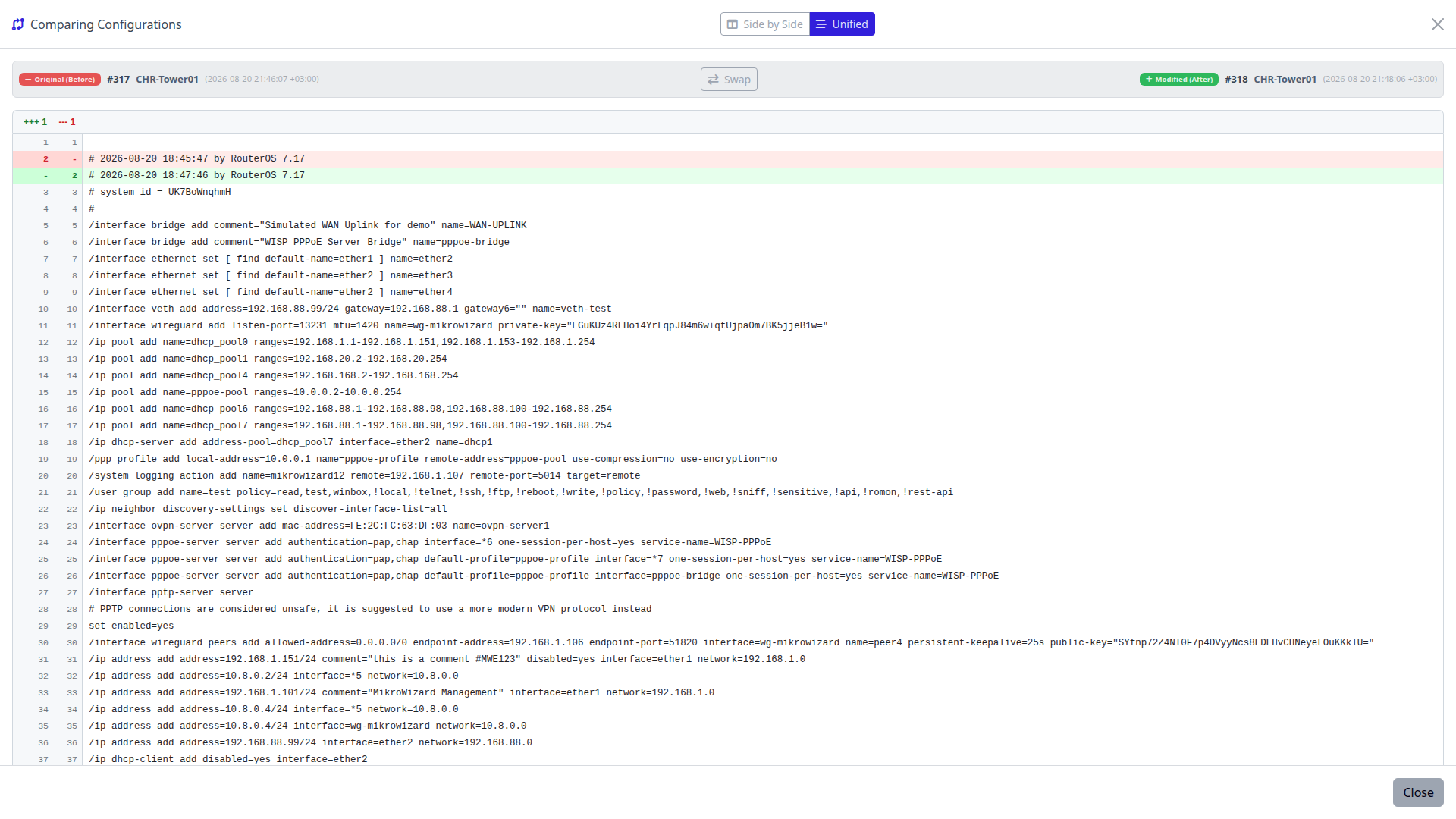
Stop manually inspecting thousands of lines of router scripts. MikroWizard integrates a color-coded ngx-diff comparison engine directly in the web panel.
When an unauthorized or erroneous configuration change creates network degradation, revert the device back to its validated state in seconds.
Backups, snippets and the task planner work with Cisco IOS / IOS-XE / NX-OS, Juniper, Huawei VRP, Aruba, EdgeOS, Linux and custom SSH/Telnet devices, not only MikroTik.
Built-in diff exclusion rules for more than 10 vendors keep lines you do not care about out of configuration diffs, so a diff shows the changes that matter.
Write your own exclusion patterns and test them live in a regex sandbox before you rely on them.
Use pre-connect and post-disconnect hooks to run your own steps before MikroWizard connects and after it disconnects.
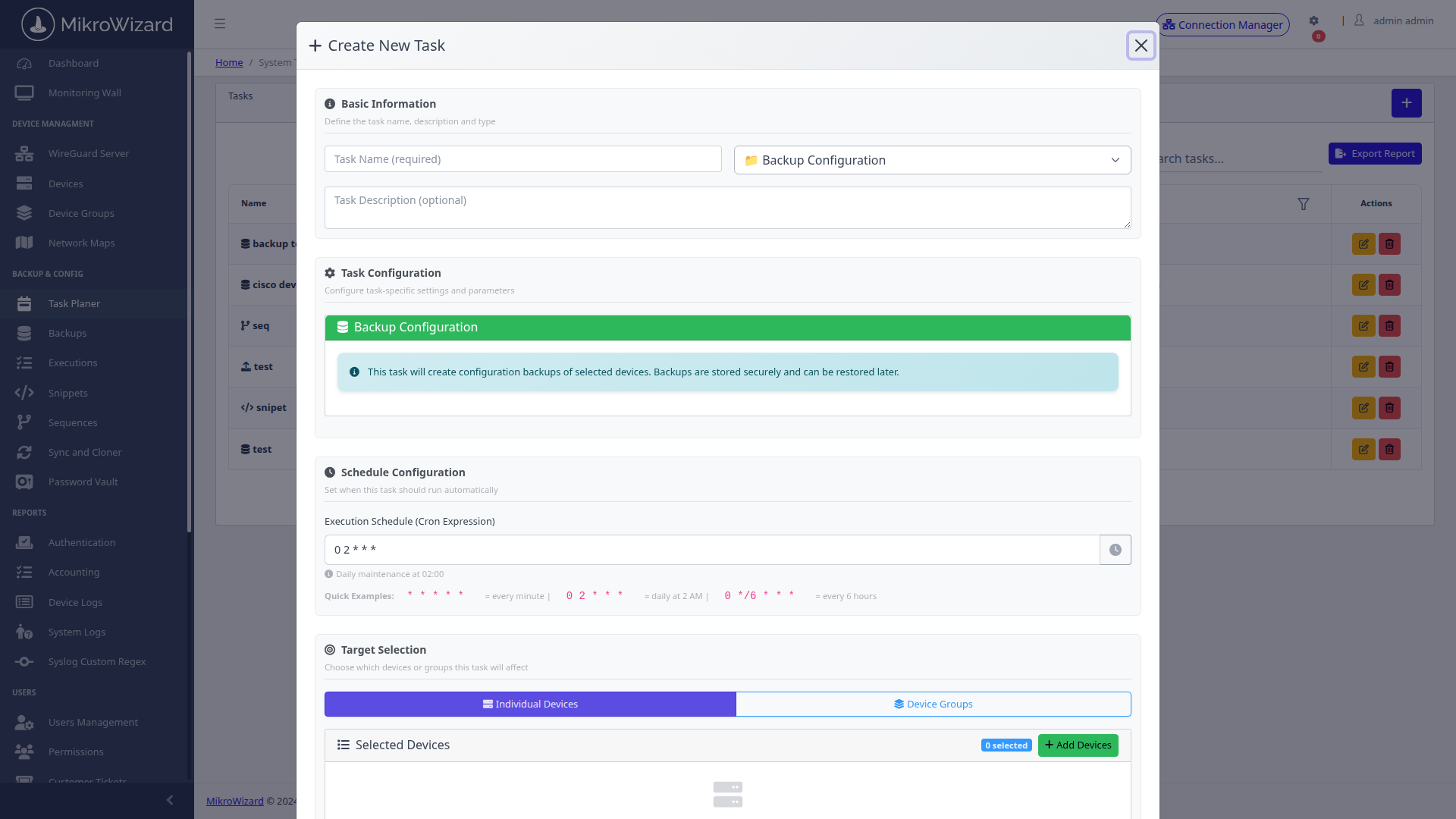
Construct recurring background jobs without mastering complex Linux cron syntax. Supports 4 core automation task types:
Store and standardize reusable RouterOS, Cisco, and Linux CLI scripts in a centralized library. Snippets support the built-in [mikrowizard] token, which is automatically substituted with the MikroWizard server's reachable IP at execution time — enabling syslog targets, RADIUS addresses, and firmware sources without hardcoding server IPs.
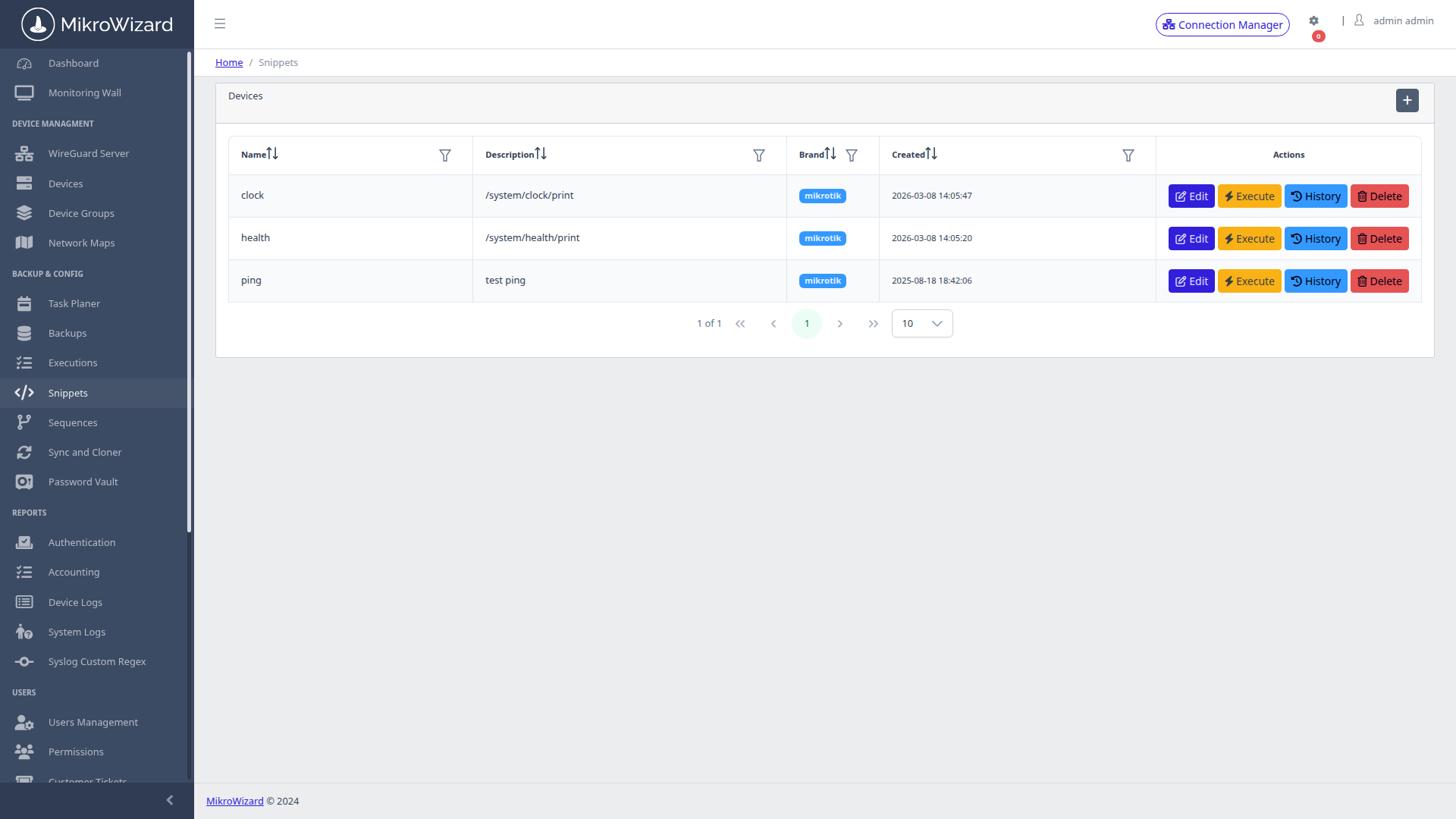
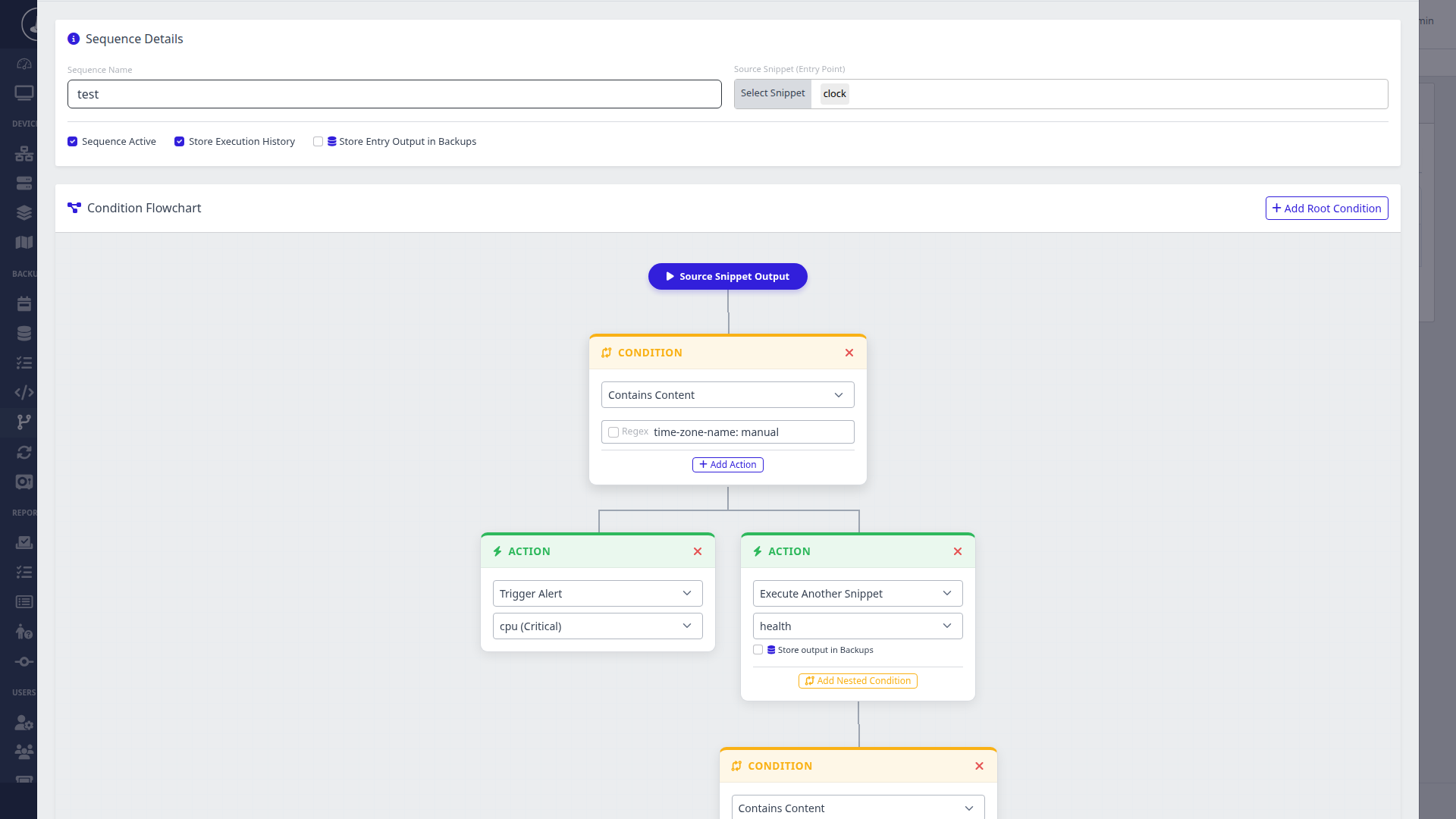
Go beyond flat sequential scripts. Sequences introduce intelligent conditional logic with real-time regular expression pattern matching on command output.
Designate a golden master router model and clone its base configuration (firewall filter chains, NAT templates, queue trees, DNS configs) across dozens of branch routers.
Pick a master router and the RouterOS config sections to sync, for example /ip address, /ip dns, /ip route, firewall and system sections. MikroWizard exports those sections, diffs them against each member's export and applies only the missing or different lines: a minimal patch, not a full overwrite.
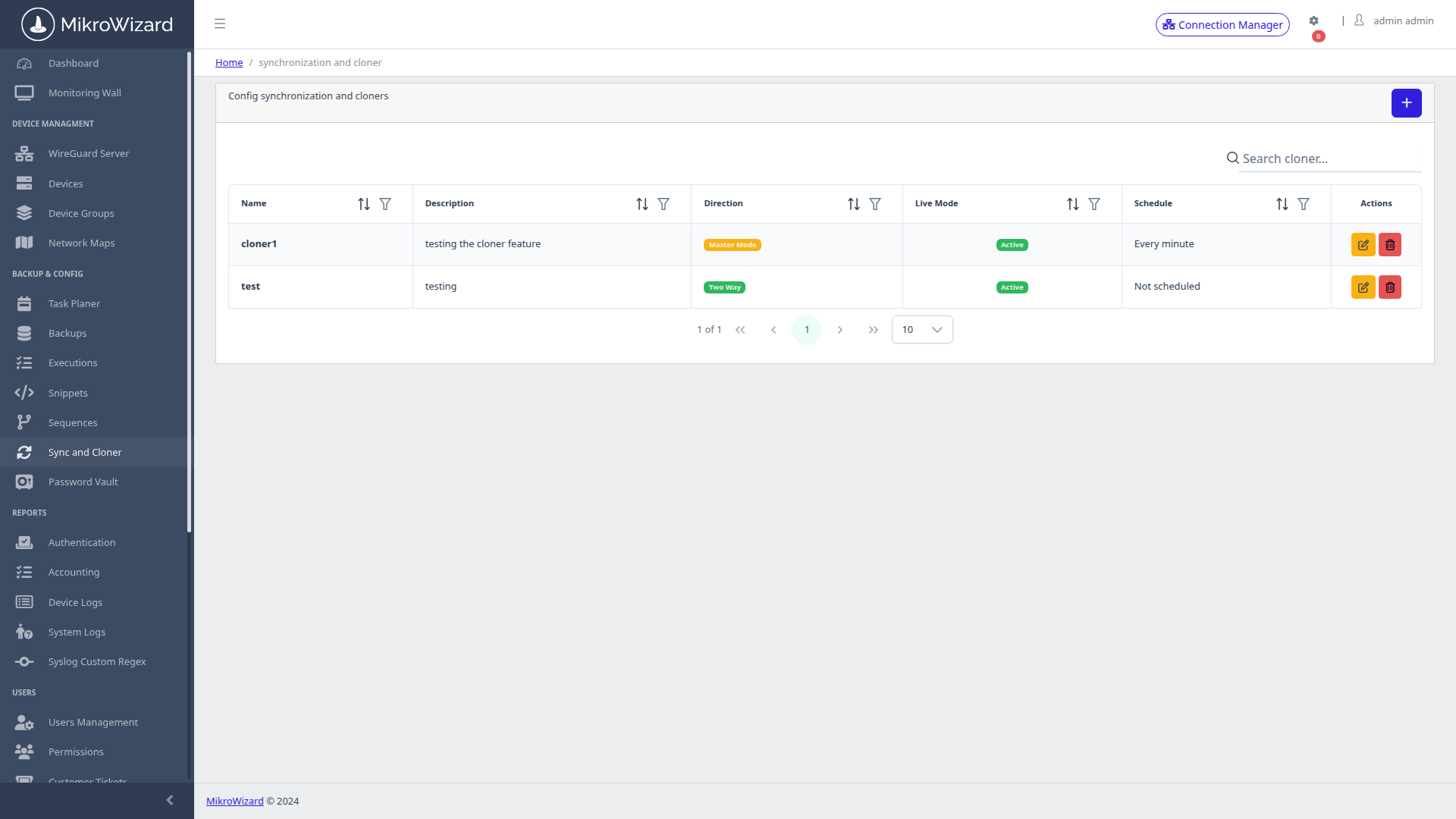
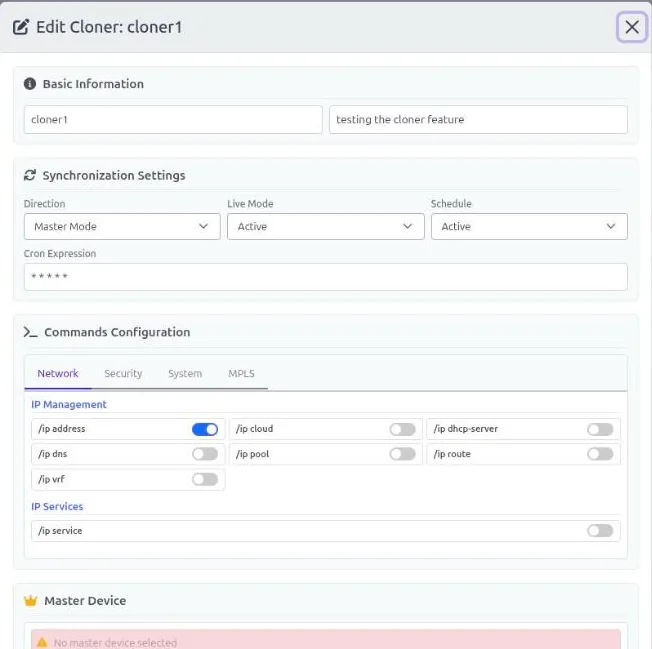
Live mode watches RouterOS change logs. When someone changes the master in WinBox, SSH, the API or WebFig, the change is replicated to the members without waiting for the next schedule.
#mwe stay local to a router.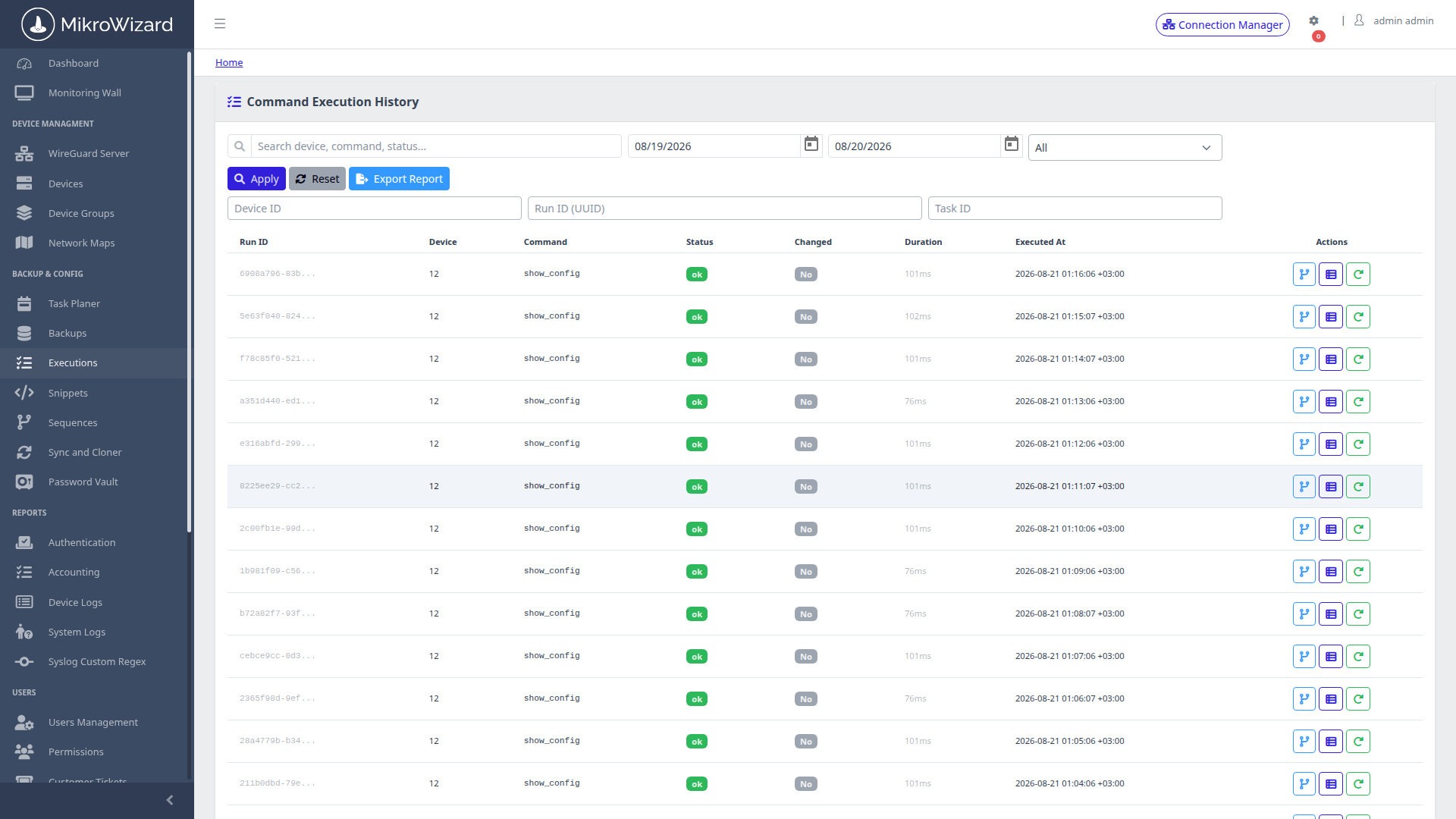
Never wonder what a script did or why a cron task failed. MikroWizard captures complete execution metrics for every batch task and sequence run.
The firmware engine was rewritten in MikroWizard 2.1.0. Package names are checked per architecture, every package is verified, and the result is confirmed after the reboot. In Pro, a multi-step planner also takes older routers along the RouterOS v6 to v7 path: latest v6 → 7.12.1 → 7.13+.
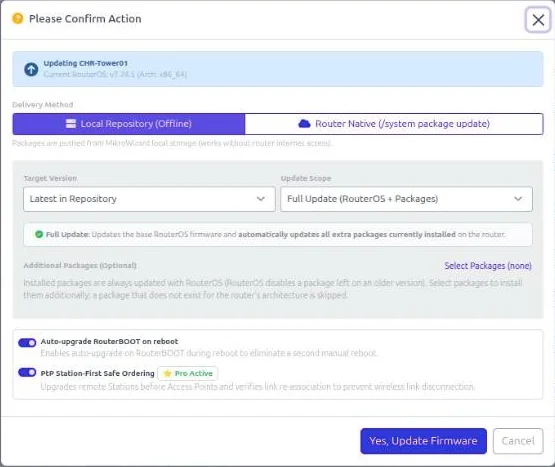
Upgrade to the latest release of the stable, long-term, testing or development channel, from the device list, from groups or from scheduled tasks.
On point-to-point wireless links, MikroWizard upgrades the stations before their APs, so the upgrade order follows the link.
MikroWizard refuses a v6 → v7 upgrade when packages that do not migrate (for example multicast or user-manager) are installed.
Installs wifi-qcom / wifi-qcom-ac across the RouterOS 7.13 package split. Read the 2.1.0 release notes →
Perform coordinated RouterOS firmware upgrades without depending on remote MikroTik download servers during maintenance windows.
.npk package bundles locally inside MikroWizard.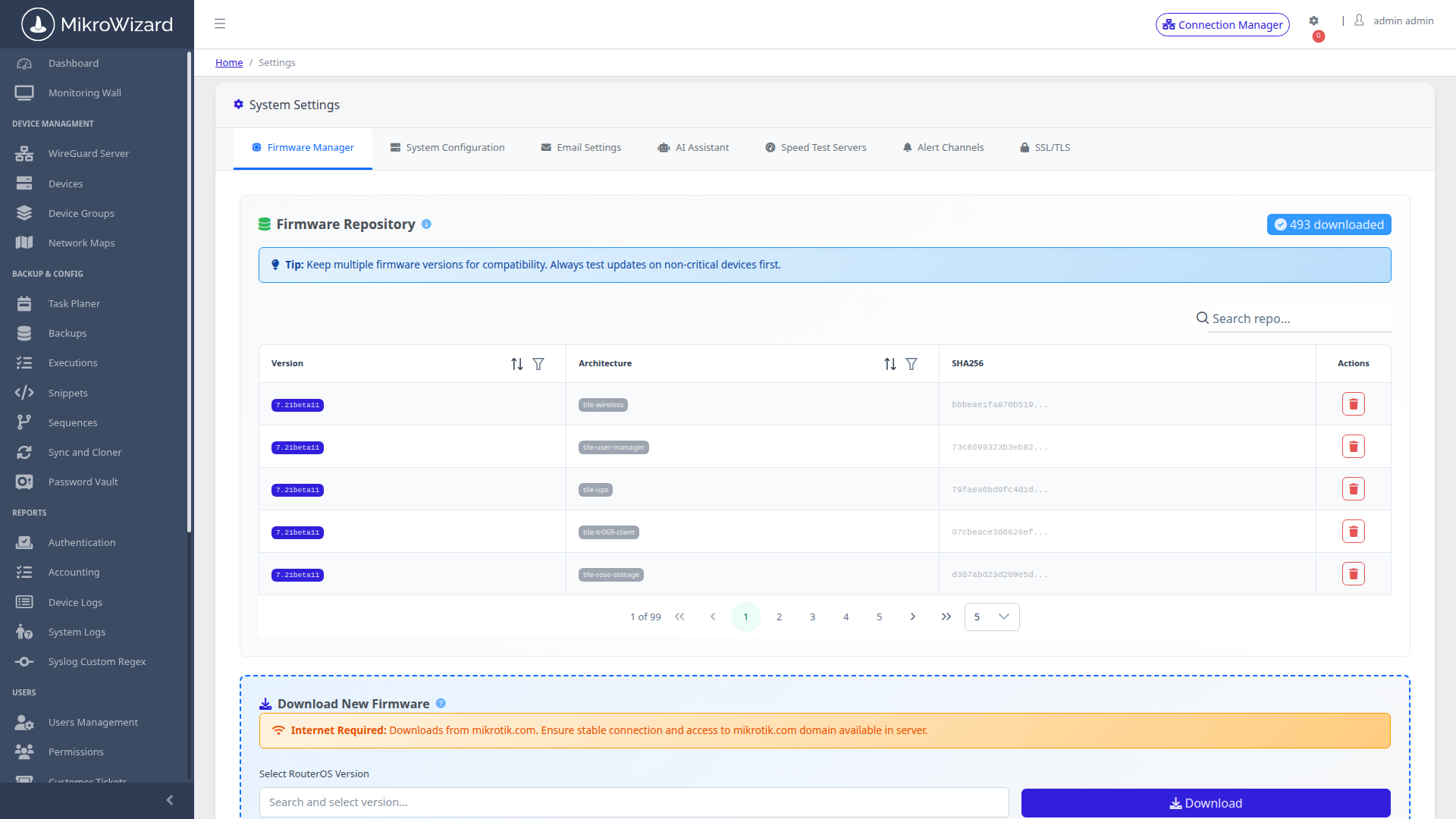
Deploy MikroWizard on-premises. Automate backups, diff changes visually, construct logic flowcharts, and eliminate human error.

 MikroWizard