
 MikroWizard
Pro
What it is #
Three settings decide whether a user can open sessions: a PAM seat, access to the device’s group and a terminal policy for that group.
Example uses
- Give a new engineer SSH to branch routers with a read-only policy.
- Use a stricter policy for Linux servers than for routers in the same group.
Pro Included in MikroWizard Pro. Per-user privileged access with seats, groups and policies.
Before you start #
- A Pro licence with free PAM seats. The counter PAM seats: X of Y used shows how many are left.
- The Terminal Gateway installed.
- At least one terminal policy.
How access is decided #
When a user opens a session, MikroWizard checks in this order and stops at the first failure:
- The licence is Pro.
- The user has a PAM seat. This applies to administrators too.
- The device is in a group the user has access to (access to Default means all devices).
- The user has a terminal policy for that group: the brand’s own policy, or else the group’s default policy.
The policy then decides what the user may type (SSH, Telnet) or do (RDP, VNC).
1. Assign a PAM seat #
Go to Users Management, edit the user and turn on Vault Terminal & Web TTY Access under Privileged Access Management (PAM). The badge changes to Seat Assigned and the counter shows the seats used of your licence.
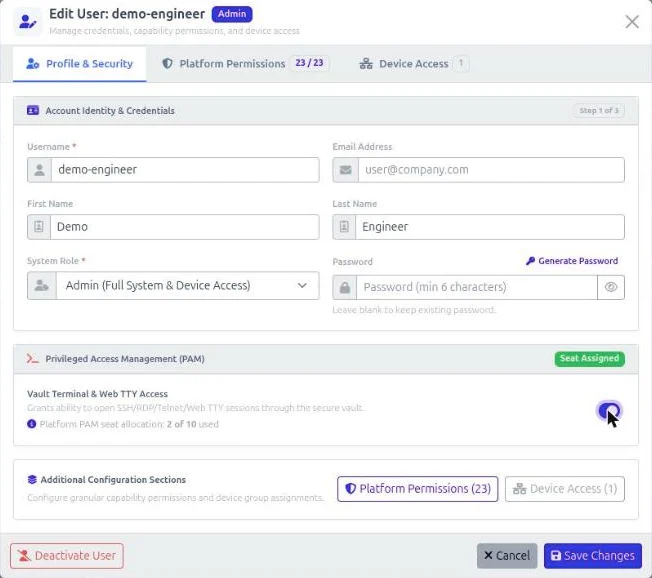
Turning it off frees the seat for someone else.
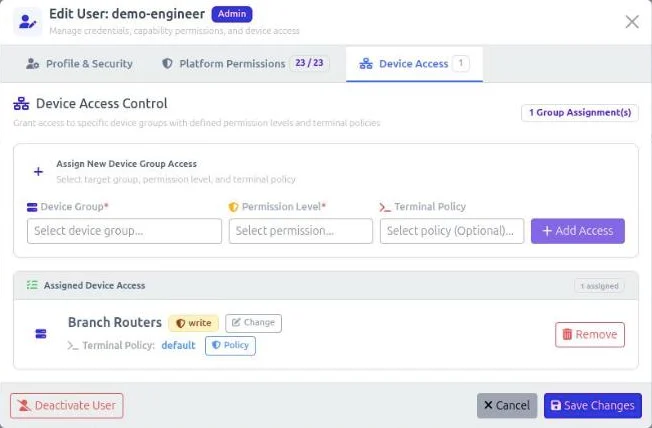
2. Give access to device groups #
On the Device Access tab, add each group with a Permission Level (the RouterOS profile on MikroTik routers). See Device group access.
3. Set a terminal policy per group #
Click Policy next to the group:
- Default Policy: used for every brand without its own policy. None (no terminal access) means the user can’t open sessions to this group.
- Per-Brand Policy Overrides: a different policy for MikroTik, Cisco, Linux and so on.
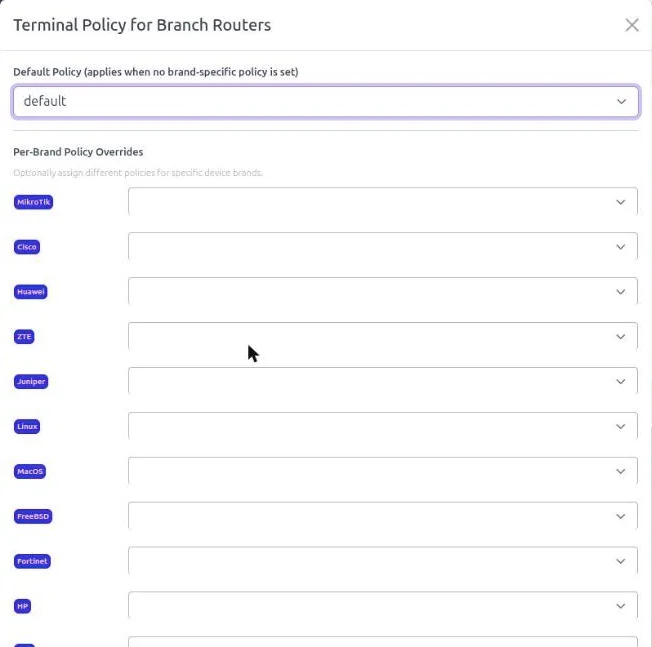
Click Update, then Save Changes.
Example: a support engineer #
- PAM seat: on.
- Group Customer Routers: permission read, default policy support-readonly (a whitelist of
printandmonitorcommands). - Group Lab: permission full, a policy without command restrictions.
The engineer can look at customer routers but not change them, and work freely in the lab.
Common messages #
| Message | Fix |
|---|---|
| PAM access is not enabled for this user | Assign a PAM seat. |
| No terminal policy is set for this device group | Set a policy for the group. |
| You do not have access to this device’s group | Add the group on Device Access. |
| Device is not assigned to any group | Add the device to a group. |
More: Terminal Gateway not connecting or session won’t open.


