
 MikroWizard
Table of Contents
Free Pro
What it is #
These switches let MikroWizard configure your routers for central logins, permissions, logging and safe updates, so every router follows the same security setup.
Example uses
- Make all MikroTik admins log in with their own MikroWizard user through RADIUS.
- Send every router’s logs to MikroWizard automatically.
Settings › System Configuration › Security & Enforcement.
These settings change device configurations. Test them in a lab before you turn them on for production routers.
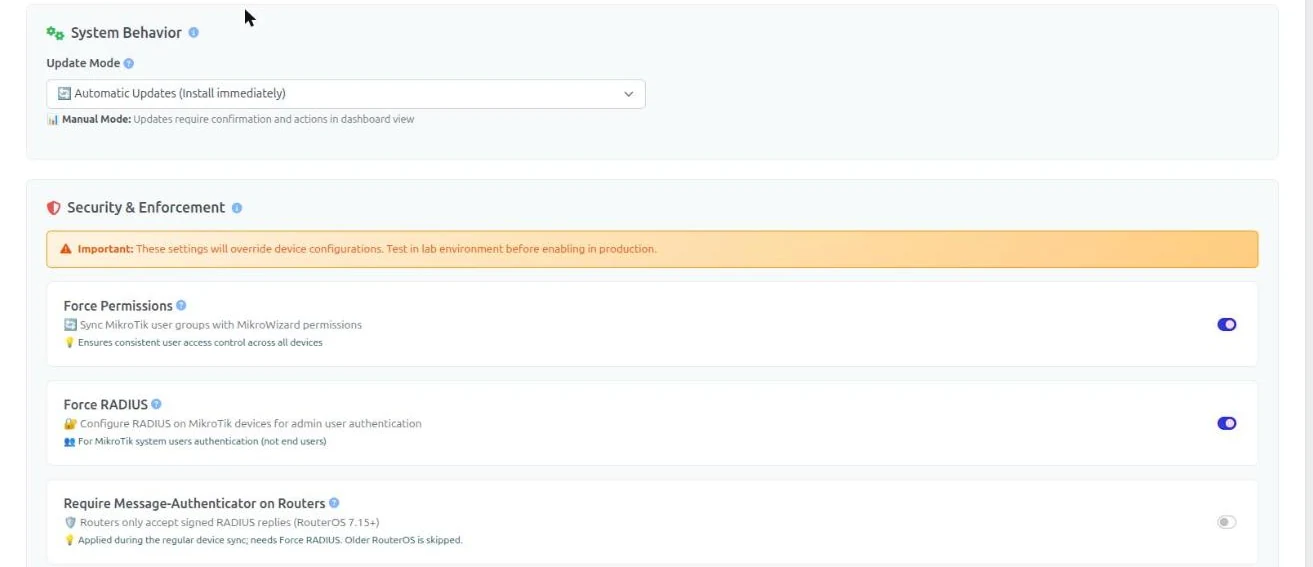
| Switch | What it does | Edition |
|---|---|---|
| Force Permissions | Keeps MikroTik user groups in line with MikroWizard permission profiles. | Free |
| Force RADIUS | Configures RADIUS on MikroTik routers so administrators log in with MikroWizard users (not end-users). | Free |
| Require Message-Authenticator on Routers | Routers accept only signed RADIUS replies (RouterOS 7.15+). Applied during the regular device sync; needs Force RADIUS. Older RouterOS is skipped. | Free |
| Router Identity Verification | Protects router credentials against impersonated routers: API-SSL Off / Pin certificate / Verify with CA file; SSH Off / Pin host key. See Router identity verification. | Free |
| Force Syslog | Configures logging on MikroTik routers to send logs to MikroWizard. Only MikroWizard’s own logging action and rules are changed. | Free |
| Safe Updates | Installs required intermediate firmware versions before the target version. | Pro |
| Force Device OTP | Requires a one-time password for all device logins. Make sure users have OTP set up first. | Pro |
| WebFig Auto Login | Creates a temporary OTP so users open WebFig without typing a password. | Pro |
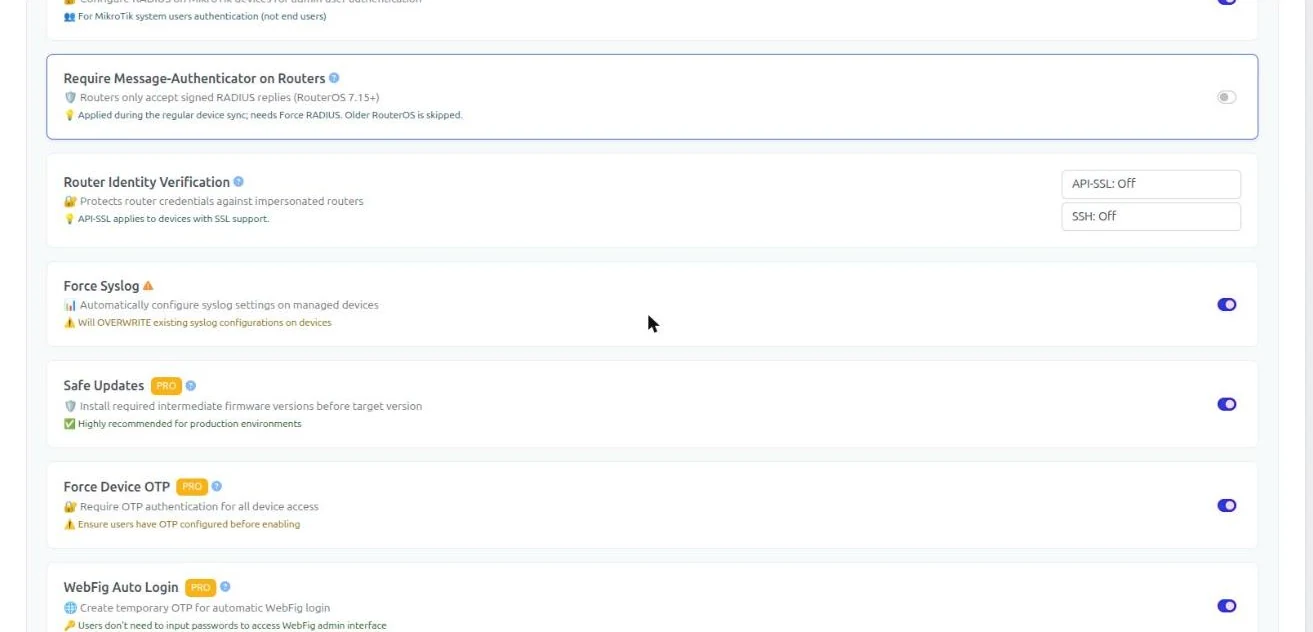
On new installations, Force Permissions, Force RADIUS, Force Syslog and Safe Updates start switched on.
What the switches change on MikroTik routers #
| Switch | Changes on the router |
|---|---|
| Force RADIUS | /user aaa: use-radius, accounting, interim update 0s. A /radius entry with the comment mikrowizard, service login, the MikroWizard address and the RADIUS secret. Other RADIUS entries, for example for PPPoE or hotspot, stay. |
| Force Syslog | A logging action mikrowizard<device ID> and rules for the topics critical, error and info. See Send router logs to MikroWizard. |
| Force Permissions | /user group entries named after your permission profiles. |
MikroWizard checks these during polling and fixes them when they differ.
Example: a new installation #
- Set the Default IP Address and RADIUS Secret in System configuration.
- Turn on Force RADIUS, Force Permissions and Force Syslog, and save.
- Log in to a test router with a MikroWizard user in WinBox, and check the Authentication log.


