
 MikroWizard
Pro MikroTik only
What it is #
The simple firewall gives customers ready-made switches and device blocking, without firewall knowledge. MikroWizard writes the RouterOS rules for them.
Example uses
- Parents block a child’s tablet at bedtime.
- A small office blocks a device that should no longer use the network.
Pro Included in MikroWizard Pro. Parental controls and device blocking that subscribers can switch on themselves.
Predefined Rules #
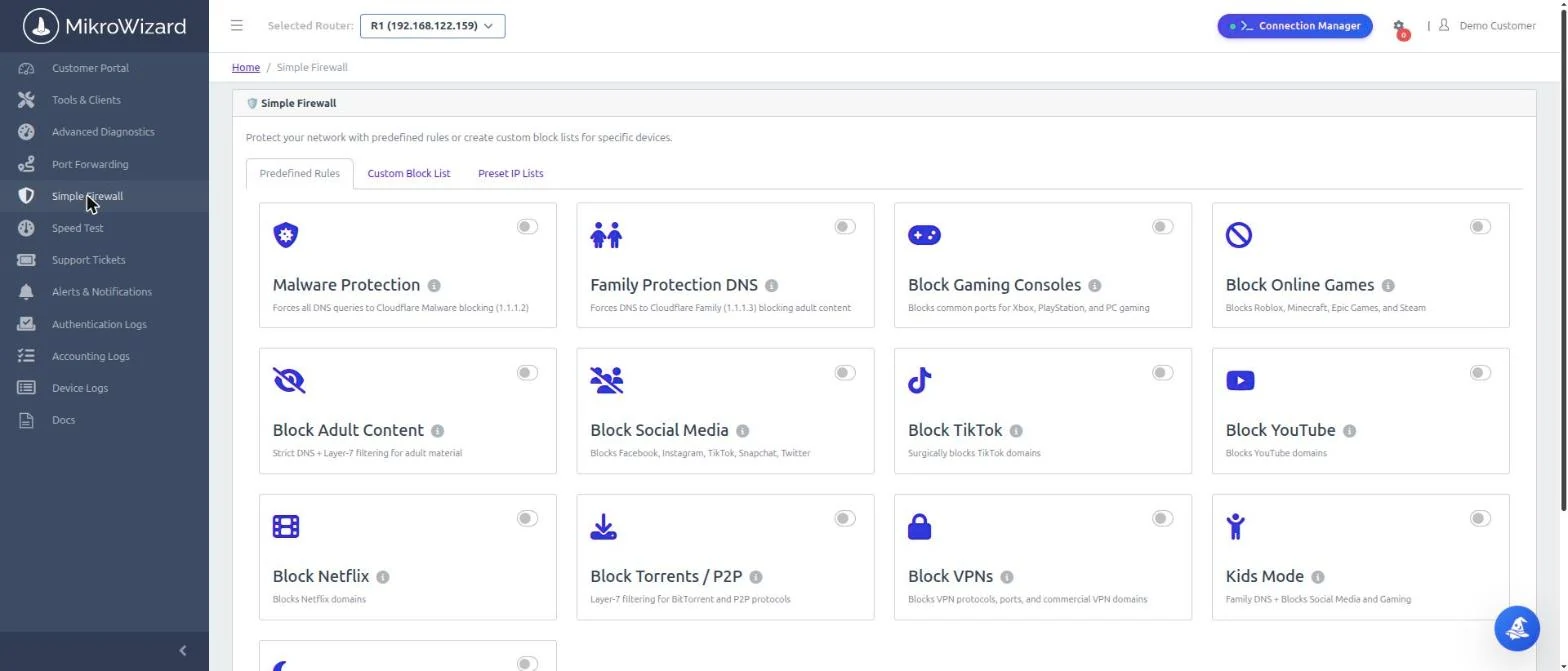
Switch a card on to apply it to the router, off to remove it.
| Rule | What it does |
|---|---|
| Malware Protection | Forces DNS to Cloudflare malware blocking (1.1.1.2). |
| Family Protection DNS | Forces DNS to Cloudflare Family (1.1.1.3). |
| Block Gaming Consoles | Blocks common Xbox, PlayStation and PC gaming ports. |
| Block Online Games | Blocks Roblox, Minecraft, Epic Games and Steam. |
| Block Adult Content | Strict DNS plus layer-7 filtering. |
| Block Social Media | Blocks Facebook, Instagram, TikTok, Snapchat, Twitter. |
| Block TikTok / Block YouTube / Block Netflix | Blocks that service’s domains. |
| Block Torrents / P2P | Layer-7 filtering for BitTorrent and P2P. |
| Block VPNs | Blocks VPN protocols, ports and commercial VPN domains. |
| Kids Mode | Family DNS plus social media and gaming blocks. |
| Night Mode | Blocks all internet traffic; management stays reachable. |
Some rules can’t be combined (for example Kids Mode already includes Family DNS, social media and gaming blocks); MikroWizard checks for conflicting combinations when a rule is switched on.
Custom Block List #
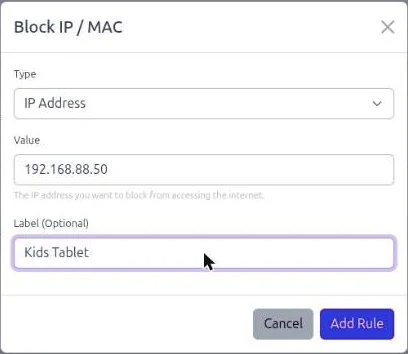
- Open Custom Block List and click Block IP/MAC.
- Choose IP Address or MAC Address, enter the value and an optional label (e.g. Kids Tablet).
- Click Add Rule.
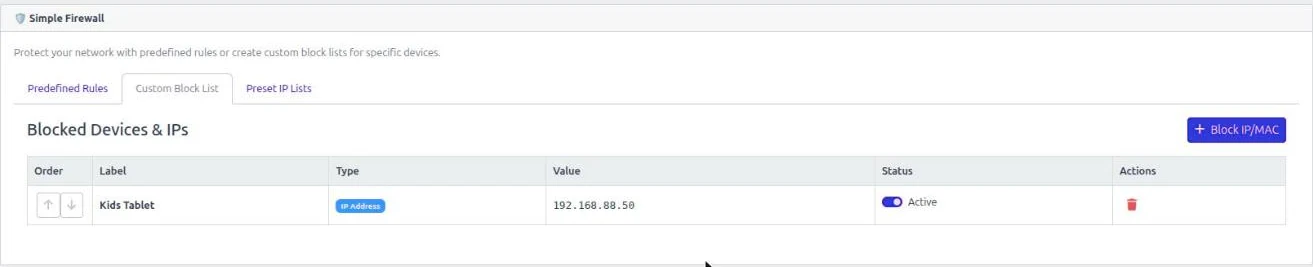
Blocked entries can be switched off, reordered or deleted.
Preset IP Lists #
Rules that use an address list (such as Block Online Games) can take extra IPs or subnets. Open Preset IP Lists, click Add IP to Preset, choose the active preset and enter the address.
Example: homework time #
A parent turns on Kids Mode and adds the children’s tablets to the Custom Block List with the label Kids Tablet. In the evening they switch Night Mode on for all devices, and off again in the morning.


