Persona 1 • NOC Operations Blueprint

Fleet-Wide Visibility &
Rapid Incident Triage

Centralized remote management for NOC engineers: Replace dozens of open Winbox windows with a unified monitoring plane. Spot link degradation seconds before subscribers notice with a real-time NOC wallboard, secure remote access, side-by-side visual config diffing, and automated L2 topology discovery.
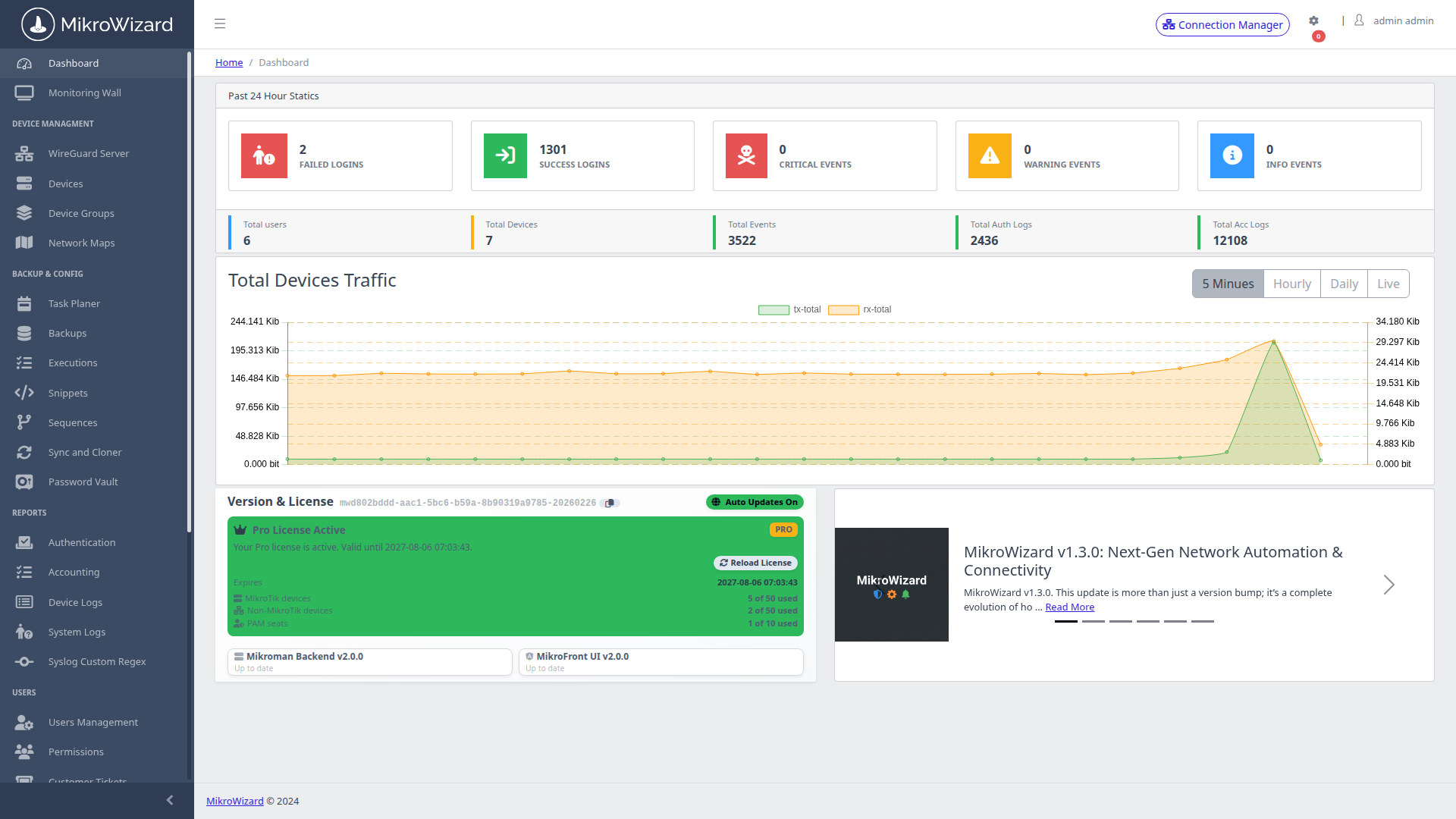
NOC Overview Dashboard
🔍 Inspect High-Res
Executive Dashboard

Centralized NOC Fleet Health & Telemetry

At-a-glance operational intelligence for network directors managing hundreds of distributed edge routers across sites.
  • ✓ Fleet Telemetry Aggregation: Real-time counters for total online/offline routers, RouterOS v6 vs v7 distribution, and active alerts.
  • ✓ Hardware Health Widgets: Spot CPU spikes, low storage thresholds, memory exhaustion, and license compliance instantly.
Monitoring Wallboard
🔍 Inspect High-Res
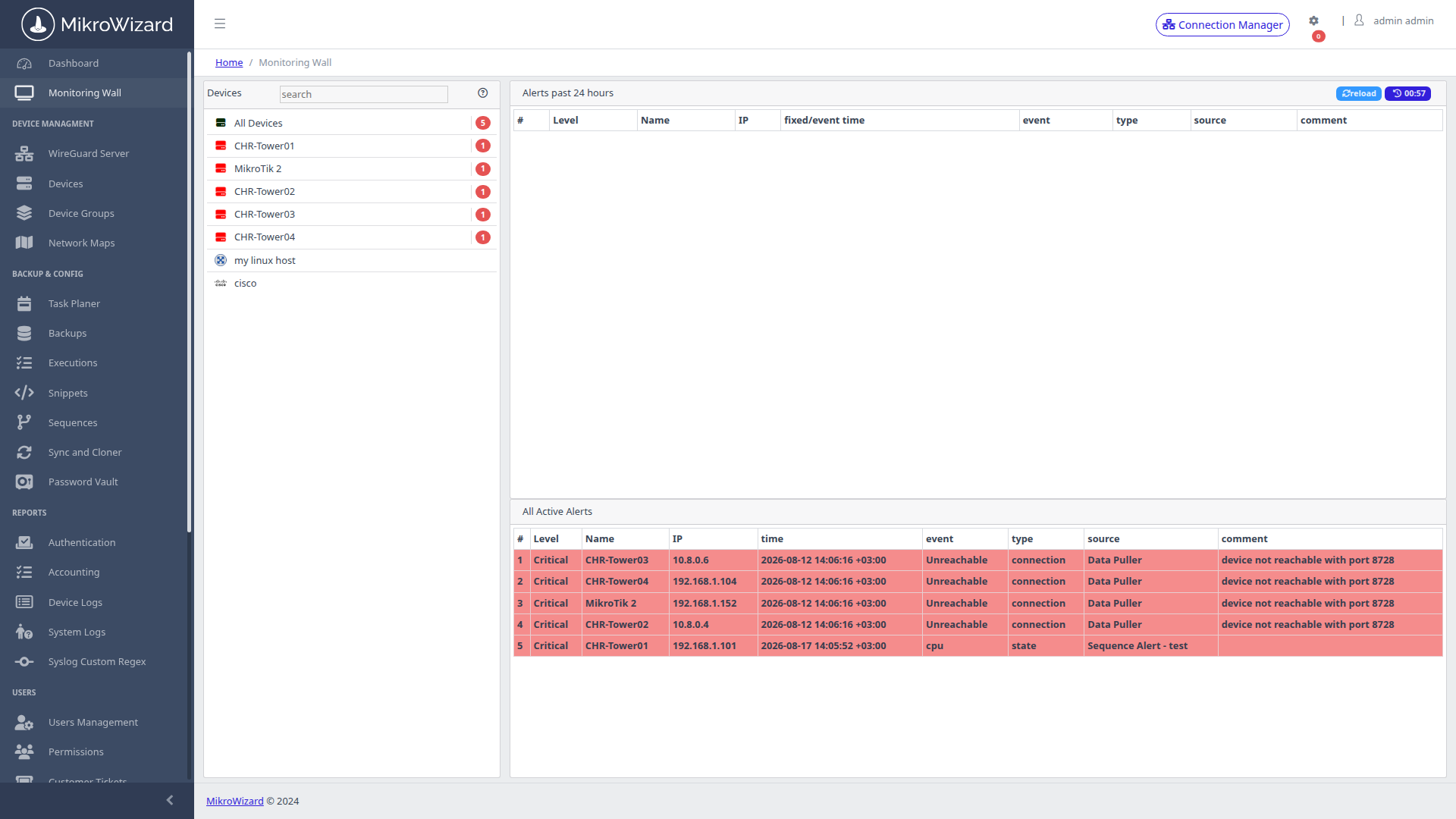
Monitoring Wallboard

Real-Time Wallboard & 1-Click Triage

Designed for NOC video walls to spot degraded links and failing hardware seconds before customers notice.
  • ✓ Live Status Matrix: Color-coded tiles updating ping latencies, memory pressure, and CPU utilization.
  • ✓ 1-Click Triage: Launch in-browser terminal or WebFig triage directly from any degraded tile.
Hierarchical Groups
🔍 Inspect High-Res
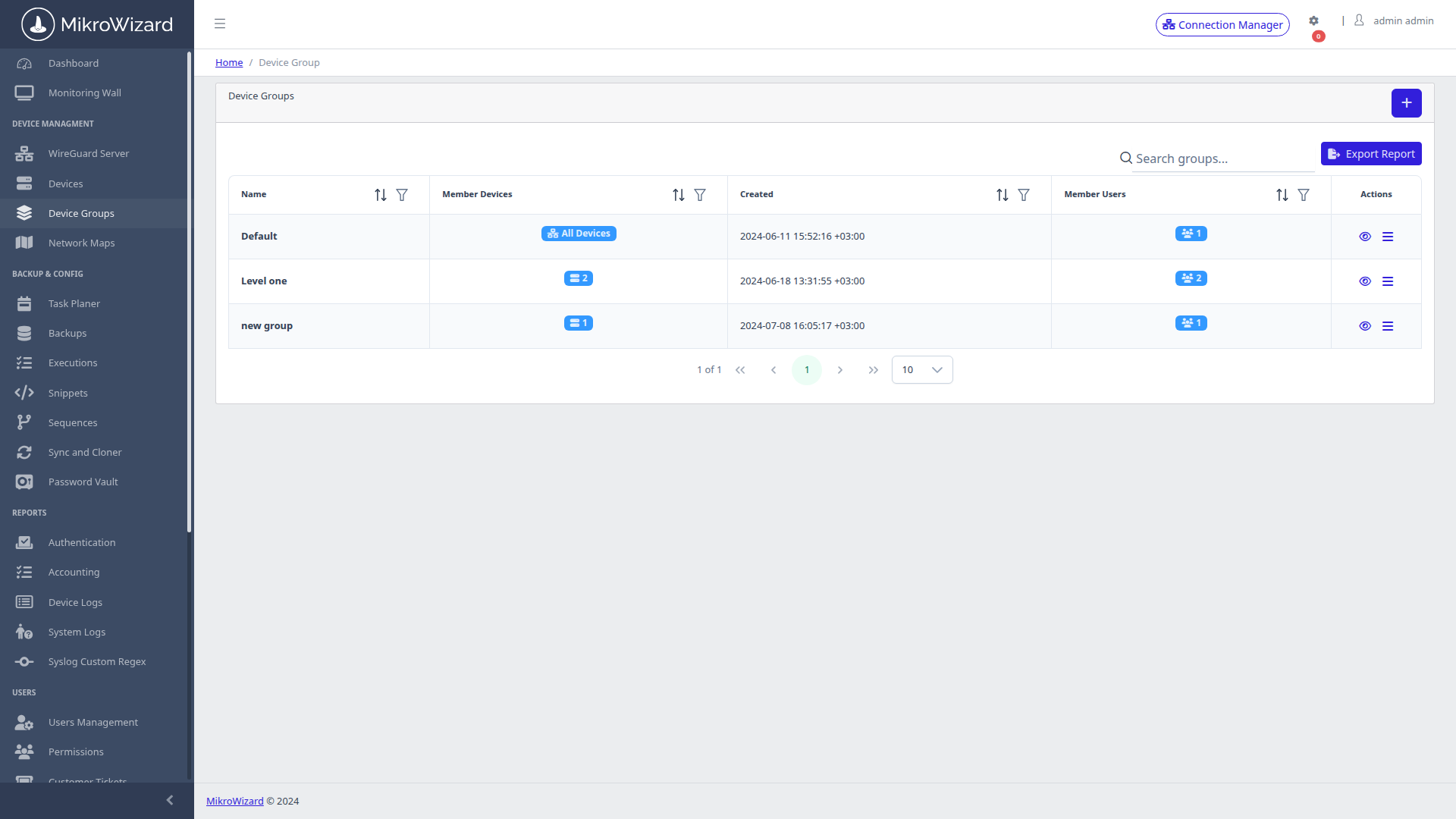
Device Organization

Hierarchical Groups & Access Scopes

Segment large enterprise networks cleanly across regions, subsidiaries, and client tiers.
  • ✓ Flexible Tree Hierarchy: Group routers by region, customer SLA tier, or infrastructure role.
  • ✓ Targeted Mass Actions: Dispatch firmware updates, backups, and scripts to specific groups.
Topology Discovery Map
🔍 Inspect High-Res
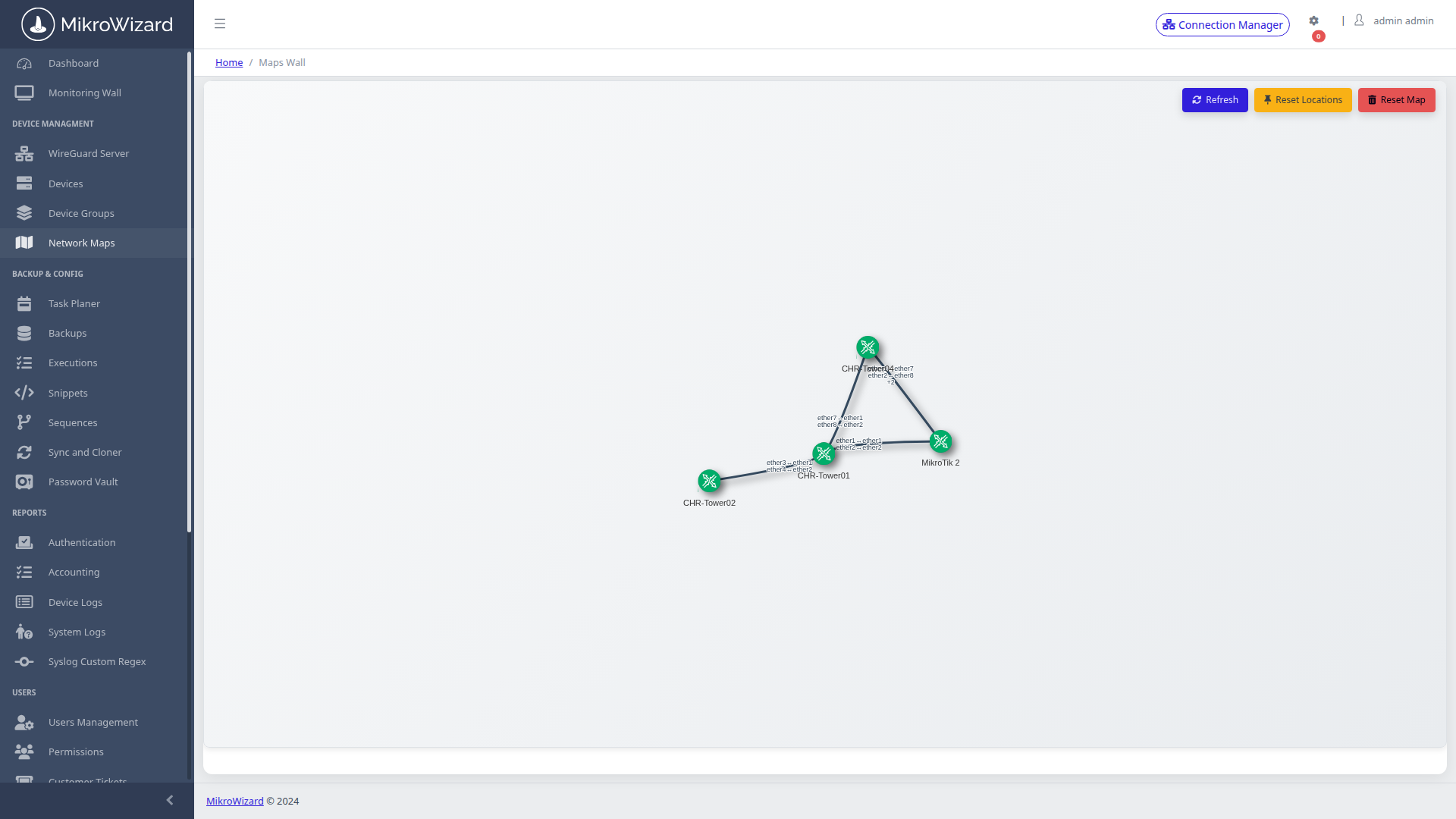
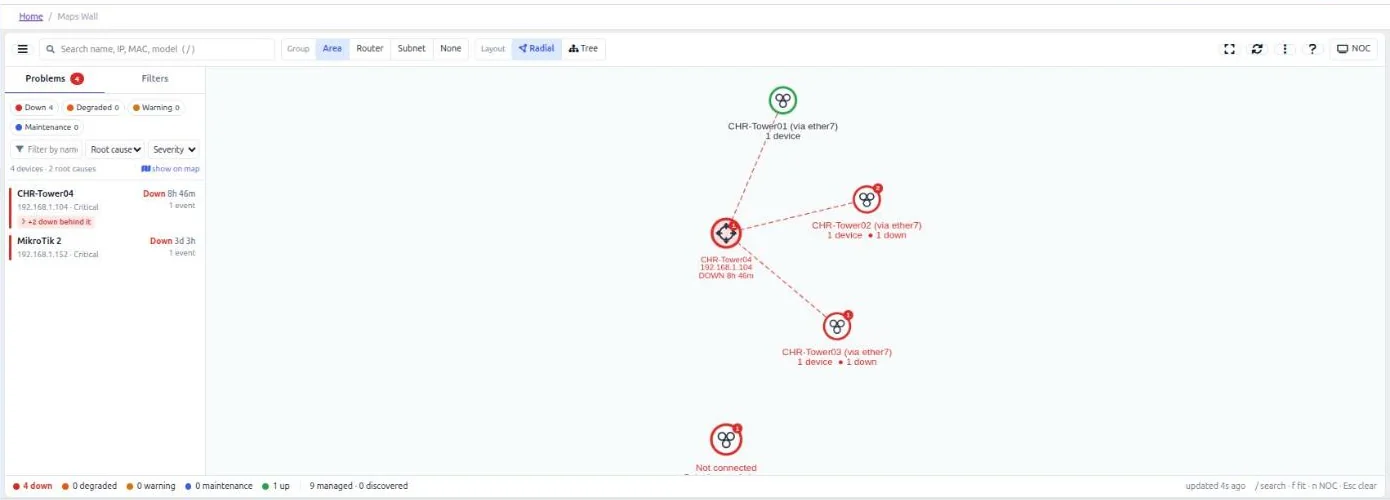
Topology Discovery

Layer-2 LLDP / MNDP / CDP Topology Map

Automatically discover and visualize your physical network topology without manual diagramming.
  • ✓ Multi-Protocol Neighbor Harvesting: Combines MikroTik MNDP, standard LLDP, and Cisco CDP discovery.
  • ✓ Dynamic Physics Engine: Interactive vis-network canvas with node clustering and live link drilldowns.
Visual Diffing
🔍 Inspect High-Res
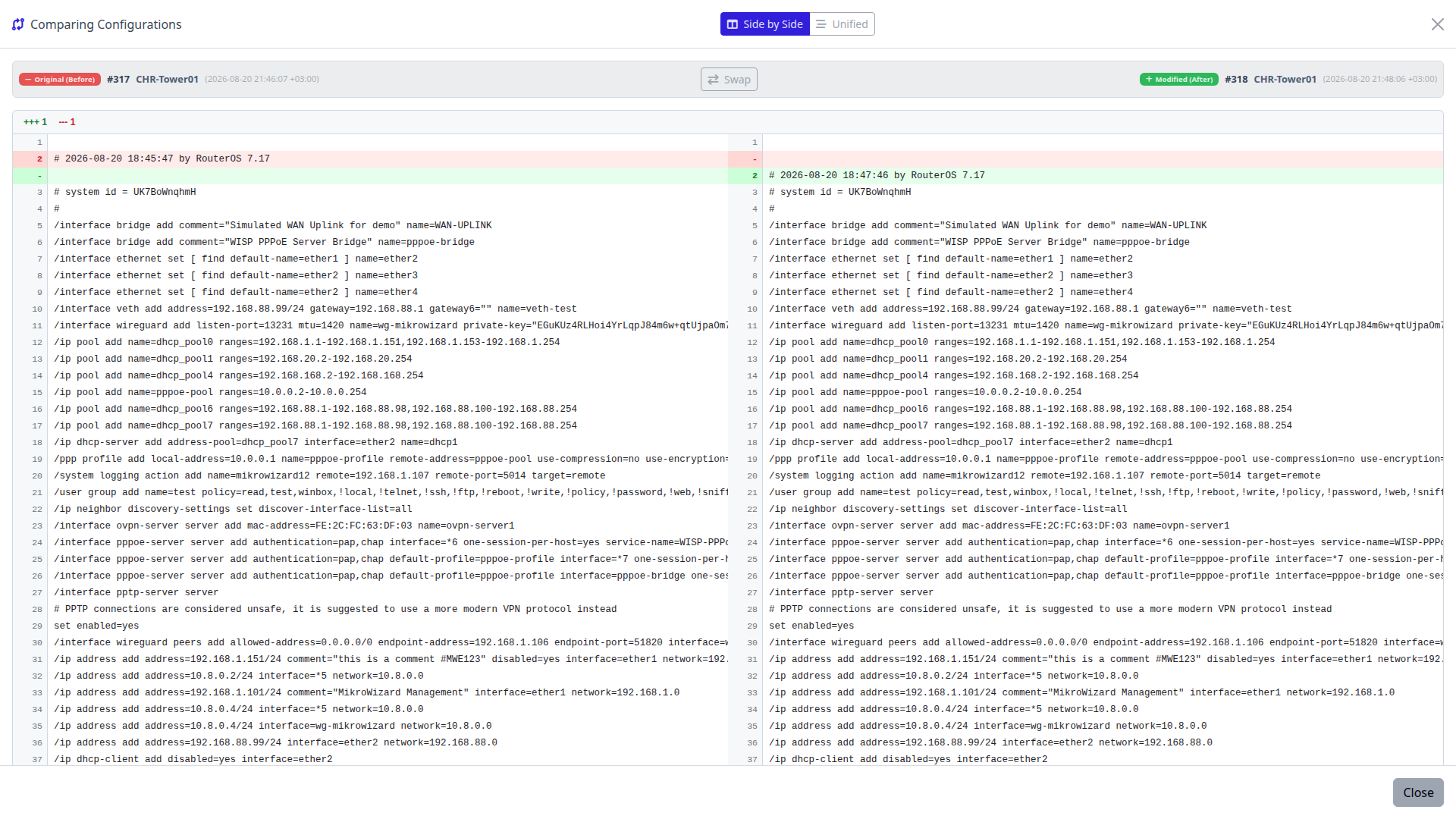
Visual Diffing

Git-Style Side-by-Side Config Diffing

Instant visual proof of configuration drift between any two points in time.
  • ✓ Color-Coded Additions & Deletions: Side-by-side and unified diff views with line numbers.
  • ✓ 1-Click Version Swap: Compare live configurations against historical snapshots or reference baselines.
Alert Channels
🔍 Inspect High-Res
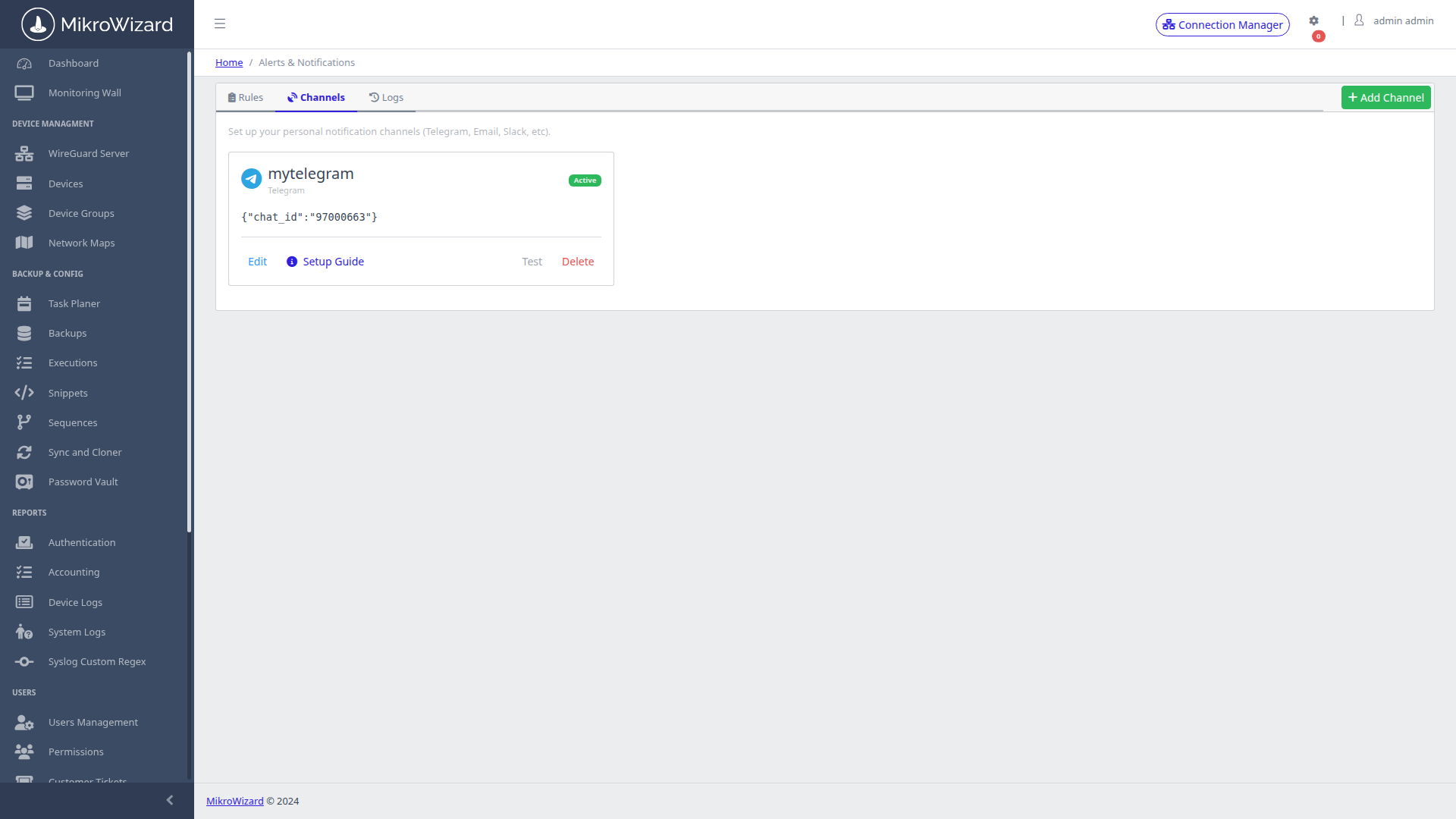
Alert Dispatcher

Multi-Channel Alerting via Apprise

Deliver instant incident alerts directly to NOC teams via Telegram, Slack, Teams, Discord, and PagerDuty.
  • ✓ 11 Built-in Channels plus Any Apprise URL: Dispatch notifications to Telegram bots, Slack webhooks, and PagerDuty.
  • ✓ Admin Governance: Centralized channel authorization with personal operator notification triggers.
MikroWizard Network Map v2 root cause analysis Problems drawer showing a failed MikroTik router and the devices down behind it
🔍 Inspect High-Res
New in v2.1.0

MikroTik Network Map v2 with Root Cause Analysis & NOC Mode

When a site goes dark, see which device actually failed instead of a wall of red. Network Map v2 is built on MikroTik neighbour discovery (MNDP/LLDP/CDP).


  • ✓ Root Cause Analysis (Pro): The Problems drawer separates the device that actually failed from devices that are only unreachable because of it.
  • ✓ NOC Full-Screen Mode (Pro): Radial and hierarchical tree layouts, live state rings, link traffic rates, path finding, search, PNG export and light/dark themes for the video wall.
  • ✓ Live Offline State & Reboot Detection (Free & Pro): Live Offline state and uptime, reboots detected with the cause taken from RouterOS logs, and alerts suppressed while a device is updating or rebooting.
  • ✓ Faster Polling at Scale (Free & Pro): Poller with 15–120 workers and optional multiple pollers; large fleets are polled in roughly 30–45 seconds.

Read the MikroWizard 2.1.0 release notes →