
 MikroWizard
Table of Contents
Pro
What it is #
Every privileged session is recorded so you can replay it later and see who took part.
Example uses
- Replay what happened on a firewall before it went down.
- Provide evidence of administrative access for an audit.
Pro Included in MikroWizard Pro. A recording of every privileged session.
Before you start #
- Edition: Pro.
- Who: staff users (not customers) with the Privileged Sessions permission, Read or higher. See Admin permissions.
- Sessions are recorded by the Terminal Gateway; WebFig sessions by MikroWizard itself.
What is recorded #
| Session | Recording | Replay |
|---|---|---|
| SSH, Telnet | Everything shown in the terminal, plus each command typed | Terminal replay |
| WebBox (WinBox in the browser) | Video (MP4) | Video player with seeking |
| RDP, VNC | Screen recording | Screen replay. Only when Forensic Video is on in the session DLP of the policy (on by default). |
| WebFig in the browser | The page as the user saw it | Page replay |
Find a session #
Go to Privileged sessions (PAM) › Session history.
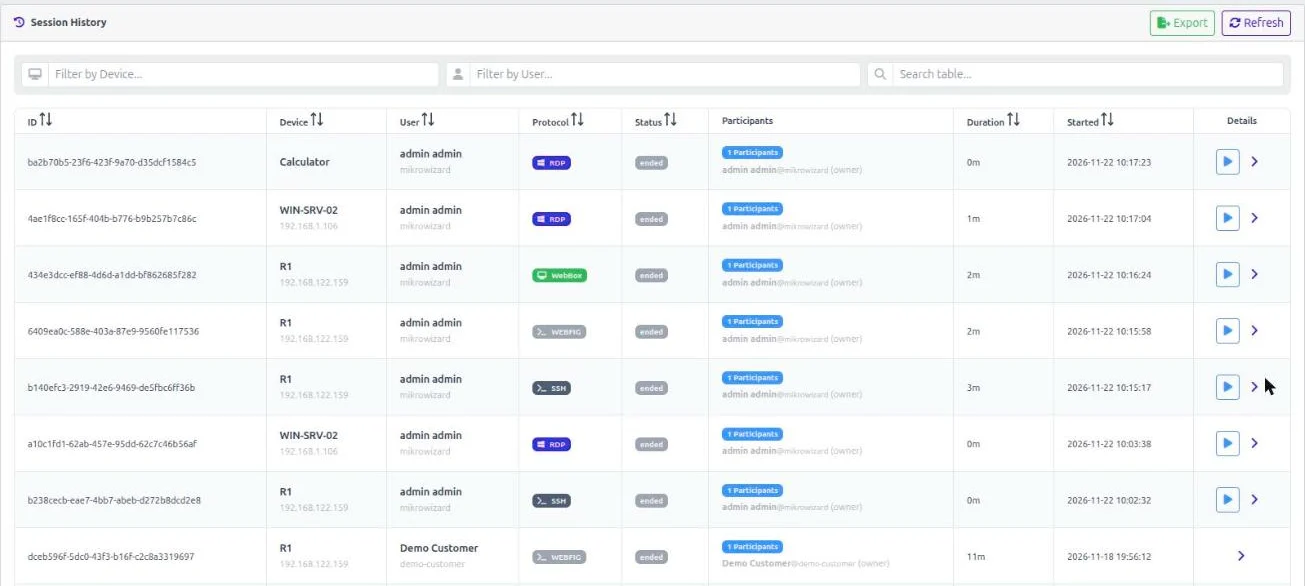
- Filter by Device and Filter by User, or type in the search box (ID, device, IP, user, status, protocol).
- Columns: ID, device and IP, user, protocol (SSH, TELNET, WebBox, RDP, VNC, WEBFIG), status, participants, duration and start time.
- Export downloads the list; Refresh reloads it.
Replay a session #
Click the play button. It is shown only when a recording exists.
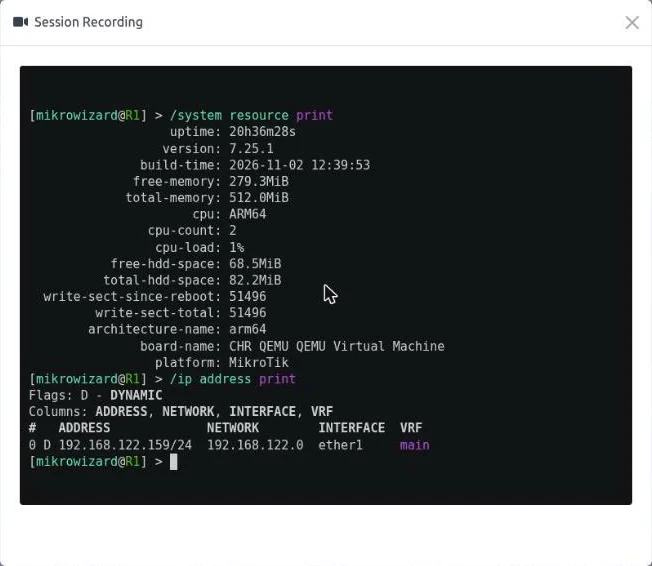
Session details #
Click View Details.
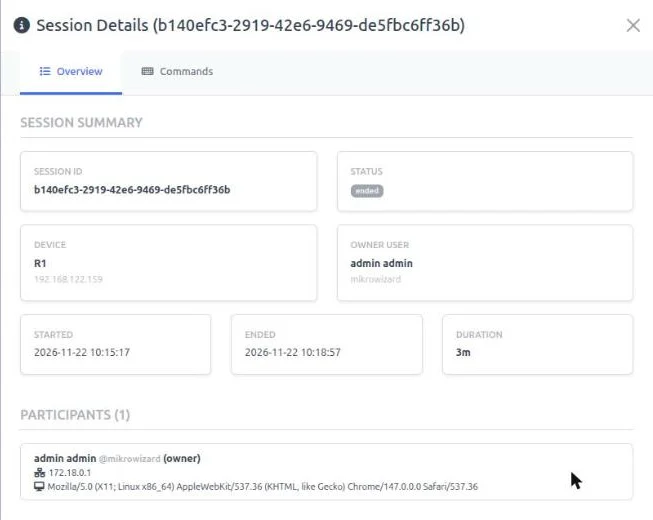
- Overview: session ID, status, device, owner, start, end and duration, and every participant with name, role, IP address and browser. Participants are the owner and anyone who joined through session sharing.
- Commands (SSH, Telnet): each command with its time and whether it was Allowed or Blocked by the terminal policy. The same list for all sessions is in Command History.
Where recordings are stored #
| Recordings | Folder on the server |
|---|---|
| SSH, Telnet, WebBox, RDP, VNC | /opt/mikrowizard/terminal_recordings (setting PYSRV_TERMINAL_RECORDINGS_DIR; chosen when installing the gateway) |
| WebFig | /opt/mikrowizard/webfig_recordings |
MikroWizard’s daily clean-up doesn’t delete recordings. Video recordings of long desktop sessions can be large, so watch the disk space and include these folders in your server backups.
Example: what happened on the firewall last night? #
- Filter by Device: pick the firewall.
- Sort by Started and find the sessions of the evening.
- View Details › Commands shows each command and who typed it; Participants shows who else was watching or typing.
- Play the recording to see the output the engineer saw.
Common problems #
| Problem | Cause and fix |
|---|---|
| No play button | No recording for this session. For RDP and VNC, Forensic Video may be off in the policy’s session DLP. |
| Recording file not found | The file was moved or deleted, or the gateway on a separate host writes to a different folder. Check the recordings folder. |
| Commands tab is empty | Commands are captured for SSH and Telnet only. |


