Pillars 6 & 7 • Self-Service & RBAC

White-Label Subscriber Portal &
17-Scope Granular RBAC Governance

Slash tier-1 support tickets by empowering ISP subscribers with self-healing 1-click network diagnostics, safe NAT port forwarding, and security presets, governed by a multi-tenant 17-scope RBAC permission matrix.

White-Label

White-Label Customer Self-Service Portal

Provide residential and enterprise ISP clients with a branded portal. Fully customizable with your ISP logo, color scheme, domain name, and support links.
  • Granular Tab Delegation : Administrators choose which tabs (Diagnostics, NAT, Firewall, Wi-Fi) each customer can see.
  • Strict tenant isolation: customers only see their assigned CPE router.
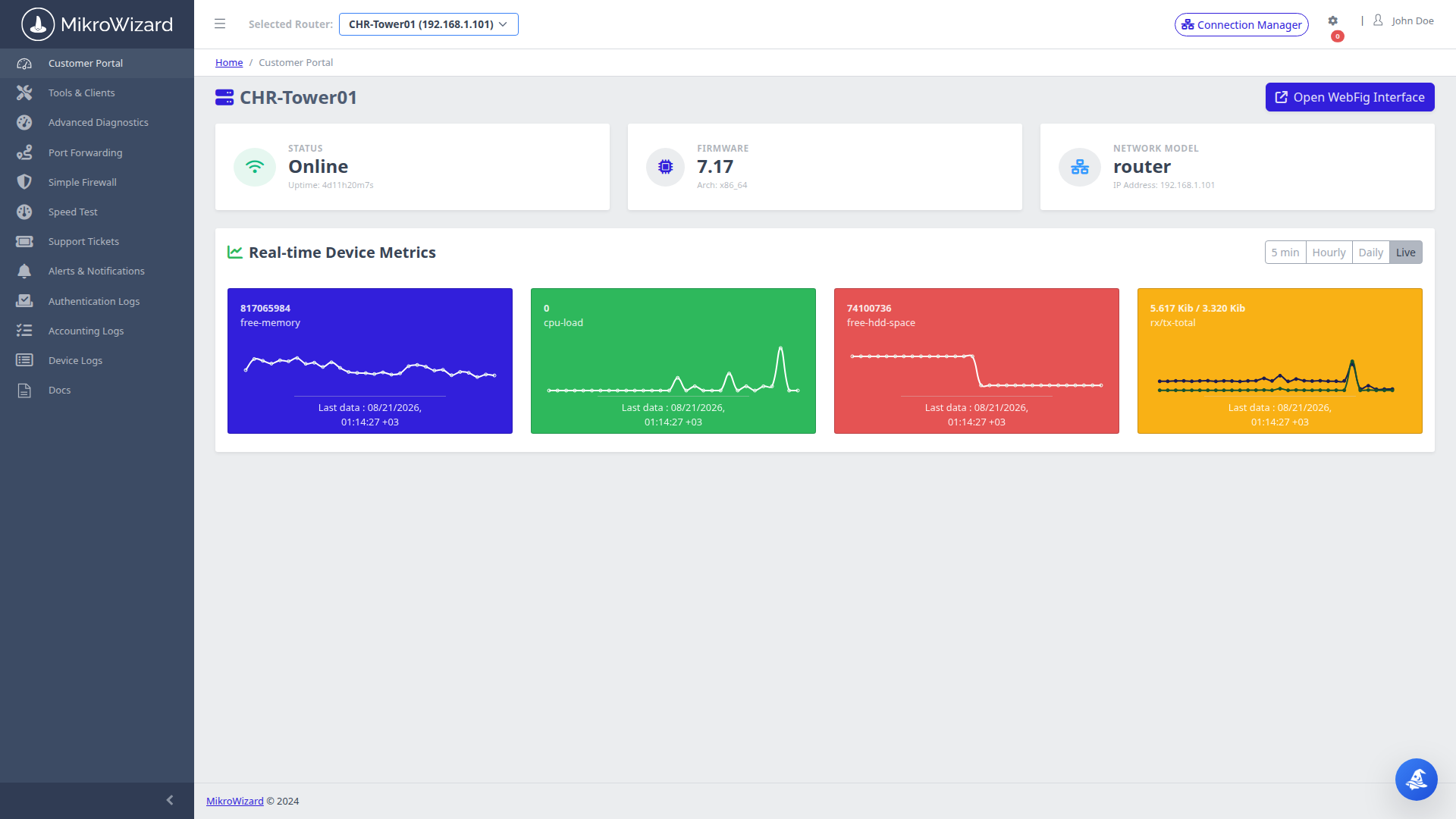
Customer Self-Service Portal Dashboard
Inspect High-Res Screen

Subscriber Portal Dashboard: Internet connection health status, uptime counter, external IP, and quick diagnostic triggers.

1-Click Network Diagnostics Results
Inspect High-Res Screen

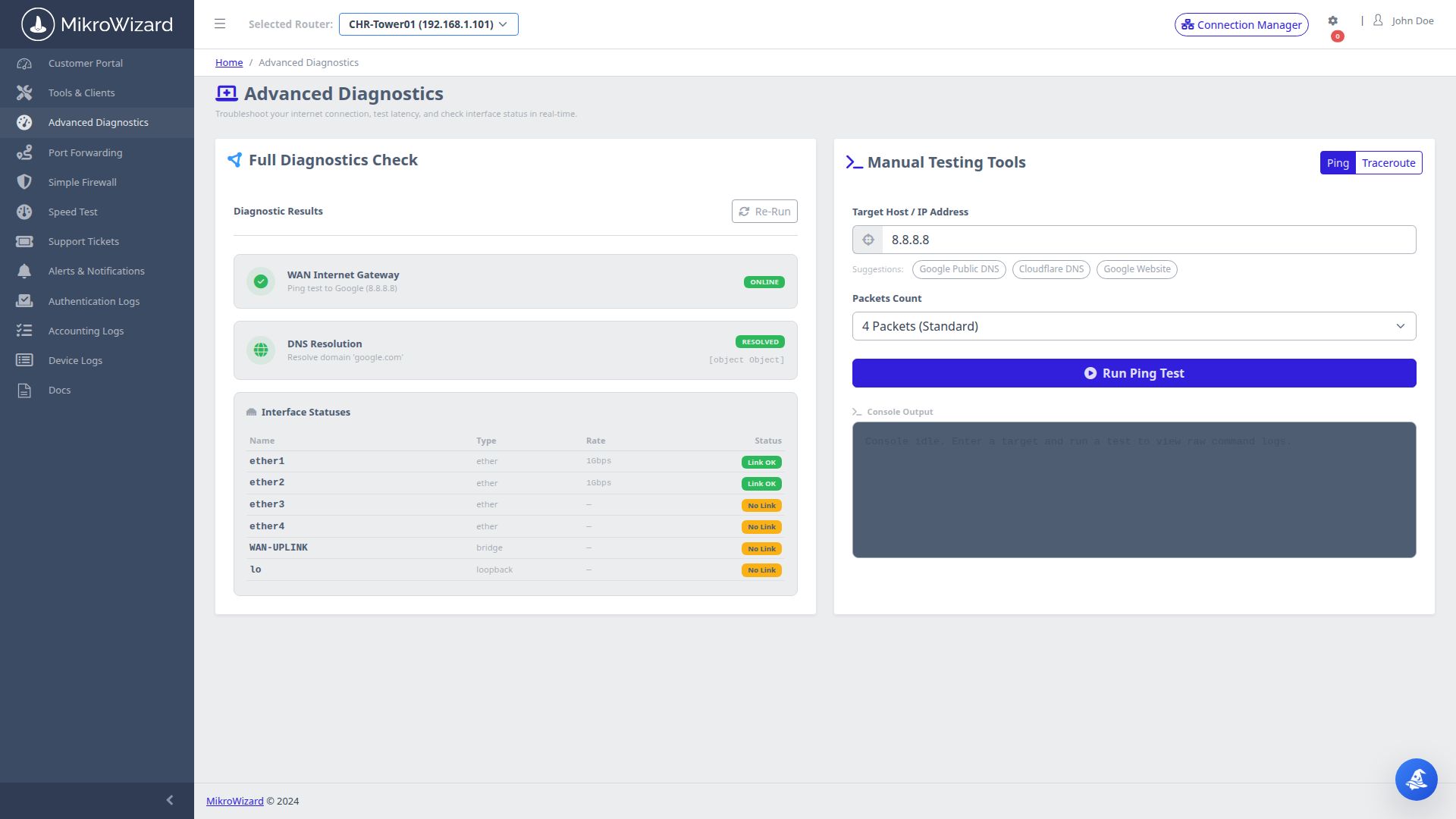
Automated Triage: Multi-target ping tests (8.8.8.8, 1.1.1.1, Default Gateway) with packet loss and latency breakdown.

Self-Triage

1-Click Automated Network Diagnostics

When subscribers experience connectivity issues, they click one button to run automated ping tests, DNS resolution checks, and gateway reachability checks directly from their router.

  • Translates complex network state into clear human explanations ("Your Wi-Fi is good, but your ISP gateway is unreachable").
  • Eliminates 70% of repetitive Tier-1 support call inquiries.
Delegated NAT

Safe Customer Port Forwarding Management

Subscribers can safely open ports for gaming consoles (PlayStation, Xbox), NAS servers, and security cameras without accessing raw RouterOS firewall settings.
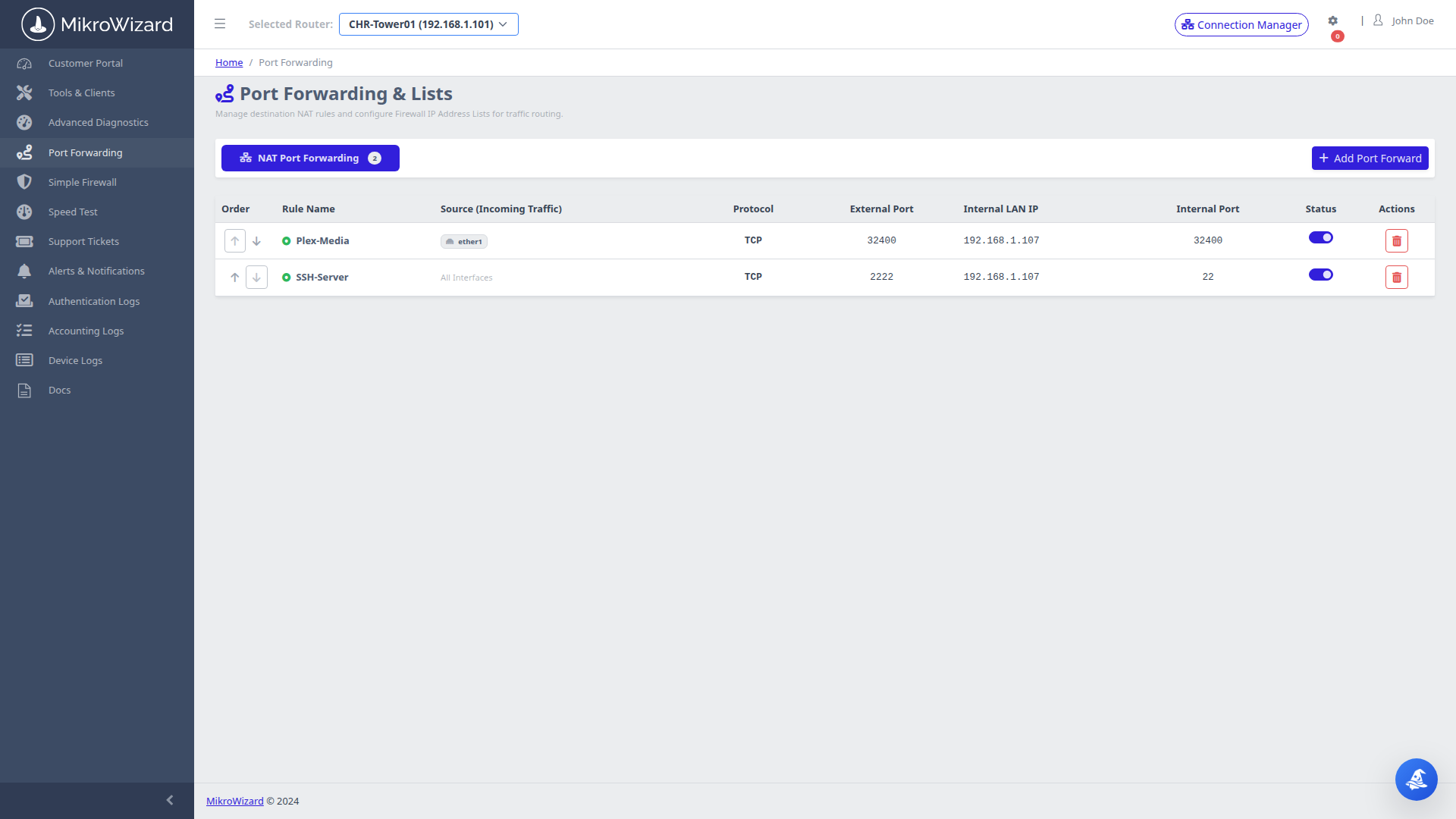
  • Port Conflict Protection: Prevents subscribers from forwarding management ports (e.g. 80, 443, 22, 8291).
  • Creates isolated destination NAT firewall rules dynamically via RouterOS API.
Customer Port Forwarding Management
Inspect High-Res Screen

Port Forwarding Console: Table of active customer NAT rules with protocol, source/destination ports, and internal LAN target IP.

Customer Security Presets
Inspect High-Res Screen

Firewall Presets: 1-click toggles for Standard, Gaming, and Strict parental protection modes.

Security

1-Click Security Presets & IP/MAC Blacklist

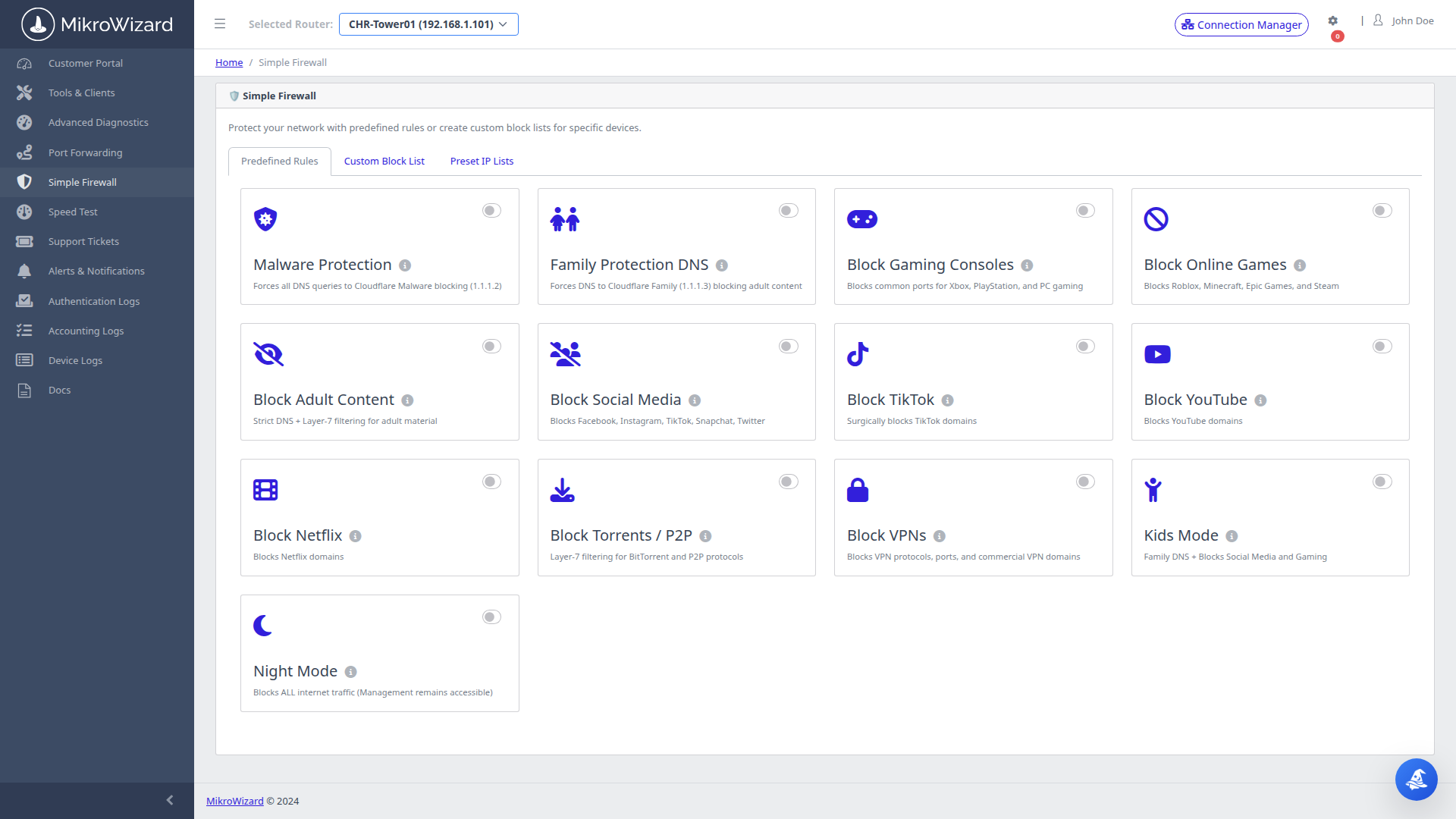
Subscribers select predefined security profiles without risking firewall lockout:

  • Standard Mode: Balanced firewall protecting internal LAN from WAN intrusions.
  • Gaming Mode: Low-latency NAT profile with optimized UPnP handling.
  • Strict Mode: Enhanced DNS filtering blocking adult and malicious web domains.
Helpdesk

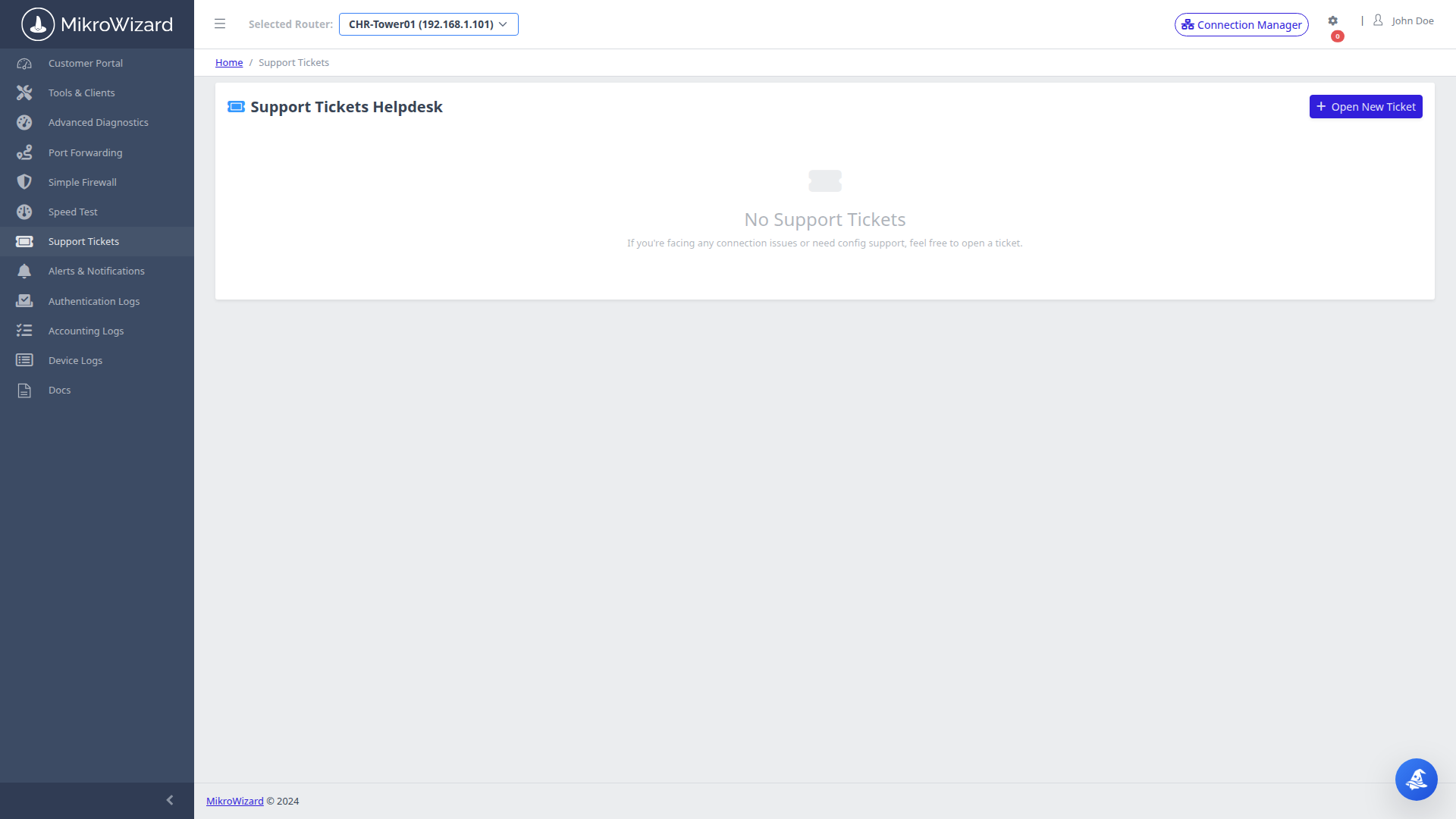
Integrated Customer Support Ticketing

Subscribers can submit support inquiries directly inside the portal. The system automatically attaches recent diagnostic logs and device metadata to the ticket.
  • Provides NOC support engineers with immediate diagnostic context without asking basic questions.
  • Full ticket lifecycle tracking (Open, In-Progress, Resolved).
Customer Support Ticket Console
Inspect High-Res Screen

Support Desk: Subscriber ticket overview with creation date, assigned engineer, and status pills.

Granular 17-Scope RBAC Permission Matrix
Inspect High-Res Screen

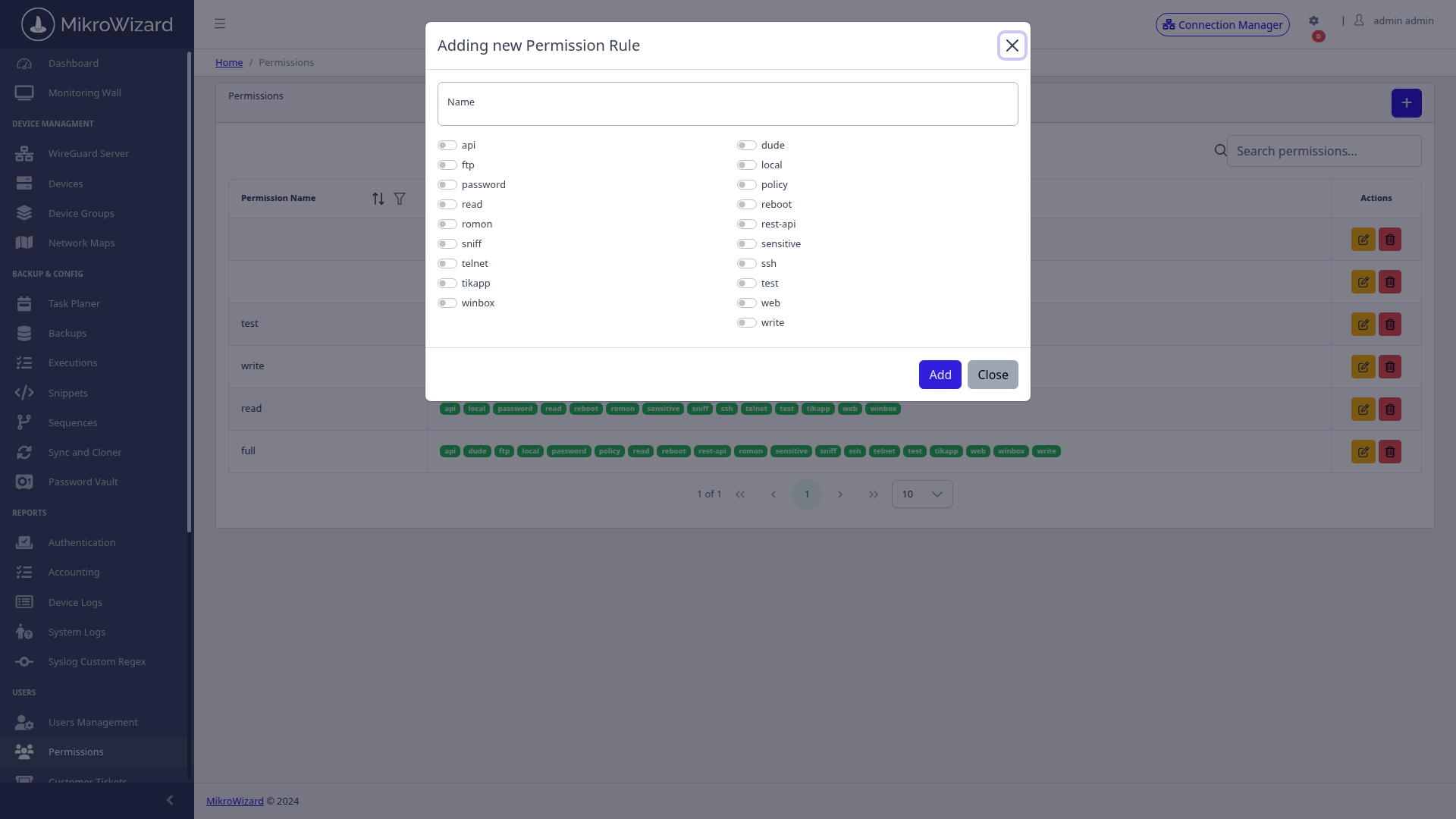
Permission Matrix Modal: Granular checkbox grid mapping 17 RouterOS scopes to user groups — api, dude, ftp, local, password, policy, read, reboot, rest-api, romon, sensitive, sniff, ssh, telnet, test, tikapp, web, winbox, write.

Identity & Access Governance

Granular 17-Scope RBAC Permission Profiles & RouterOS Group Linking

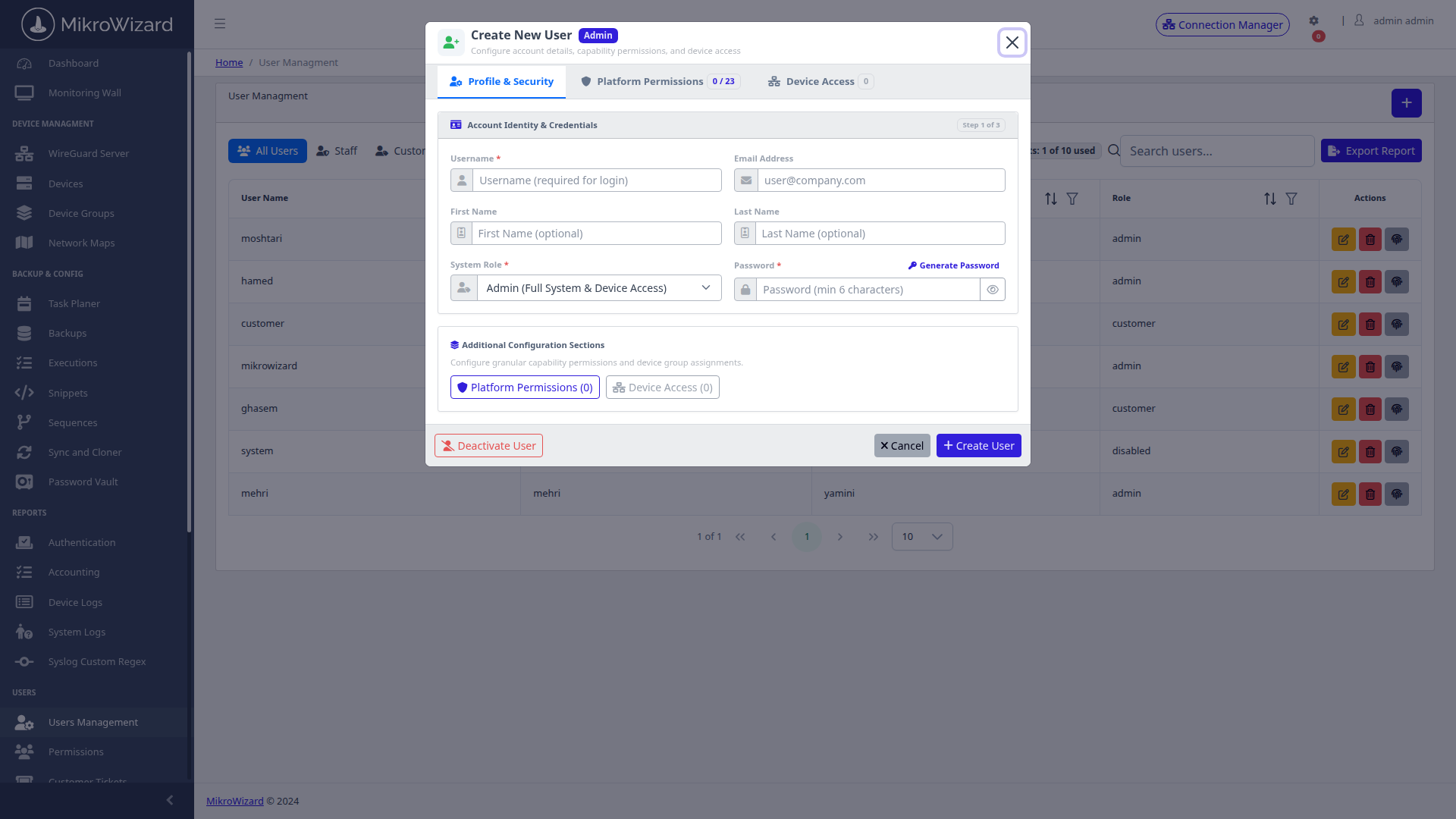
Implement strict least-privilege access across internal teams, external contractors, and MSP tenants. Custom permission profiles across 17 distinct RouterOS functional scopes automatically synchronized with native MikroTik user groups.
  • 17 Native RouterOS Scopes: api, dude, ftp, local, password, policy, read, reboot, rest-api, romon, sensitive, sniff, ssh, telnet, test, tikapp, web, winbox, write — direct mirror of RouterOS permission model.
  • RouterOS Sync: Permission profiles synchronize directly with device-level RouterOS user group configurations at assignment time.
  • Multi-Tenant Safe: Isolate MSP customer access, NOC engineer read-only views, and admin full-control via named profiles — no cross-tenant privilege leakage.
Admin User Management
View SCR-0057

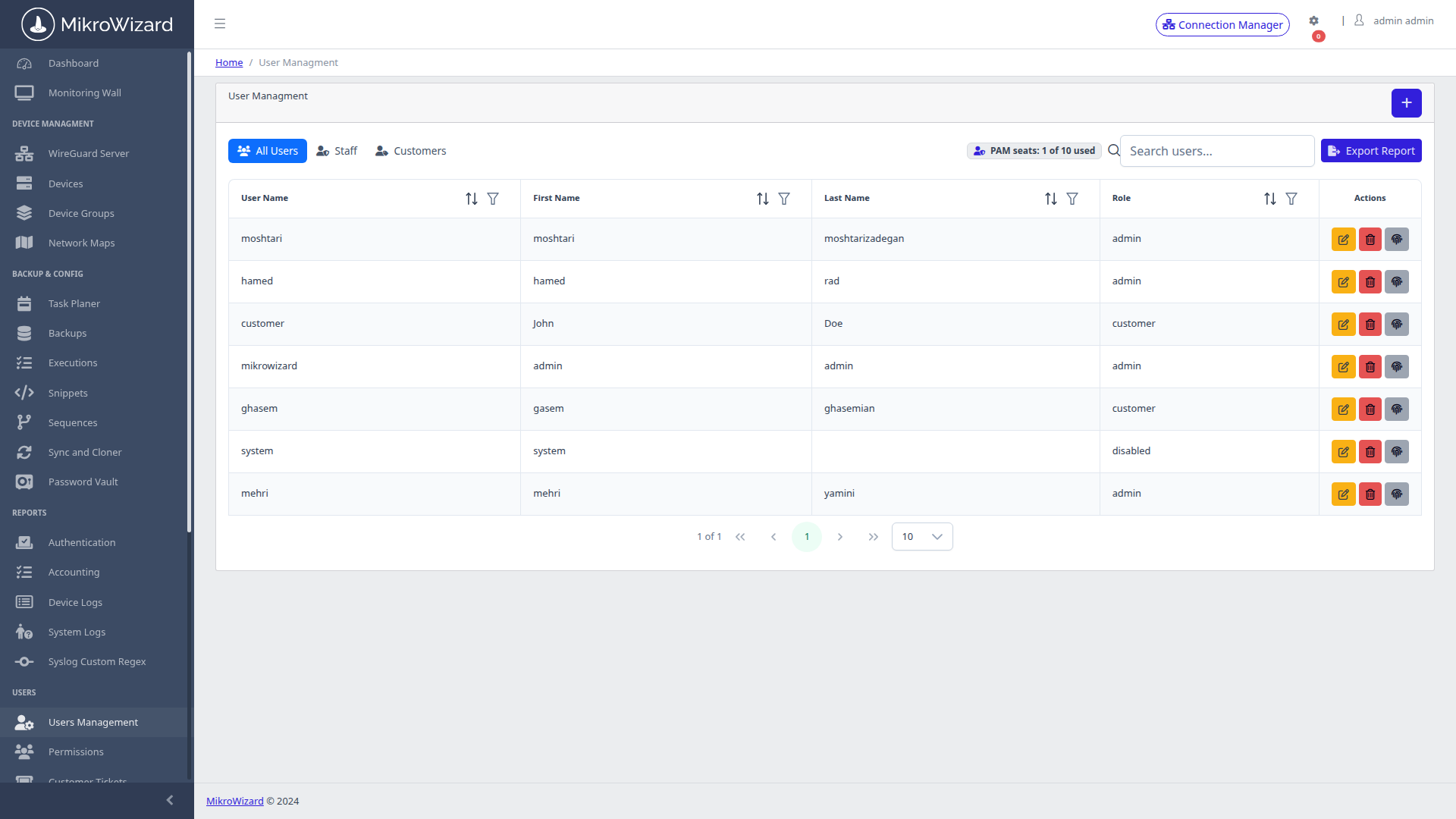
— User Management Console with role assignments and last-login tracking.

Add User Modal with RBAC
View SCR-0058

— Add User modal with RBAC profile selector, OTP enforcement, and device assignment.

Permission Profiles Library
View SCR-0059

— Permission Profiles library with named profiles for Admin, NOC Engineer, Read-Only, and MSP Tenant roles.

Customer Centric

Delight Subscribers & Secure Administrative Access

Deploy white-label self-service and 17-scope RBAC governance with MikroWizard.

Request Live Architecture Demo Explore Pricing Plans