Upgrade RouterOS and RouterBOOT on one router or thousands from MikroWizard. The v2.1.0 engine verifies packages against MikroTik’s official SHA256 hashes, checks free storage first and keeps track of every device through restarts. Pro adds a multi-step path for upgrading older routers from v6 to v7.
In Pro, older routers follow a safe path: latest v6, then 7.12.1, then 7.13 or newer. In both editions MikroWizard checks package names for each architecture and confirms the result after the reboot.
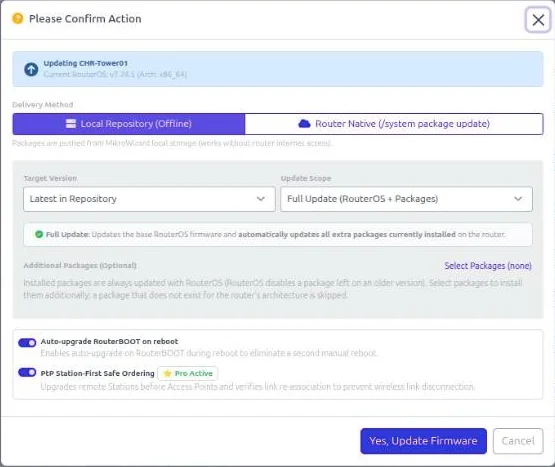
Pick the update mode and the version source for each run, from a single router, a device group or a scheduled task.
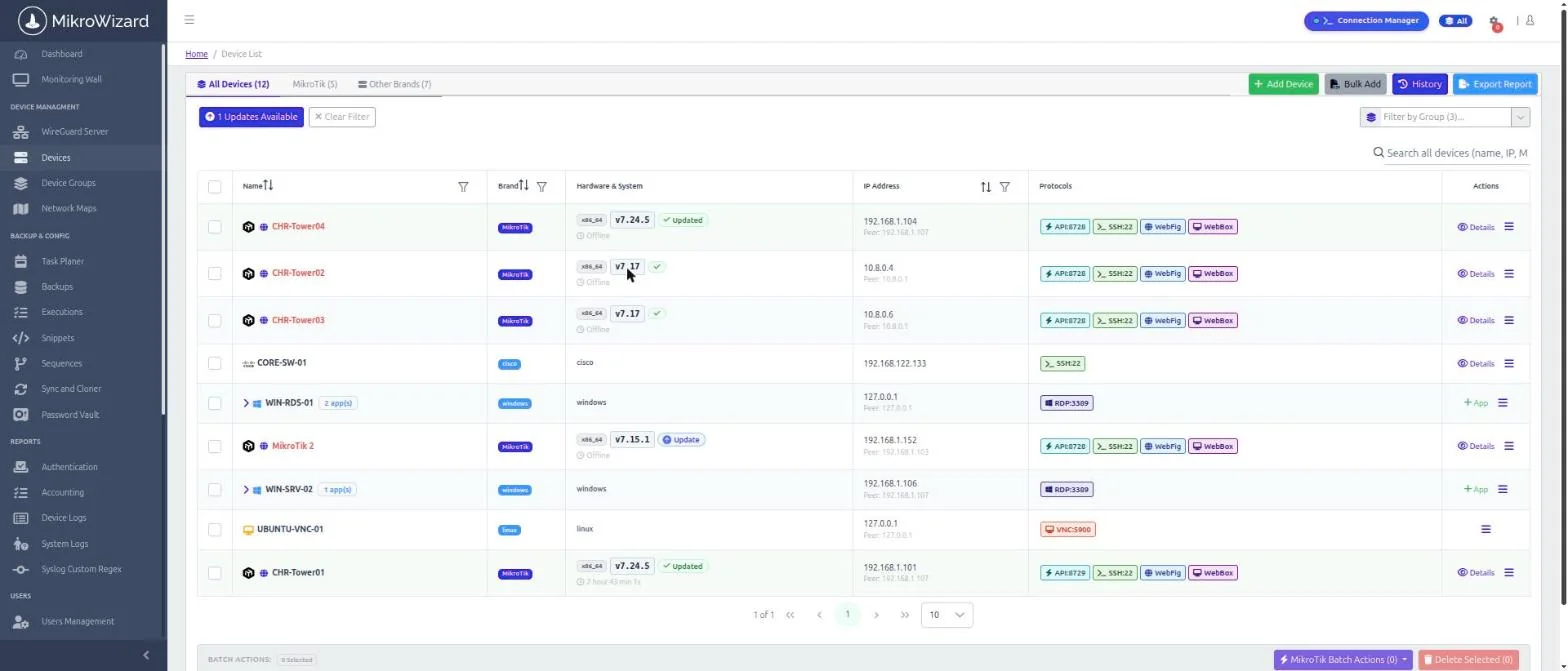
Upgrade progress is tracked per device, so you always know where every router stands.
Progress is stored per device. A service restart never loses track of an upgrade or leaves a router halfway.
Set 1 to 5 retries (default 2) to prevent reboot loops.
Updating, Rebooting, Updated and Failed badges, inline Retry and Clear, and a Failed quick filter.
Upload concurrency scales from 8 to 35 parallel transfers with fleet size.
Download packages once to the MikroWizard repository, with an architecture filter, and push them to routers.
Run firmware upgrades from the task planner on a schedule.
Pro adds rules for the cases that cause the most outages.
Upgrade to the newest release on the stable, long-term, testing or development channel from devices, groups and scheduled tasks.
On point-to-point wireless links, stations are upgraded before their access points so the remote end keeps its link.
Automatic v6 to v7 upgrades are refused when packages that do not migrate, such as multicast or user-manager, are installed.
The right wireless packages (wifi-qcom, wifi-qcom-ac) are installed across the 7.13 package split.
| Capability | Community (Free) | Pro |
|---|---|---|
| Multi-step v6 → 7.12.1 → 7.13+ path | × No | ✓ Included |
| SHA256 verification and storage check | ✓ Included | ✓ Included |
| Update modes and version sources | ✓ Included | ✓ Included |
| Retries, live status and group parity | ✓ Included | ✓ Included |
| Local firmware repository | ✓ Included | ✓ Included |
| Latest Cloud channel | × No | ✓ Included |
| PtP safe ordering | × No | ✓ Included |
| v6 → v7 package safety rules and wifi-qcom handling | × No | ✓ Included |
It verifies packages against MikroTik’s SHA256 hashes, checks free storage before upload and confirms the result after the reboot. Pro adds a multi-step path (latest v6, then 7.12.1, then 7.13+) and refuses automatic v6 to v7 upgrades when non-migrating packages are installed.
No. With the local repository, MikroWizard pushes packages from its own storage. You can also let routers download directly from MikroTik.
Progress is stored per device, so the upgrade is tracked through the restart and the router is not left halfway.
Yes. Device group upgrades have the same options as single-device upgrades, and you can schedule them in the task planner.
Yes. Verification, storage checks, update modes, sources, retries and live status are in Free and Pro. Pro adds the multi-step v6 to v7 path, the Latest Cloud channel, PtP safe ordering and package safety rules.
Plan, verify and track every RouterOS upgrade from one place.
MikroTik, RouterOS and WinBox are trademarks of MikroTik SIA. MikroWizard is not affiliated with MikroTik.

 MikroWizard