
 MikroWizard
Pro
What it is #
Active sessions shows who is connected to what right now, and lets you join or end any session.
Example uses
- See who is logged in to a router before you reboot it.
- End a session that is still open after the person left.
Pro Included in MikroWizard Pro. Live oversight of privileged sessions.
Before you start #
Active sessions is for staff with Privileged Sessions permission: Read to see the list, Write to watch, collaborate and share, Full to terminate. See admin permissions.
The list #
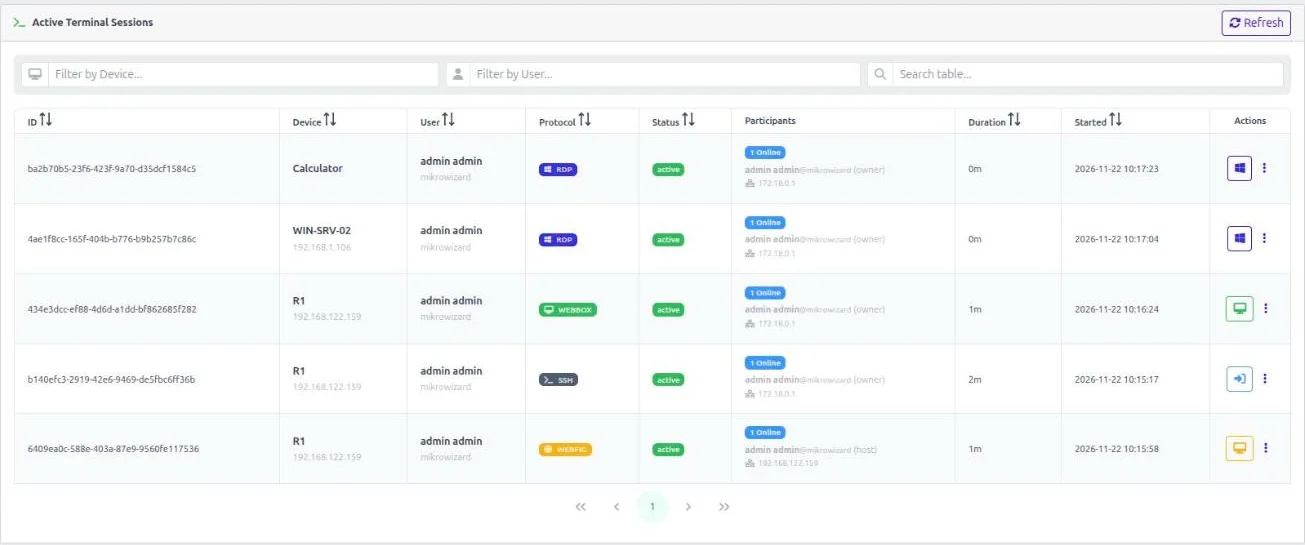
Privileged sessions (PAM) › Active sessions lists open sessions with device, user, protocol, participants (with their address and role), duration and start time. Filter by device or user.
Actions #
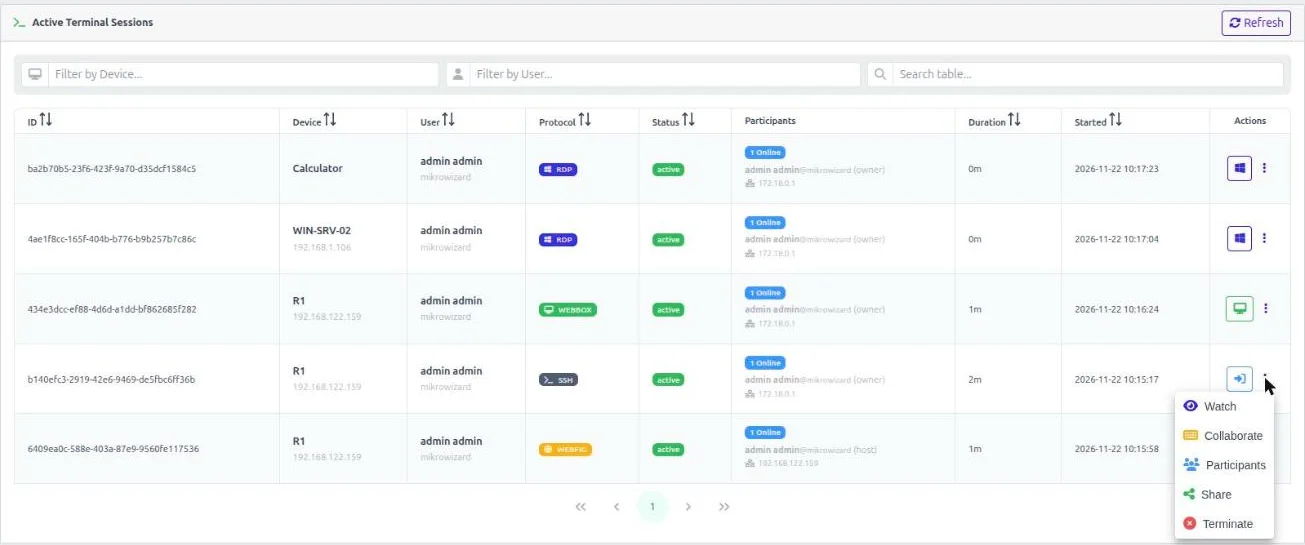
The button opens the session; the menu has:
| Action | What it does |
|---|---|
| Watch | Join as an observer: you see everything, you can’t type. |
| Collaborate | Join and type. |
| Participants | Who is in the session. |
| Share | Create a share link. See Share a live session. |
| Terminate | Ends the session for everyone. |
Example: four-eyes on a core change #
An engineer starts a change on a core router. A senior engineer opens Active sessions, chooses Watch on that session, and follows every command live. If something goes wrong, Terminate ends the session at once.
After the session #
Ended sessions move to Session history, where they can be replayed.


