
 MikroWizard
Pro MikroTik only
What it is #
NOC mode is the network map made for a wall screen: dark, full screen, with a legend and live status totals.
Example uses
- Show the whole network on the NOC wall.
- Give each screen one region by filtering on device groups.
Click NOC on the network map, or press n.
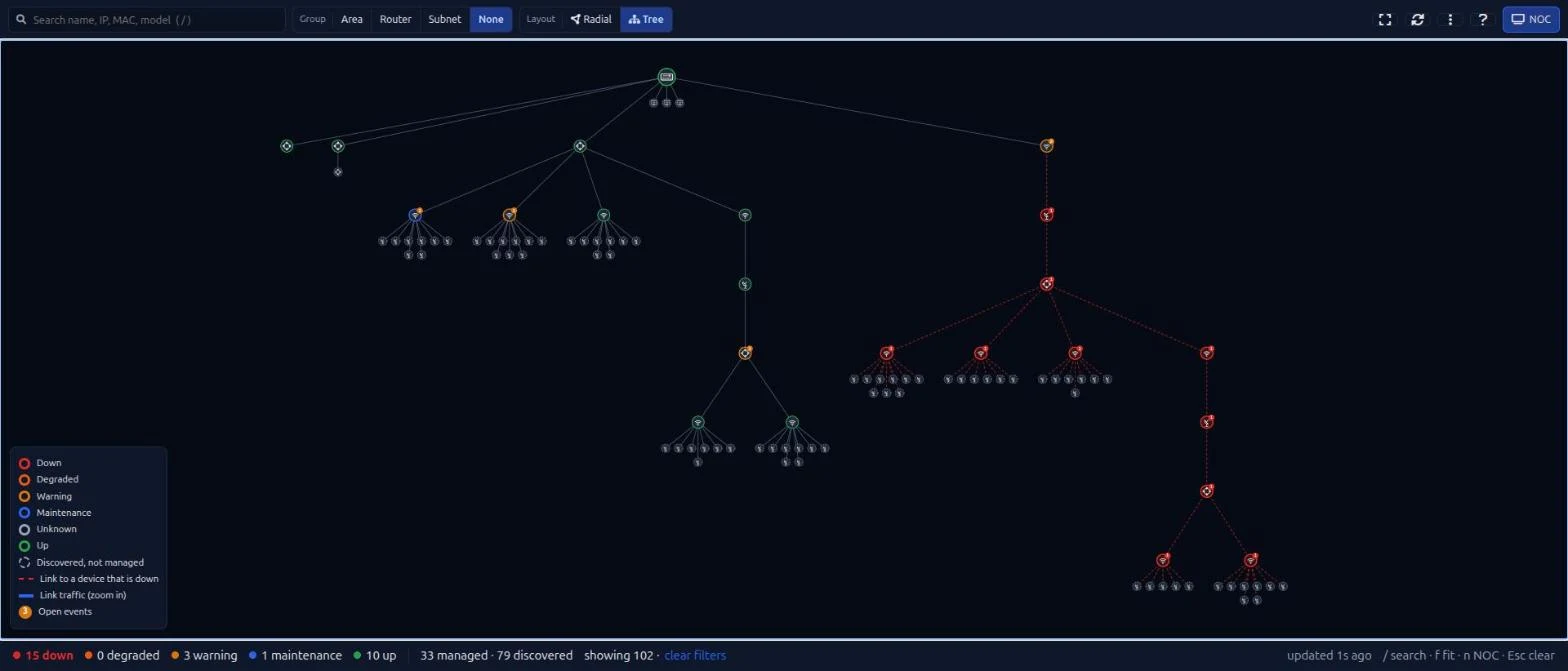
NOC mode shows the map full screen on a dark background, with a legend of the colours and the status totals at the bottom. Status is refreshed automatically; the bottom right shows when it was last updated.
All map controls keep working: group, layout, search, filters and the device panel. Use Show device groups in the filters to give each screen its own part of the network.
Press n or click NOC again to leave NOC mode, and f to fit the map after resizing the screen.
Example: two screens in the NOC #
| Screen | Setup |
|---|---|
| Left | NOC mode, the group Core & Backhaul, tree layout. |
| Right | NOC mode, the group Access Points. |
When a backhaul link goes down, the left screen shows it as the cause and the right screen shows the affected access points. See Root cause analysis.


