
 MikroWizard
Free Pro
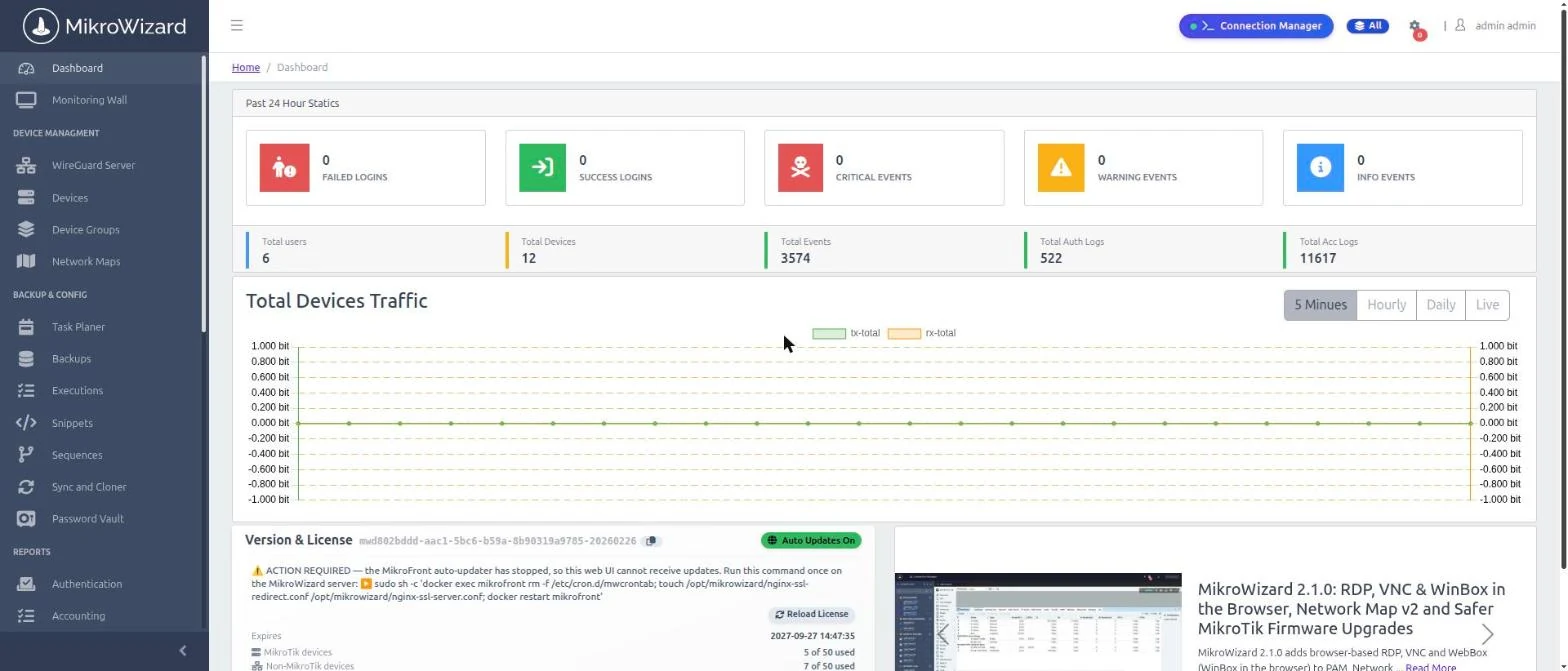
Sidebar #
The sidebar groups the menus by task. Which items you see depends on your edition (Pro menus are hidden in Free), your workspace mode and your permissions.
| Group | Menus |
|---|---|
| (top) | Dashboard, Monitoring Wall (Pro) |
| Device Managment | WireGuard Server (Pro), Devices, Device Groups, Network Maps (Pro, MikroTik) |
| Backup & Config | Task Planer, Backups, Executions, Snippets, Sequences (Pro), Sync and Cloner (Pro, MikroTik), Password Vault (Pro) |
| Reports | Authentication (MikroTik), Accounting (MikroTik), Device Logs (MikroTik), System Logs, Syslog Custom Regex (Pro, MikroTik) |
| Users | Users Management, Permissions (MikroTik), Customer Tickets (Pro), Customer Portals (Pro, MikroTik) |
| Privileged sessions (PAM) | Active sessions (Pro), Session history (Pro), Command history (Pro), Brands / Templates, Terminal Policies (Pro), AI Chat Audit Logs (Pro) |
| System | Alerts & Notifications (Pro), Settings |
| Links | Docs, Buy Pro (Free edition) |
Header #
- Connection Manager (Pro): opens the remote access window for SSH, WebFig, WebBox, RDP and VNC.
- Workspace pill (for example All): shows the current workspace mode.
- Gear icon: running background tasks, with a counter; a task can be stopped from here.
- User menu: workspace mode, Change password, setup otp (two-factor, Pro) and Logout.
Dashboard #
- Past 24 hour statistics: failed and successful logins, critical, warning and info events.
- Totals: users, devices, events, authentication and accounting log entries.
- Total Devices Traffic: combined traffic, by 5 minutes, hourly, daily or live.
- Version & License: serial number (with copy button), update mode, licence status, licence usage (Pro), and the versions of the backend (Mikroman) and web interface (MikroFront) with available updates.


