
 MikroWizard
Free Pro
What it is #
A connection template describes how to talk to a type of device: how to log in, which prompts to expect and which commands give the version, configuration and interfaces.
Example uses
- Back up a vendor’s switches with the right show command.
- Use a low-bandwidth RDP profile for servers on slow links.
A connection template tells MikroWizard how to talk to a kind of device: how to log in, how to recognise the prompt, how to turn off paging, and which command shows the configuration. Each device uses one template, chosen when you add it.
Where templates are used #
- Backups and config versions: the template’s Backup (show config) command, for example
/export terseon MikroTik orshow running-configon Cisco. - Snippets, sequences and executions: the prompt and error patterns decide when a command is finished and whether it failed.
- PAM terminal sessions: login, privilege escalation (
enable) and command expansions. - RDP and VNC: display, security and keyboard options of desktop sessions.
The page #
Go to Brands / Templates. Tabs: CLI Templates, RDP Templates, VNC Templates, Brands and Updates.
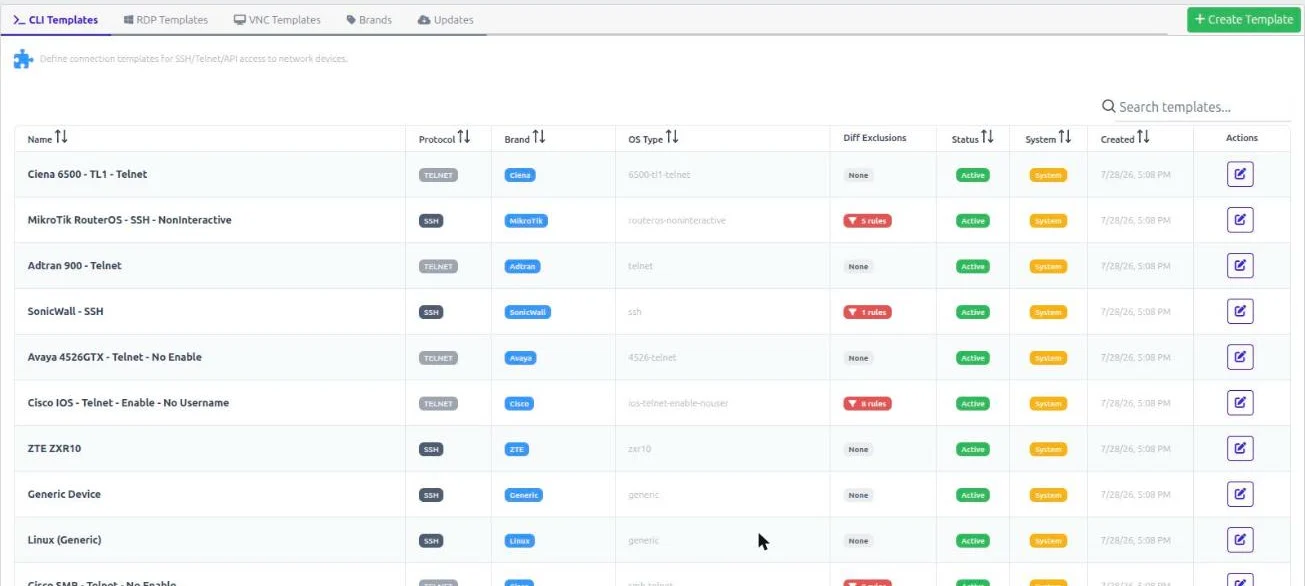
System templates come with MikroWizard and their name, brand and OS type can’t be changed. You can edit their settings or create your own with Create Template. System templates are kept up to date from the template catalog; your edits are kept.
CLI templates (SSH / Telnet) #
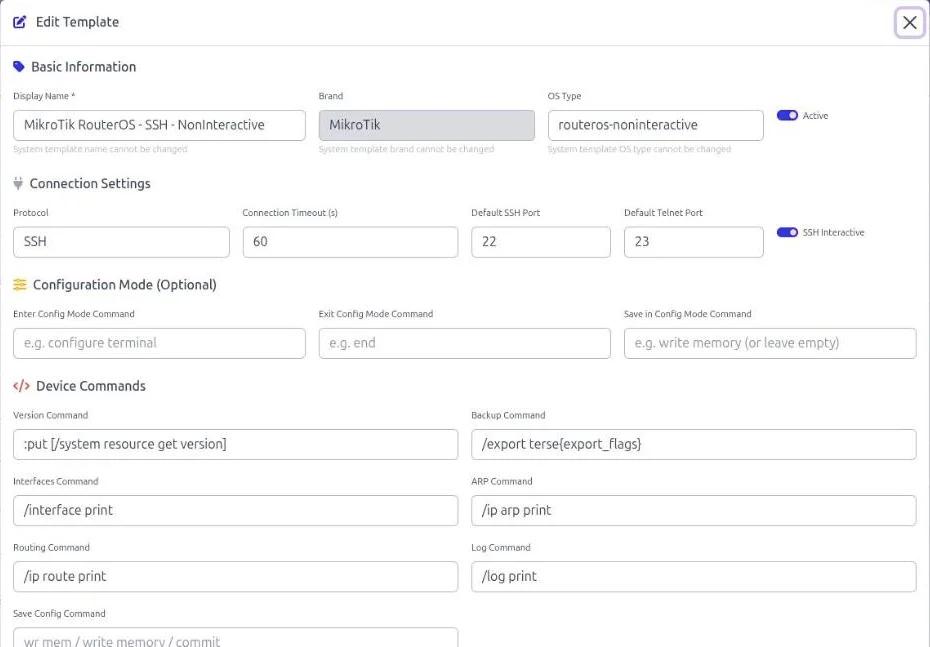
| Section | Fields |
|---|---|
| Connection Settings | Protocol, Connection Timeout, Default SSH / Telnet Port, SSH Interactive. |
| Configuration Mode | Enter / Exit / Save commands, e.g. configure terminal, end, write memory. |
| Device Commands | Version, Backup, Interfaces, ARP, Routing, Log and Save Config commands, used by backups and inventory. |
| Prompt Settings | Login and password patterns, prompt patterns (regex). |
| Privilege Escalation | Command (e.g. enable), password prompt pattern, success pattern. |
| Pagination & Linebreak | Paging on/off, more-prompt pattern, keystroke, reset command, Unix or CR line breaks. |
| Diff Exclusions | Regex rules removed from output before versions are compared, with a test sandbox. See Config versions. |
| Lifecycle | Error patterns, post-login and pre-logout commands, pre-connect / post-disconnect hooks (JSON). |
Example: the MikroTik template has a pre-connect hook that enables the router’s SSH service through the API if it is disabled, and a post-disconnect hook that disables it again.
RDP templates #
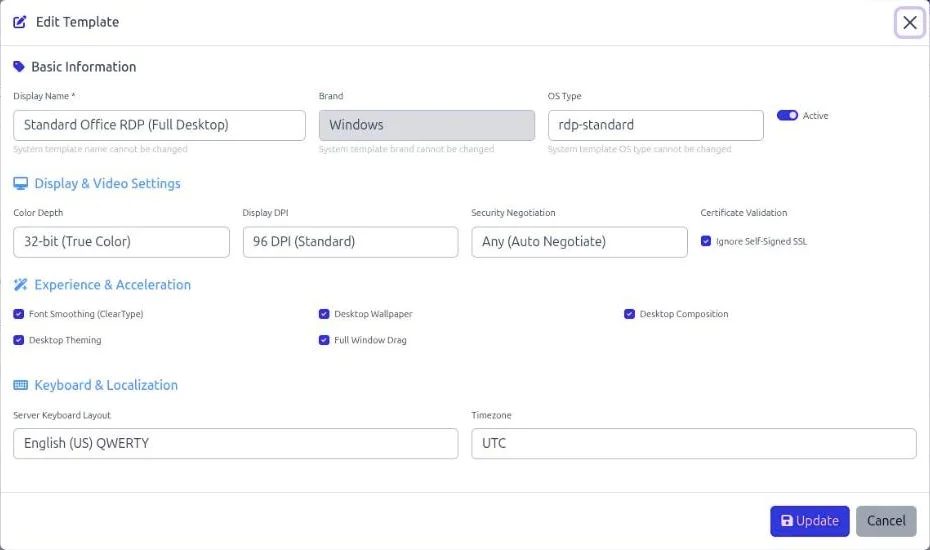
Colour Depth (16, 24 or 32-bit), Display DPI (96, 120, 144), Security Negotiation (Any, NLA, TLS, Standard RDP), Ignore Self-Signed SSL, experience options (font smoothing, theming, wallpaper, full window drag, desktop composition), Server Keyboard Layout and Timezone. System templates: Standard Office RDP, Low-Bandwidth / WAN RDP, High-Performance / CAD RDP and RemoteApp Baseline.
Example: a switch whose backup times out #
A switch from a vendor without its own template is added with a generic template. Backups end with timeout: the switch shows --More-- and waits. Copy the template, set Pagination with the more-prompt pattern --More-- and the keystroke space, or a paging reset command such as terminal length 0, and select the new template on the device.
Common problems #
| Problem | Likely cause in the template |
|---|---|
| Commands end with timeout | The prompt pattern doesn’t match the device’s prompt, or paging is on. |
Output is cut or mixed with --More-- | Pagination settings. |
| warning on executions although the command worked | An error pattern matches normal output. |
| Config versions change every day without real changes | A line that changes on its own (uptime, time stamp): add a diff exclusion. |


