
 MikroWizard
Pro
What it is #
Config versions keep every change of a device’s configuration and show the differences. Exclusion rules hide lines that change on every run, so only real changes show up.
Example uses
- See exactly what changed on a switch last Tuesday.
- Ignore uptime and counters so a backup only shows a change when there is one.
Pro Included in MikroWizard Pro. Automatic configuration versions with a visual diff.
How versions are made #
Every backup or command run gives an output. MikroWizard first removes the lines matched by the template’s diff exclusion rules, then compares what remains with the device’s last version. Only when it differs is a new version stored. An unchanged configuration only updates last seen of the current version.
So the version list is a clean history of real changes, not one entry per night.
Config versions #
Open a device and go to the Config Versions tab. Pick two versions to see the differences.
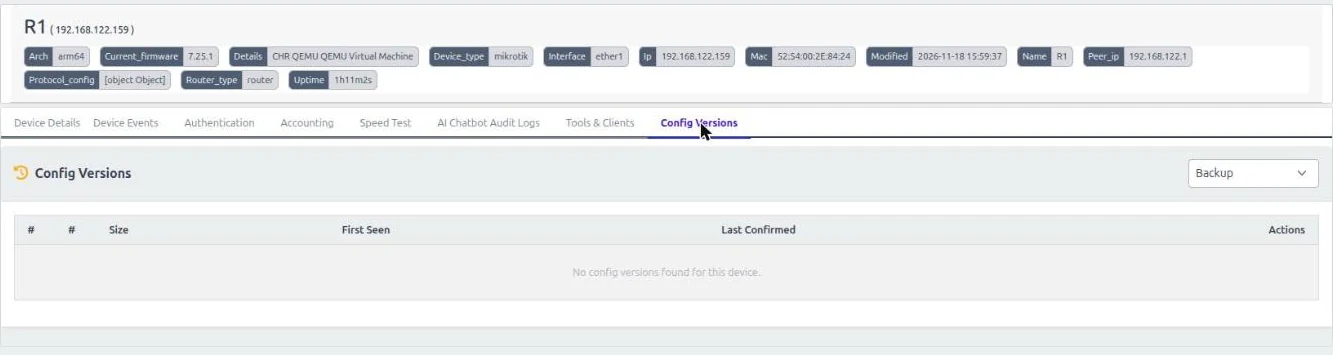
From Executions, View version opens the version created by a run. In the Connection Manager, the device’s right-click menu has Config Versions too.
Diff exclusions #
Some lines change on every run (uptime, counters, timestamps) and would make every backup look like a change. Exclusion rules hide them from the comparison.
- Go to Brands / Templates and edit the device’s template.
- Under Diff Exclusions, add a section (for example for show_version or show_interfaces) and add rules.
- Paste sample output into Test Diff Exclusions Against Sample Text to check the rules.
- Save.
Templates for many vendors come with exclusion rules ready to use, for example for the date line at the top of a RouterOS export.
Example: a switch that “changes” every night #
A switch’s show running-config starts with ! Last configuration change at 02:00:13 .... Add the regex rule ^! Last configuration change at to its template’s exclusions for show_config. From then on, a new version only appears when the configuration really changes.
Good to know #
- Exclusions only affect the comparison. The stored backup keeps every line.
- Retention: 365 days, but the newest 30 versions and backups of each device are always kept.


