
 MikroWizard
Free Pro
What it is #
SSL/TLS serves the MikroWizard web interface over HTTPS, with a free Let’s Encrypt certificate or your own.
Example uses
- Get a Let’s Encrypt certificate for mikrowizard.company.com.
- Install your company’s certificate and force HTTPS.
Settings › SSL/TLS.
SSL Status #
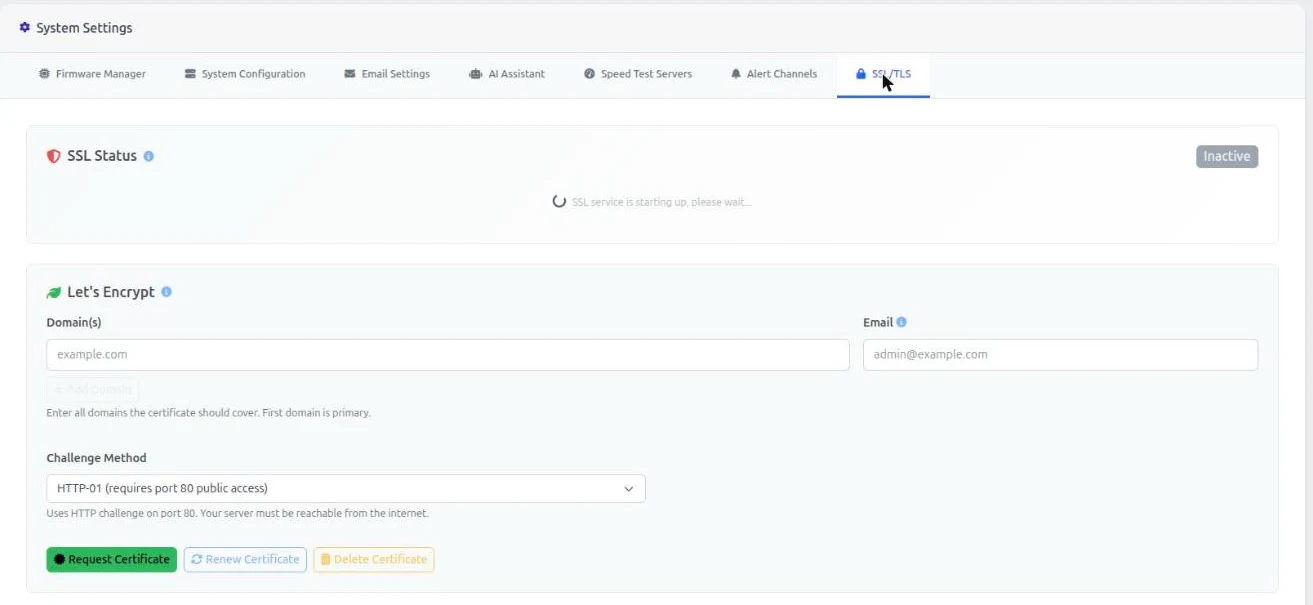
Shows the current certificate: domain, issuer, source, expiry (days remaining) and alternative names, or that no certificate is installed.
If the page says Port 443 is not exposed, run the command it shows on the server:
sudo bash /opt/mikrowizard/recreate-ssl.shIt recreates the web container with port 443 mapped. Data in /opt/mikrowizard/ is kept, and the previous container is restored if the new one doesn’t start. If port 443 is used by another web server, use another port:
sudo HTTPS_PORT=8443 bash /opt/mikrowizard/recreate-ssl.shIf a reverse proxy on the host terminates TLS, you don’t need this.
Let’s Encrypt #
- Enter the Domain(s) (the first is the primary) and an Email.
- Choose the Challenge Method:
- HTTP-01: needs port 80 reachable from the internet.
- DNS-01 API: uses your DNS provider’s API (Cloudflare, DigitalOcean, AWS Route 53, Google Cloud DNS, Linode). The token is used once and not stored.
- DNS-01 Manual: MikroWizard shows TXT records to add yourself, then you click Continue & Verify.
- Click Request Certificate. Use Renew Certificate or Delete Certificate later.
If Certbot isn’t installed, click Install Certbot first.
Your own certificate #
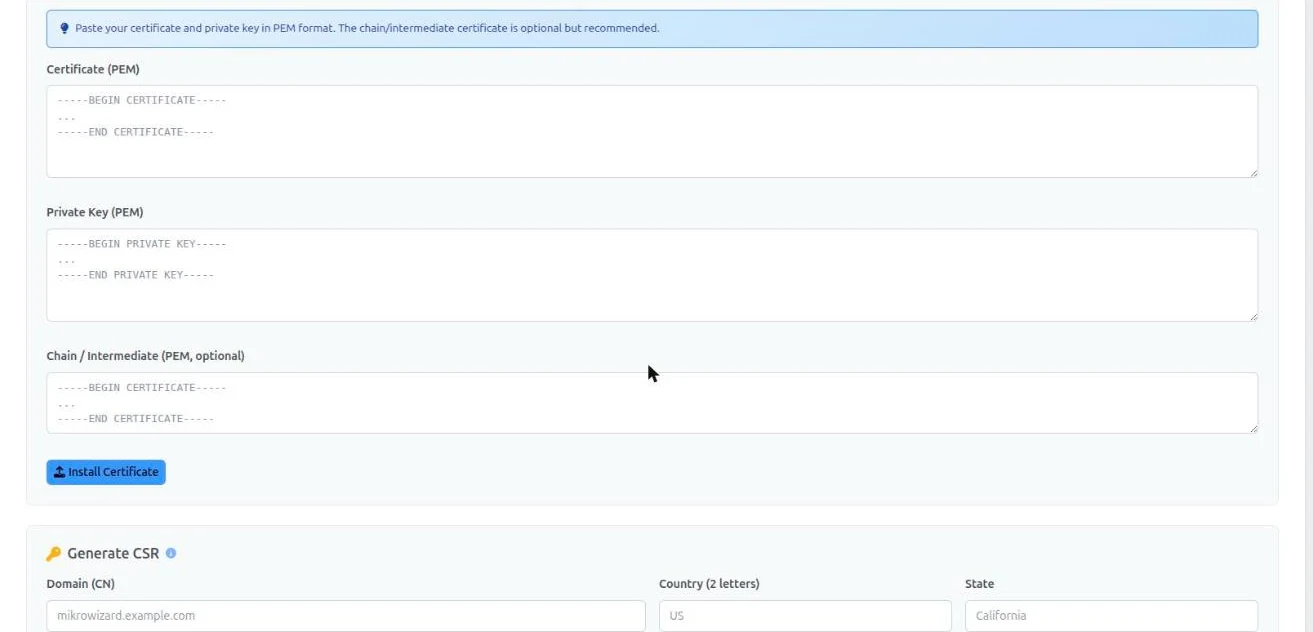
Under Manual Certificate, paste the Certificate (PEM), Private Key (PEM) and optionally the Chain / Intermediate, then click Install Certificate.
Generate a CSR #
Under Generate CSR, enter the domain, country, state, city, organization and key size to create a certificate request for your CA.
Force HTTPS #
Under Advanced, Force HTTPS Redirect sends HTTP visitors to HTTPS. Install a certificate before you turn it on.
Common problems #
| Problem | Cause and fix |
|---|---|
| HTTP-01 fails | Port 80 isn’t reachable from the internet, or the domain doesn’t point to this server. Use DNS-01. |
| The browser still shows the old certificate | Reload the page without cache, or check that you open MikroWizard by the domain of the certificate. |
| After Force HTTPS the page doesn’t open | Port 443 isn’t exposed. Run recreate-ssl.sh as shown above. |


