
 MikroWizard
Table of Contents
Free Pro
What it is #
System configuration holds the basic facts MikroWizard needs: its address, the IP routers use to reach it, the RADIUS secret, time zone, discovery credentials, licence and update mode.
Example uses
- Set the system URL so links in emails open the right address.
- Set default discovery credentials once and leave them empty in IP scans.
Settings › System Configuration.
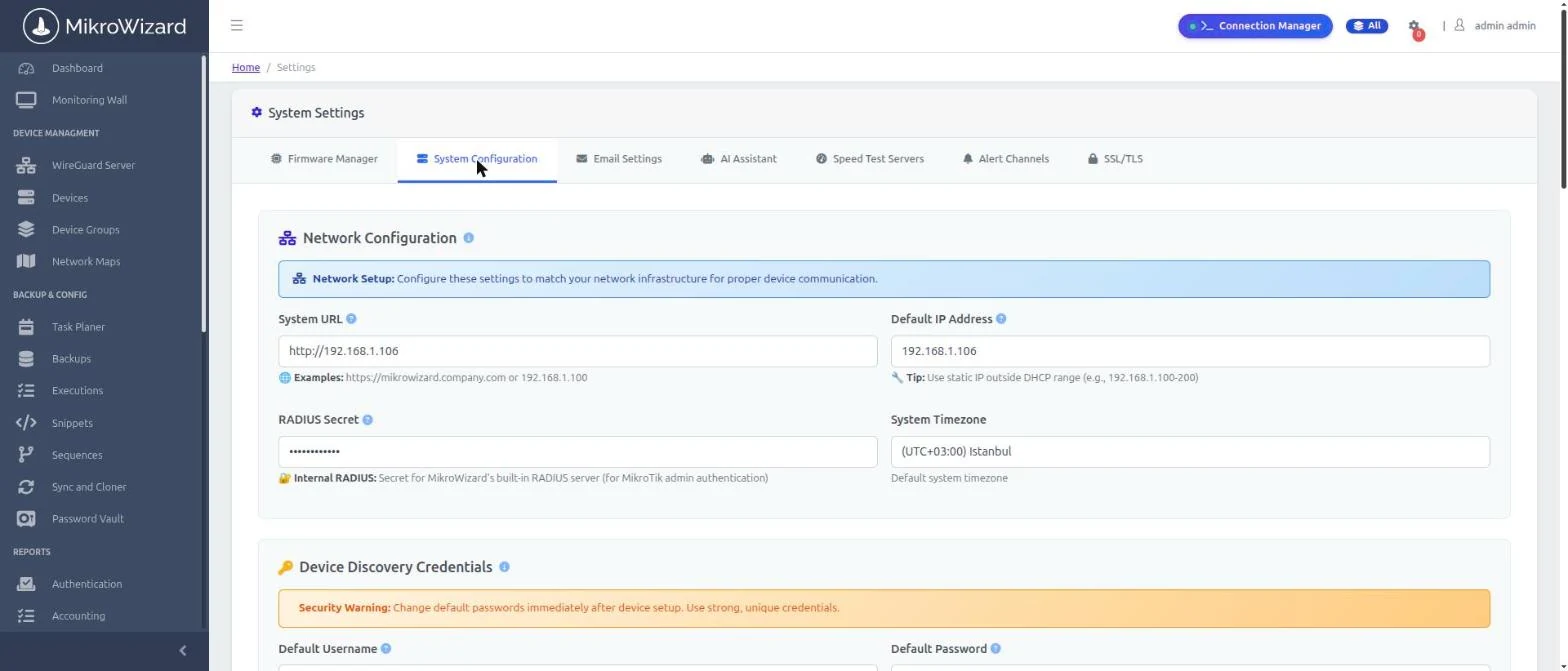
Network Configuration #
| Field | What it is |
|---|---|
| System URL | The public address of MikroWizard, e.g. https://mikrowizard.company.com. Used for WebFig session invite links, and as a fallback when a router has no peer IP (firmware downloads) or the WireGuard server has no public address set. |
| Default IP Address | The server IP that routers use for RADIUS, syslog and firmware downloads when a device has no peer IP and MikroWizard can’t detect one. Use a static IP. |
| RADIUS Secret | Shared secret for MikroWizard’s built-in RADIUS server (MikroTik admin logins). |
| System Timezone | Used for logs and schedules. |
Device Discovery Credentials #
Default Username and Default Password are used by IP range scans when you leave the credentials empty. New MikroTik routers often have user admin with an empty password. Change router passwords after adding them.
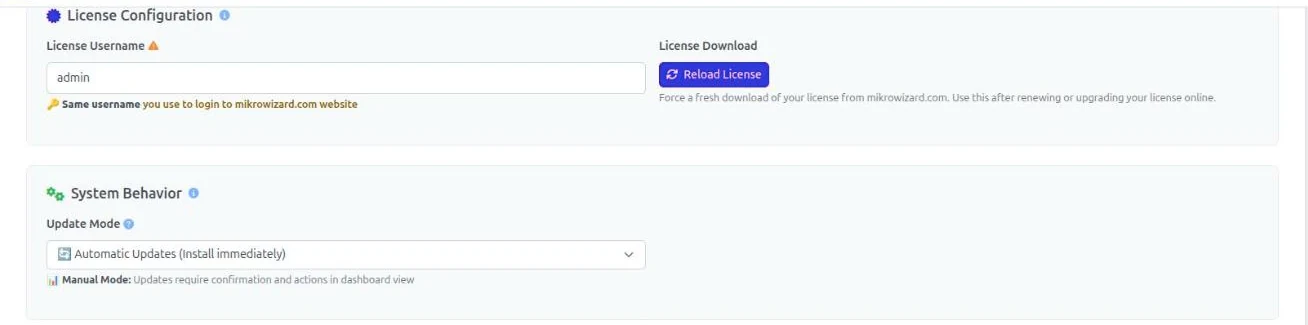
License Configuration #
- License Username: your mikrowizard.com username (needed for updates and Pro).
- Reload License: downloads your licence again after you renew or upgrade.
System Behavior #
Update Mode: Automatic Updates (Install immediately) or Manual Updates (Confirm actions in dashboard view).
See also Register your serial number and Update modes.
Example #
MikroWizard runs at 10.0.0.5 inside your network, and is published as https://mw.example.com.
- System URL:
https://mw.example.com - Default IP Address:
10.0.0.5, the address your routers reach.
Common problems #
| Problem | Cause and fix |
|---|---|
| RADIUS logins and logs stop after the server’s IP changed | Each device keeps the Peer IP found when it was added. Update the devices’ Peer IP (Edit Device) and the Default IP Address; with Force RADIUS and Force Syslog on, routers are corrected during polling. |
| Invite links point to the wrong host | Set System URL to the public address. |


