MikroWizard
Pro MikroTik only
What it is #
The AI assistant answers first-line questions and can check the customer’s router with read-only tools. Every conversation is kept for your staff to review.
Example uses
- A subscriber asks why the internet is slow; the assistant checks interfaces and resources.
- After hours, the assistant handles simple questions until staff are back.
Pro Included in MikroWizard Pro. An AI assistant that can check the customer’s router and answer first-line questions.
For customers #
Click the round assistant button at the bottom right of the portal. AI Virtual Support opens for the selected router. Customers type a question such as “Is my router online?”. The assistant can run checks on that router to answer. Earlier conversations are under the history icon.
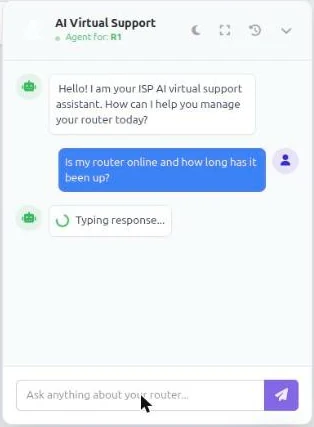
If the AI service isn’t available, the assistant asks the customer to contact you or open a support ticket.
Set it up #
Choose an AI provider, API key and model in Settings › AI Assistant (see Settings & Integrations).
Audit #
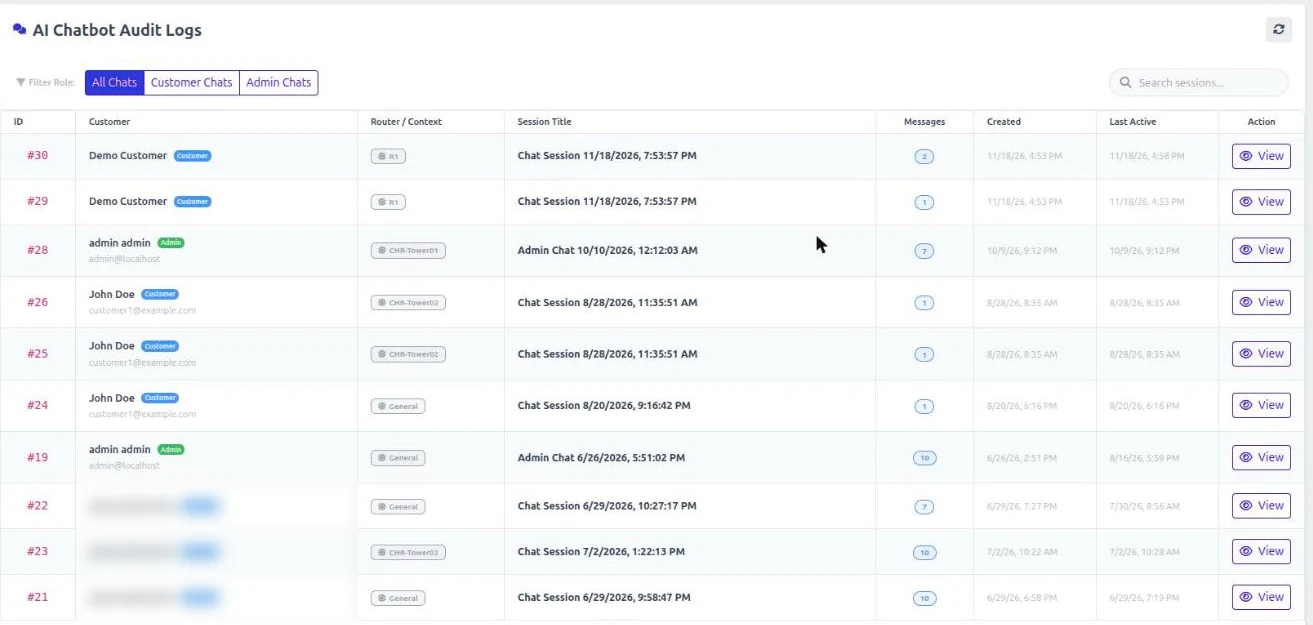
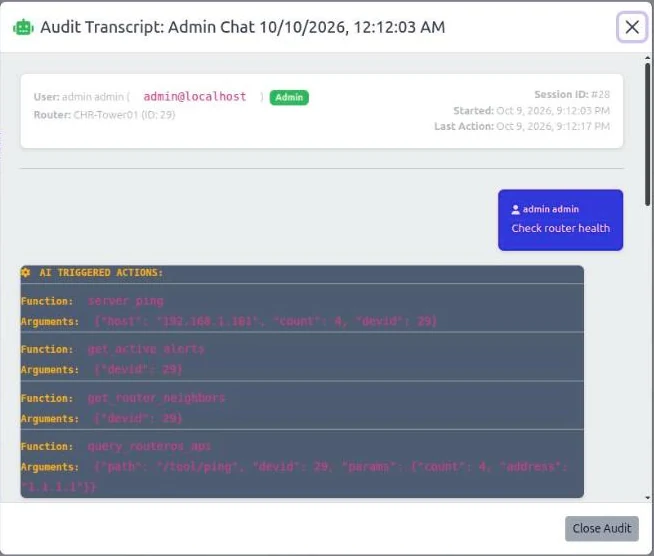
Every conversation, from customers and staff, is kept in AI Chat Audit Logs. Filter by All Chats, Customer Chats or Admin Chats, and click View to see the transcript, including each action the assistant ran on the router and its arguments.