
 MikroWizard
Pro MikroTik only
What it is #
Speed tests measure the customer’s connection from the browser and from the router itself to your test servers. Results are stored, so support sees them too.
Example uses
- A subscriber runs a test before reporting slow internet.
- Support compares the router’s result with the browser’s to find Wi-Fi problems.
Pro Included in MikroWizard Pro. Customers measure their speed before they call.
Browser Test #
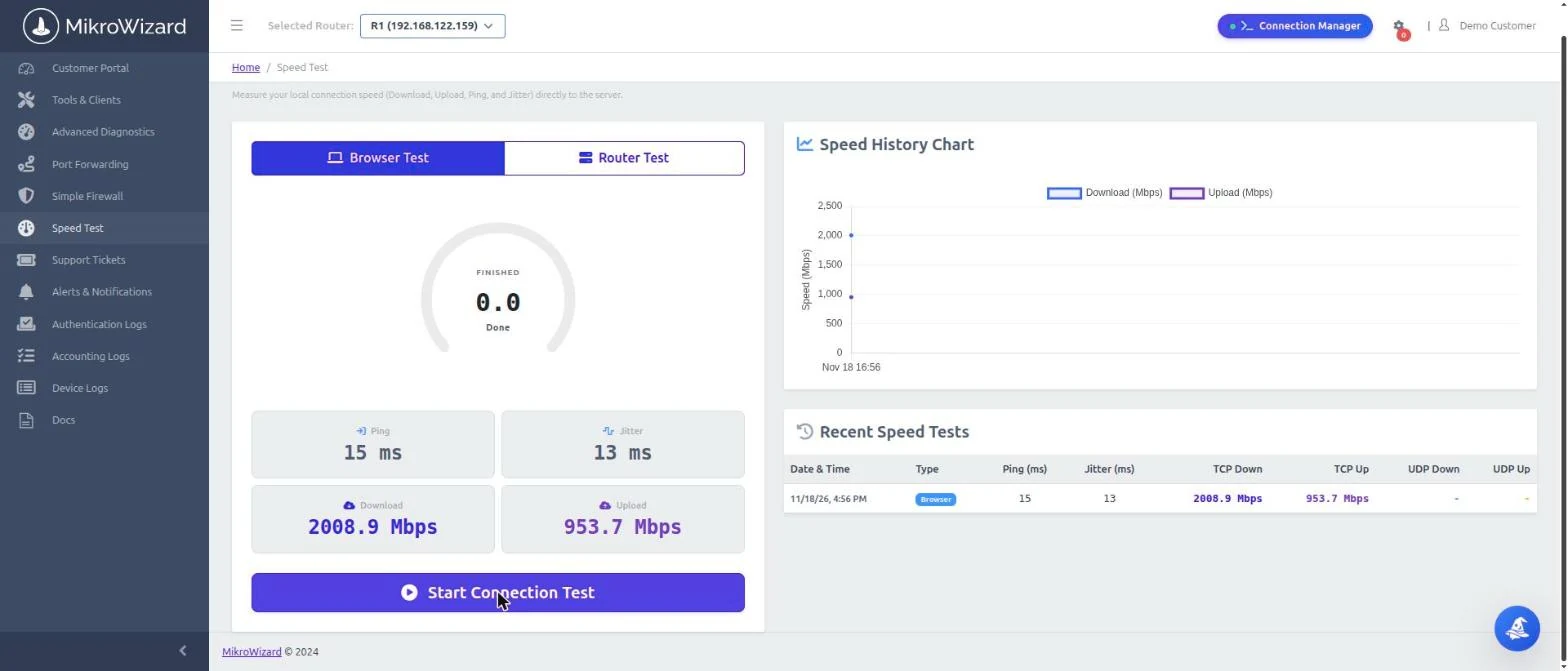
Click Start Connection Test. The browser measures ping, jitter, download and upload to your MikroWizard server.
Router Test #
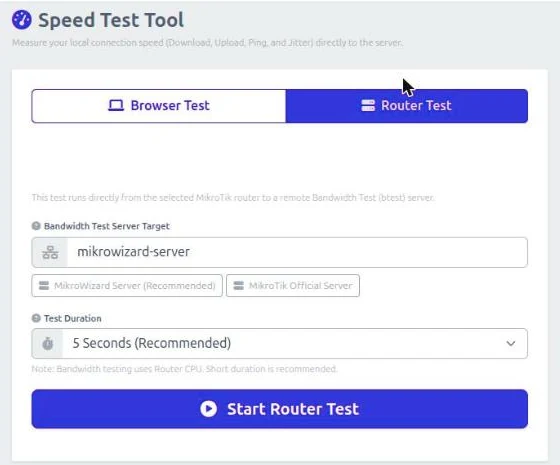
Router Test runs the test on the MikroTik router itself to a bandwidth test (btest) server: the MikroWizard server, the MikroTik official server, or another target. Choose a Test Duration (5, 10 or 20 seconds) and click Start Router Test. Results show TCP and UDP download and upload.
Speed History Chart and Recent Speed Tests keep the results of earlier tests.
Browser test or router test? #
| Test | Measures |
|---|---|
| Browser Test | The customer’s device, Wi-Fi and line together, up to your MikroWizard server. |
| Router Test | The line from the router itself, without Wi-Fi or the customer’s device. |
If the router test is fast but the browser test is slow, the problem is in the customer’s home network, for example a weak Wi-Fi signal.


