MikroWizard
Table of Contents
Pro MikroTik only
What it is #
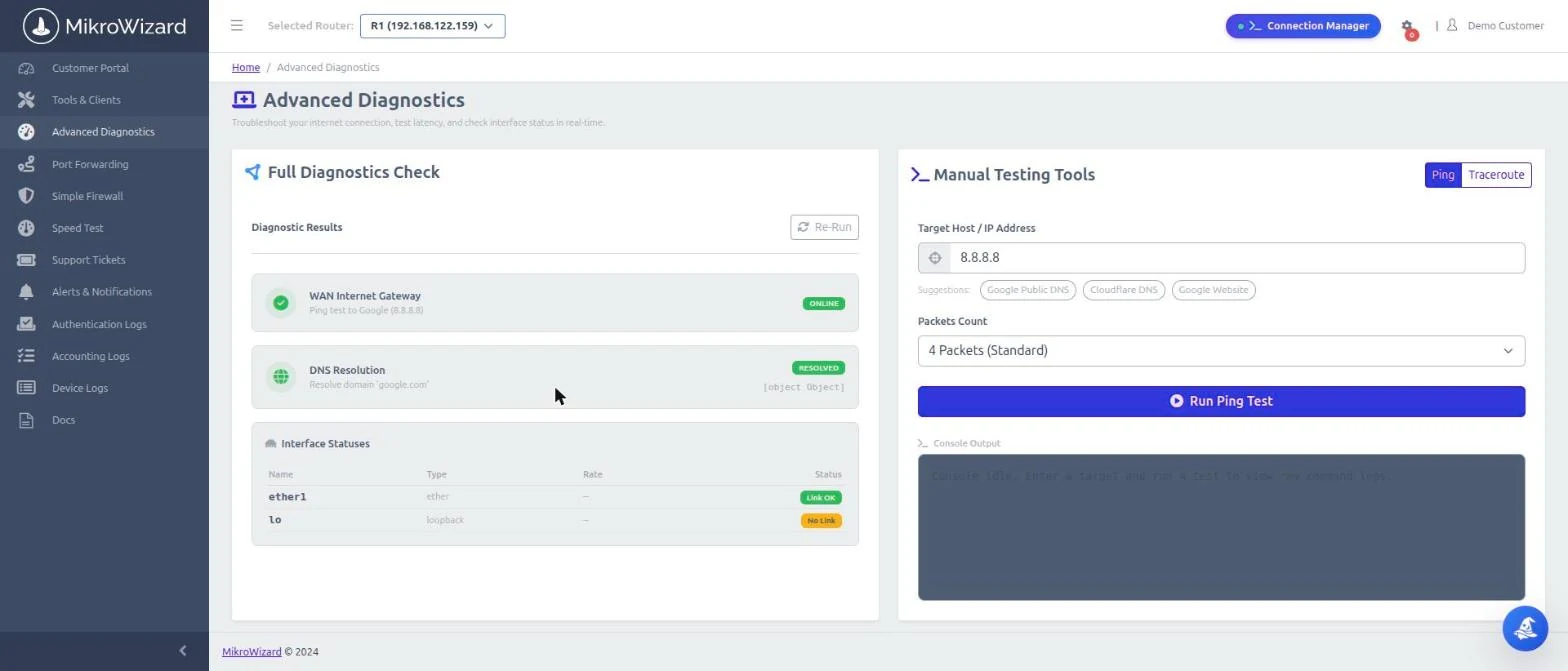
Diagnostics run standard checks on the router (internet, DNS, interfaces, resources) and show the result in plain words. Customers see the cause before they open a ticket, and your staff get the same results.
Example uses
- A subscriber learns that DNS fails, not the whole connection.
- Support asks the client to run diagnostics and attach the result to the ticket.
Pro Included in MikroWizard Pro. Customers check their own connection before opening a ticket.
Full Diagnostics Check #
Click Run Full Diagnostics. MikroWizard runs these checks on the router:
| Check | Result |
|---|---|
| WAN Internet Gateway | Ping to 8.8.8.8: ONLINE or OFFLINE / TIMEOUT |
| DNS Resolution | Resolves google.com: RESOLVED or FAILED |
| Interface Statuses | Each interface with type, rate and Link OK / No Link / Disabled |
Click Re-Run to check again.
Manual Testing Tools #
Choose Ping or Traceroute, enter a host (or pick a suggestion) and run it. The raw output from the router appears in Console Output.