
 MikroWizard
Table of Contents
Pro MikroTik only
What it is #
Tools & Clients shows what is connected to the router and gives customers simple fixes: change the Wi-Fi password, ping, or restart the router.
Example uses
- A subscriber finds an unknown device on their Wi-Fi and changes the password.
- A client restarts the router themselves at night instead of calling support.
Pro Included in MikroWizard Pro. Let customers solve the most common requests themselves.
Connected Clients #
The tabs list what is connected to the router: DHCP Leases, Wireless (Legacy), Wireless (v7), ARP Table, PPP Sessions and Hotspot Sessions. The number on each tab is the count. Use the search box and Refresh.
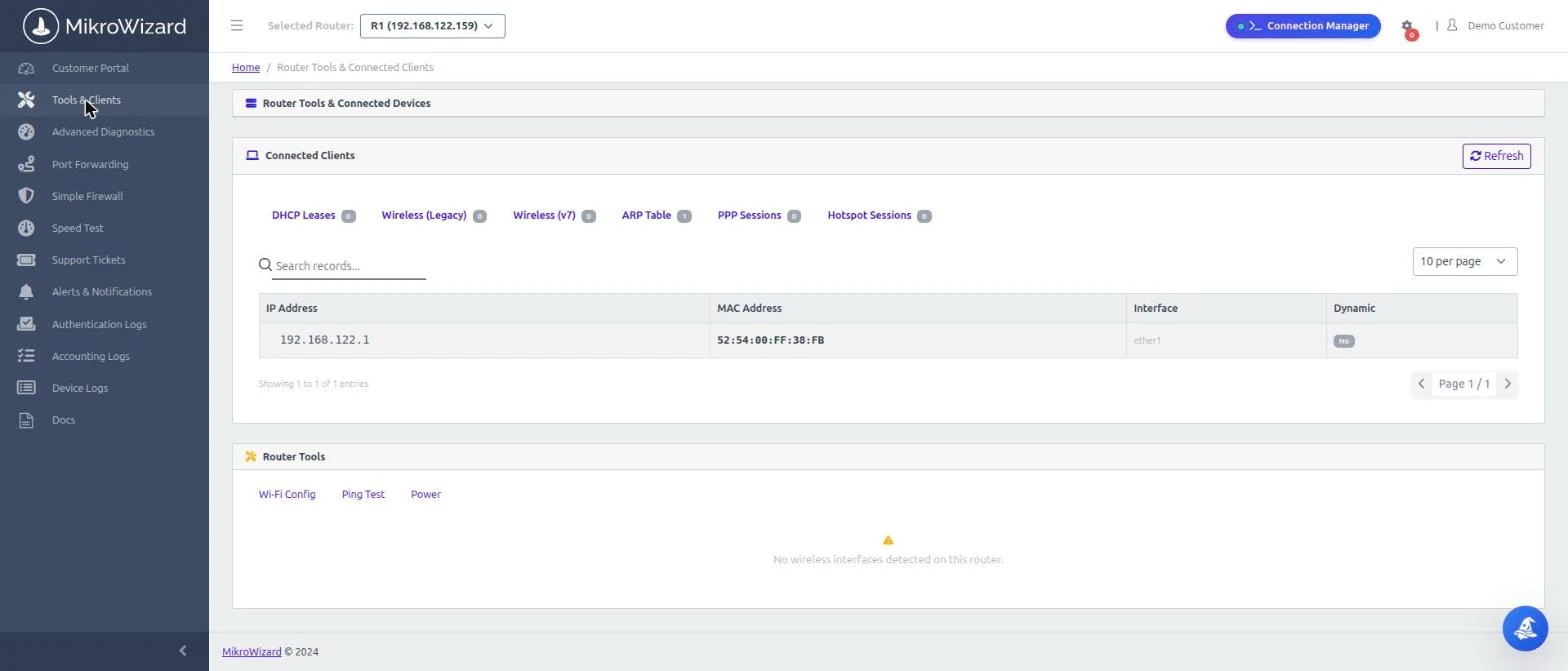
Router Tools #
| Tool | What it does |
|---|---|
| Wi-Fi Config | Pick a wireless interface (SSID), change Wi-Fi Name (SSID) and Password (Passphrase), then Update Wi-Fi. Some interfaces are read-only. |
| Ping Test | Ping a host from the router (2, 4 or 8 packets) to check internet reachability. |
| Power | Restart Now reboots the router after a confirmation. Internet is down for 1–3 minutes. |
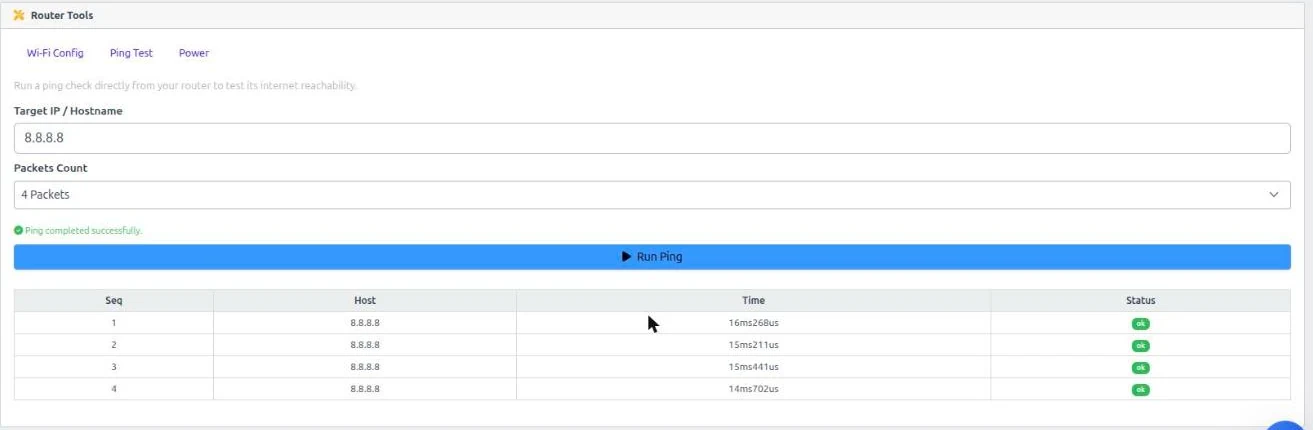
Common problems #
| Message | Cause and fix |
|---|---|
| Password must be at least 8 characters long | Wi-Fi passwords need 8 characters or more. |
| Cannot edit a read-only interface (e.g. P2P or dynamically managed) | The interface is a station (a link to your network), dynamically managed (for example by CAPsMAN), or uses enterprise or another unsupported authentication. Customers can only change normal access points. |
| Router is currently offline | MikroWizard can’t reach the router. |


