If you tried MikroWizard as a MikroTik backup and automation tool, look again. It is now one self-hosted platform for privileged access and central management of MikroTik and other devices. The Free edition is still open source with no device limit.
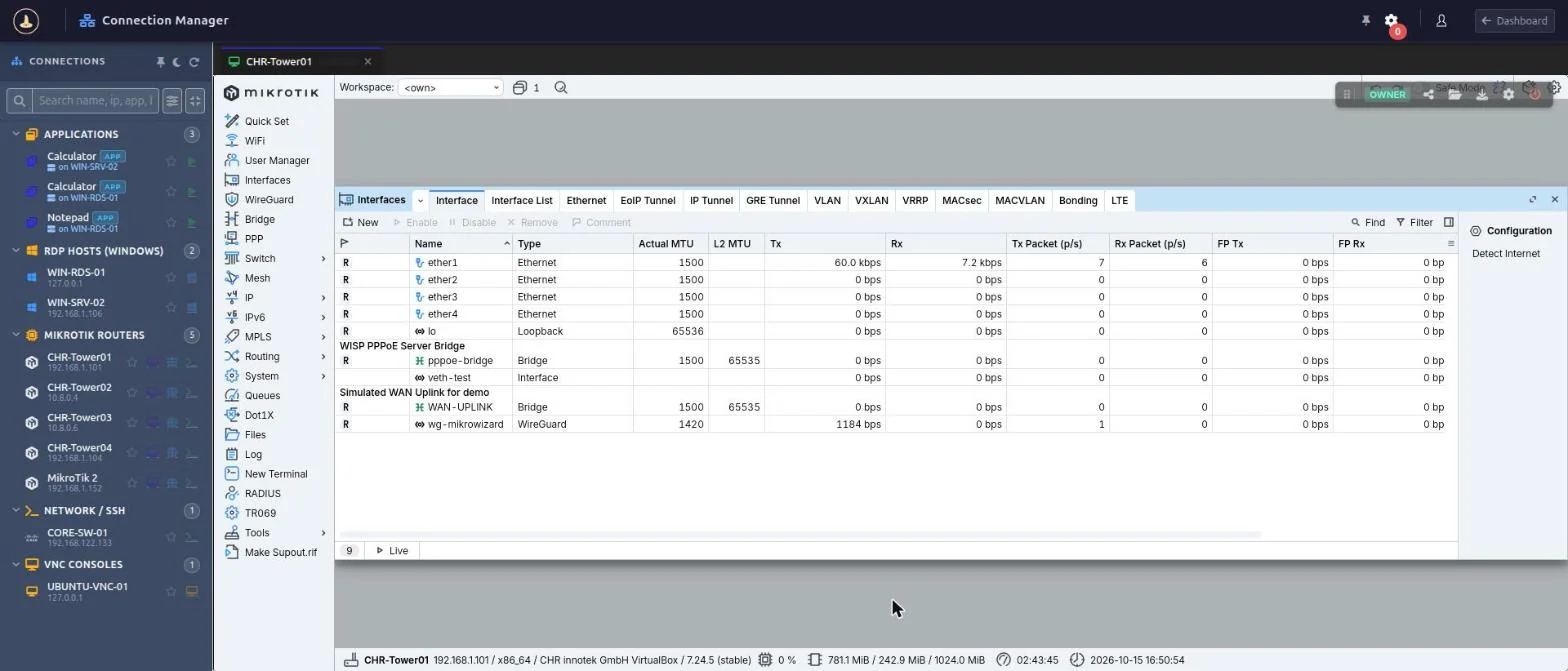
WebBox runs WinBox 4 on the gateway and streams it to your browser, so port 8291 is never exposed. Windows and Linux desktops open over RDP or VNC the same way.
WebBox →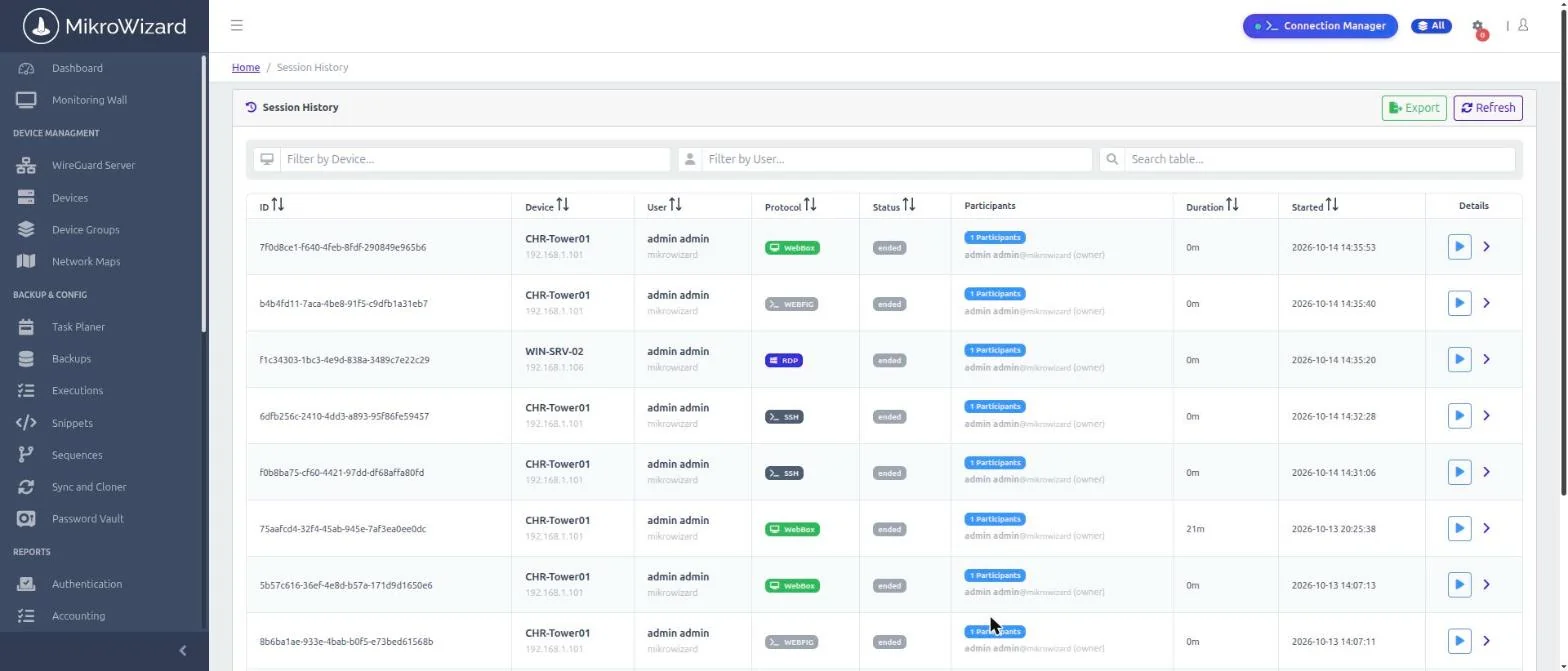
Browser SSH and Telnet, command policies that block risky commands, a password vault, and a recording of every session you can replay later.
How PAM works →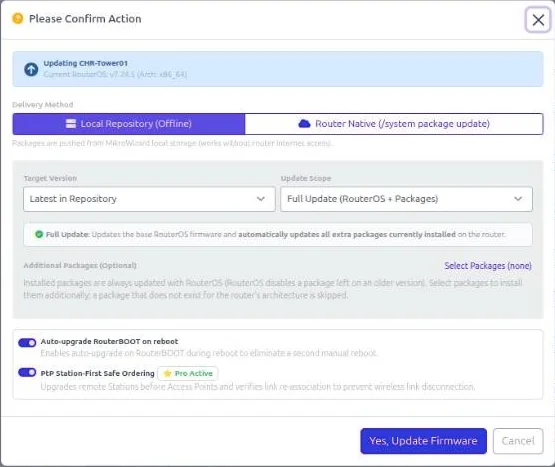
Free: local firmware repository, checksum and free-space checks, a backup before every update, retries. Pro adds the multi-step RouterOS v6 to v7 path.
v6 to v7 guide →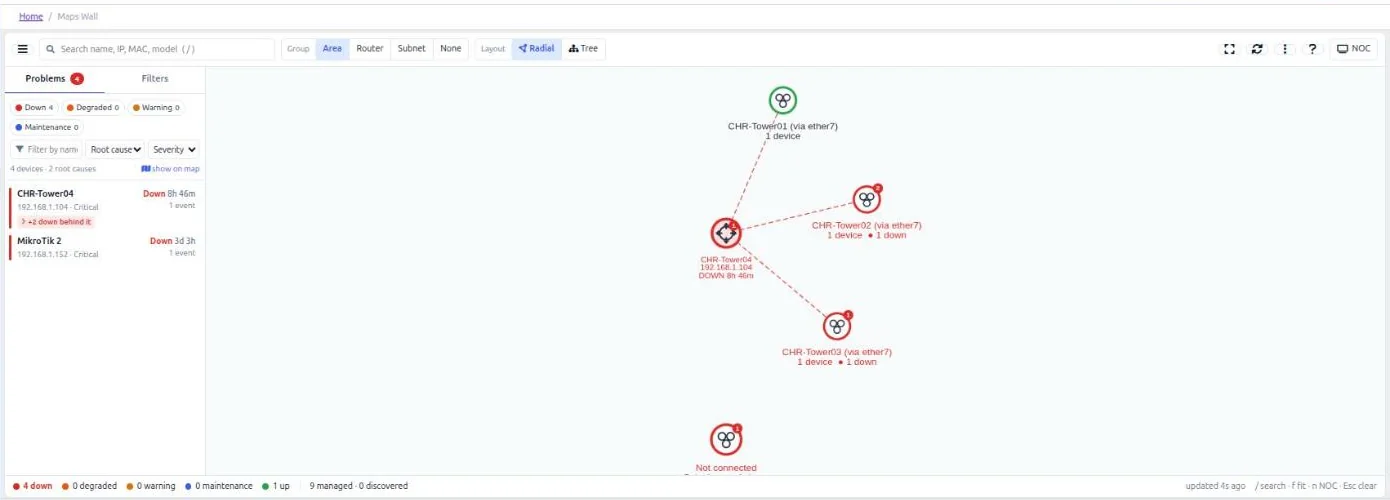
When 30 devices go down behind one failed link, the map shows the one device where the outage started. NOC mode puts it on a wall screen.
Root cause analysis →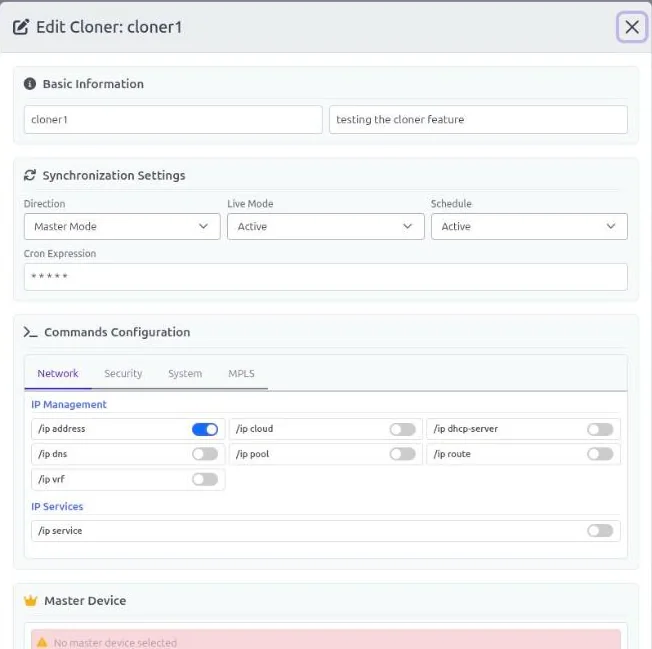
Snippets and scheduled tasks stay Free. Pro adds Sequences that read the output and act on it, config diff, and Sync and Clone from a master router.
Sequences →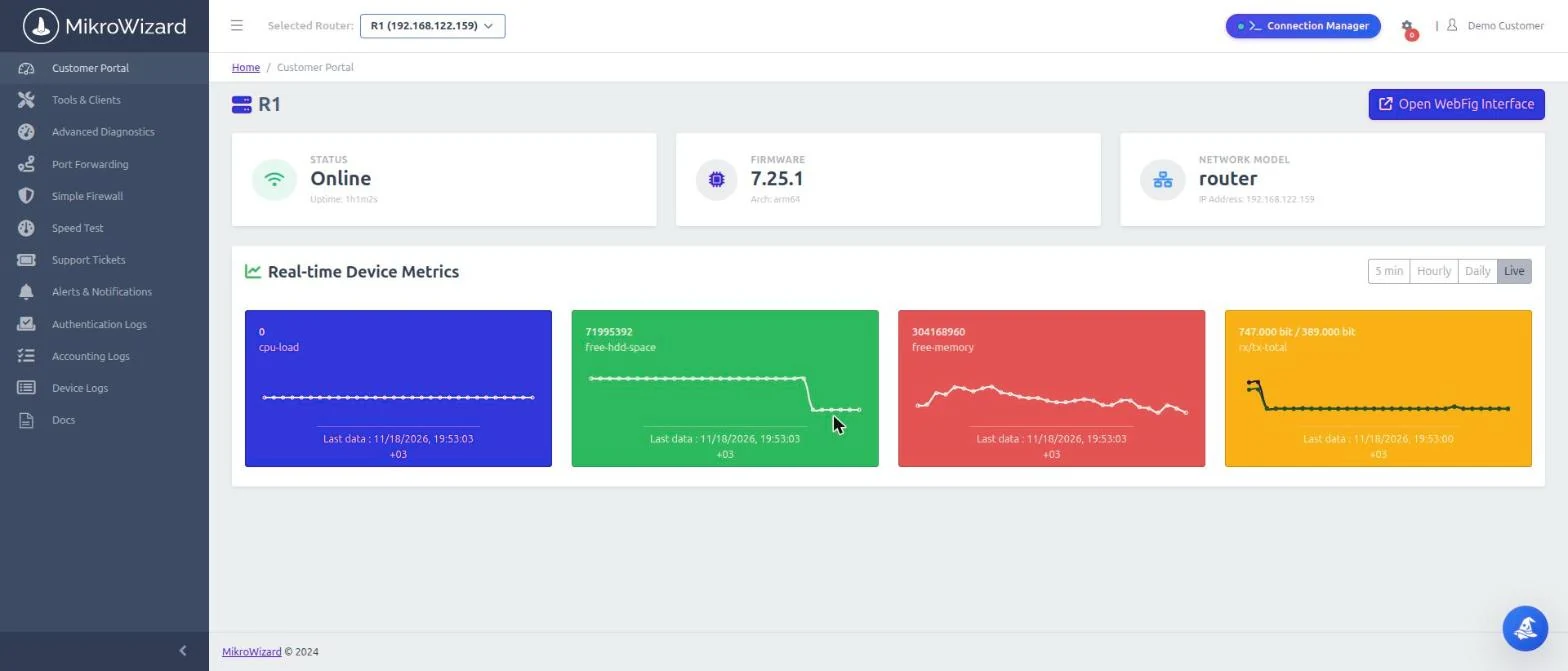
Subscribers change their Wi-Fi password, run diagnostics and speed tests, open tickets, or ask the AI assistant, which checks their router live and changes settings only after they confirm.
Customer portal →| 2.1.1 & 2.1.2 · Nov 2026 | BlastRADIUS protection, RADIUS and panel login protection, no secrets in the System Log, bulk edit for up to 50 routers, router identity verification, signed device-template updates, many snippet fixes. Release notes |
|---|---|
| 2.1.0 · Oct 2026 | WebBox, browser RDP and VNC with DLP and recording, Network Map v2 with root cause and NOC mode, new firmware engine, large-fleet speed-ups. Release notes |
| 2.0 · Aug 2026 | Privileged access: Terminal Gateway, command policies, session recording, WebFig with automatic login, password vault, devices from other vendors. Release notes |
| 1.3.0 · Apr 2026 | WireGuard server with router scripts and QR codes, Sequences, syslog regex alerts, a faster interface. Release notes |
| 1.2.0 · Oct 2025 | WebFig button, network map, WebFig through MikroWizard. Release notes |
Every fix and change, version by version: full changelog on GitHub ↗
A 1.x server updates straight to the latest version through the built-in updater: it downloads the update from mikrowizard.com, automatically or with one click. Don’t run the installer again on an existing server. Back up the server first, and make sure its serial is registered so updates are offered.

 MikroWizard