
 MikroWizard
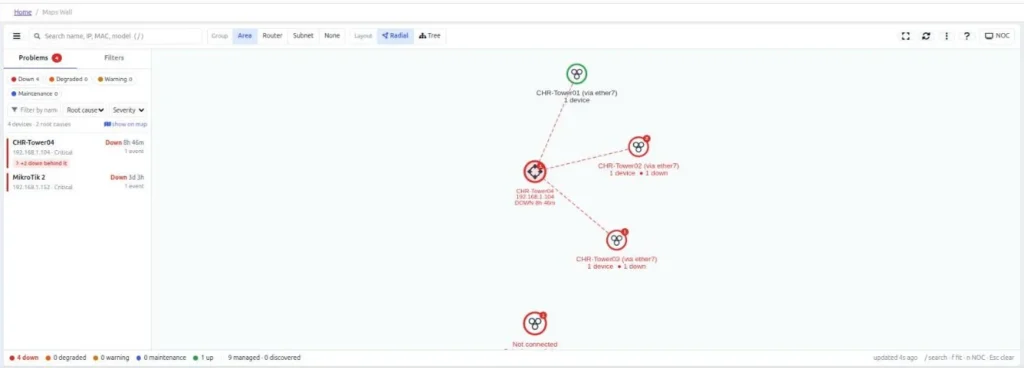
When a core router or a tower link fails, every device behind it stops answering too. A classic network map then shows a wall of red, and the NOC has to work out which alarm is the cause. MikroWizard 2.1.0 rebuilt the network map to answer that question for you.
The problem with flat alerts
Ping-based monitoring sees each device on its own. If a backhaul router goes down, its customers’ CPEs, access points and downstream routers all go offline at the same moment, and each one raises its own alert. The real fault is one device; the rest is noise.
How Network Map v2 finds the root cause
Network Map v2 builds the topology from RouterOS neighbour discovery (MNDP, LLDP and CDP), so it knows which devices sit behind which. When something goes down, the Problems drawer separates the device that actually failed from the devices that are only unreachable because of it.
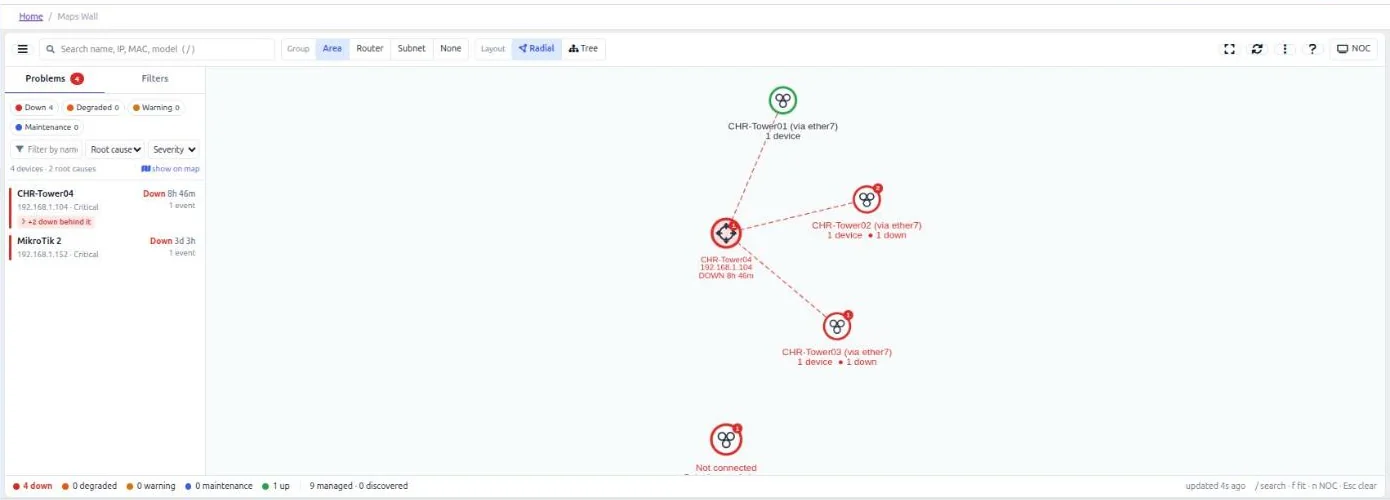
- Each root cause is listed with how long it has been down and how many devices are down behind it.
- Click a problem to jump to it on the map.
- Filter by root cause or severity.
Layouts made for NOC screens
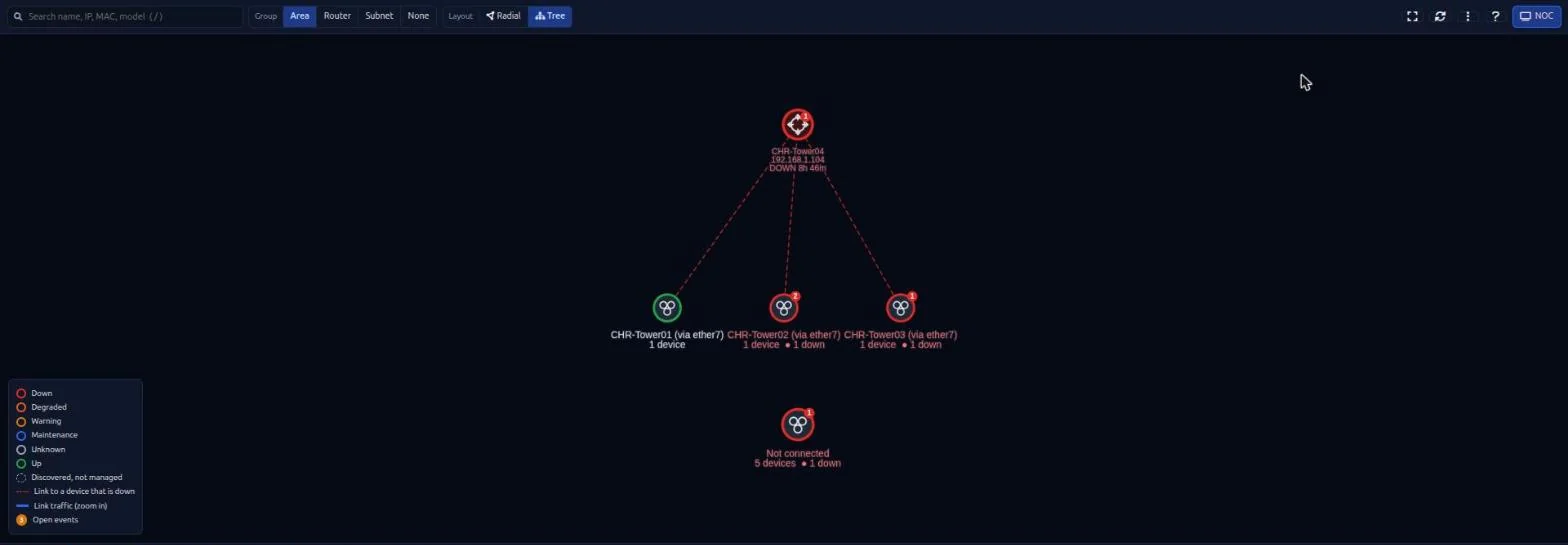
The map offers radial and hierarchical tree layouts, path finding between devices, and positions saved per user. Live state rings show up, down, degraded and maintenance at a glance, and links show traffic rates. NOC full-screen mode turns the map into a wallboard.
Details that matter on real networks
- Recognises unmanaged peers by router identity (all interface MACs and IPs).
- Classifies access points and CPEs, and understands bridge ports and RouterOS 7 link-local neighbours.
- Admin-assigned aliases for neighbours, and an inspection drawer for each device.
- Search across the map, PNG export of the view and CSV export of the device inventory.
- Each user only sees the devices they are allowed to see.
Fewer false alarms during maintenance
MikroWizard also suppresses unreachable alerts while a device is expected to be offline because it is updating or rebooting, and it detects unexpected reboots and reads the cause from RouterOS logs. Together with root cause analysis, the NOC sees one actionable problem instead of dozens of alerts.
Network Map v2 is part of MikroWizard Pro and works with MikroTik RouterOS devices.
MikroTik, RouterOS and WinBox are trademarks of MikroTik SIA. MikroWizard is not affiliated with MikroTik.