
 MikroWizard
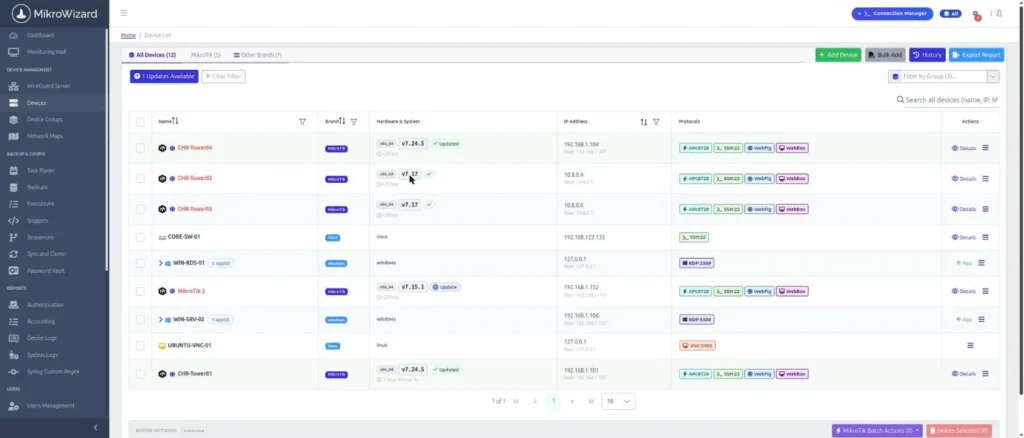
Version 2.1.0 is the biggest performance release of MikroWizard so far. We focused on what breaks first when a fleet grows: database connections, polling time, syslog bursts and long-running jobs. These improvements ship in both Free and Pro.
Database connections that budget themselves
Each MikroWizard process now sizes its PostgreSQL connection pool from the server’s real max_connections and the running worker layout (web workers, spoolers, poller, firmware and syslog workers, cron). When PostgreSQL runs out of connections, processes back off and retry instead of failing. This removes the FATAL: sorry, too many clients already error that larger installations could hit.
A poller that scales with the fleet
- The number of poller workers adapts to the fleet, from 15 to 120.
- Polling can be split across multiple poller processes (
DATAGRABBER_MULES). - Each polling cycle has a hard deadline (
DATAGRABBER_CYCLE_DEADLINE). - Large fleets are polled in roughly 30–45 seconds.
Lighter polling on every router
- Interface rates are calculated from 64-bit counters instead of
monitor-traffic. - Rarely-changing information (routerboard, identity, wireless) is cached.
- Only changed columns are written to the database.
- RouterOS API reads use a 64 KB buffered socket, which removes the CPU cost of thousands of tiny reads.
- Single commands on MikroTik can run over a fast SSH exec channel in about 0.1 s, with connect, auth and command timeouts.
Syslog that doesn’t drop messages
A separate UDP reader process now feeds an asynchronous pipeline that does not drop messages during bursts. It can be split across several workers (PYSRV_SYSLOG_MULES) and retries automatically when the database has a temporary error.
Background jobs you can trust
- Safe stop: running tasks finish the current device and skip the rest. Critical tasks (firmware, scan, download, vault) can’t be force-killed; other tasks get a 120 s grace period.
- Locks and leases: job leases and per-device locks stop two operations from running against the same router at once. Tasks left marked as running after a crash are reset automatically.
- No lost requests: firmware, RouterBOOT, backup and snippet requests are queued when a similar job is already running.
- Deduplicated backups: identical configurations are stored once, and each backup links to the execution that created it.
Data retention you control
A daily retention job prunes resolved events, login history, configuration change history, execution logs, task results, sequence history, config versions and backups in batches. The default is 365 days, set with RETENTION_EVENTS_DAYS, RETENTION_AUTH_DAYS, RETENTION_ACCOUNT_DAYS and related keys. Unresolved events and logins that have recordings are always kept.
Upgrade note
2.1.0 runs database migrations 058–064. Migration 064 widens the accounting table and builds new indexes, which can take several minutes on large installations. Don’t interrupt the upgrade while migrations run.