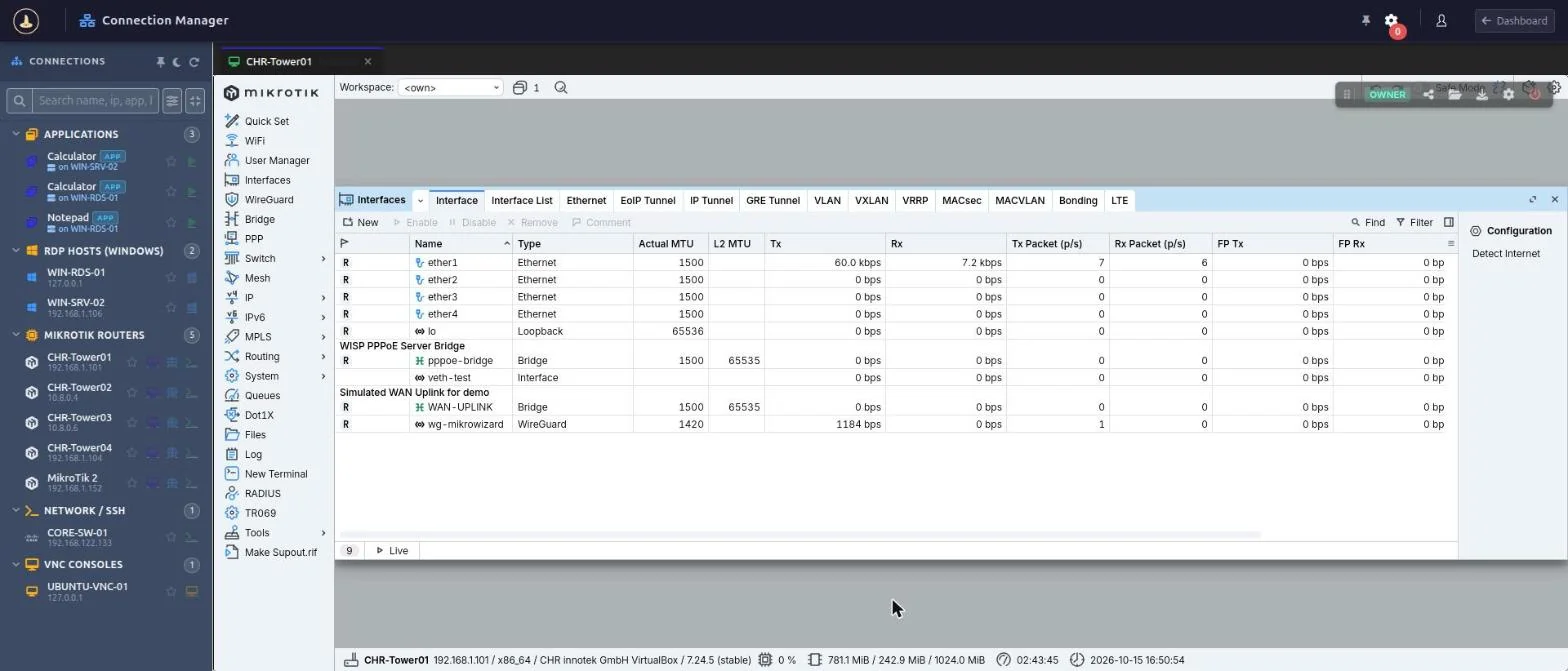
WebBox gives your team remote WinBox access from any browser. The MikroWizard Terminal Gateway runs MikroTik’s WinBox 4 for Linux in an isolated sandbox and streams it to the browser, so operators install nothing, WinBox ports stay closed to them, and every session is recorded.
Open WebBox from the Connection Manager, the device list, the device tree or the Network Map. MikroWizard checks that the Terminal Gateway is available, starts WinBox 4 in a sandbox on the gateway and streams the window to your browser tab, next to your SSH, RDP and WebFig sessions.
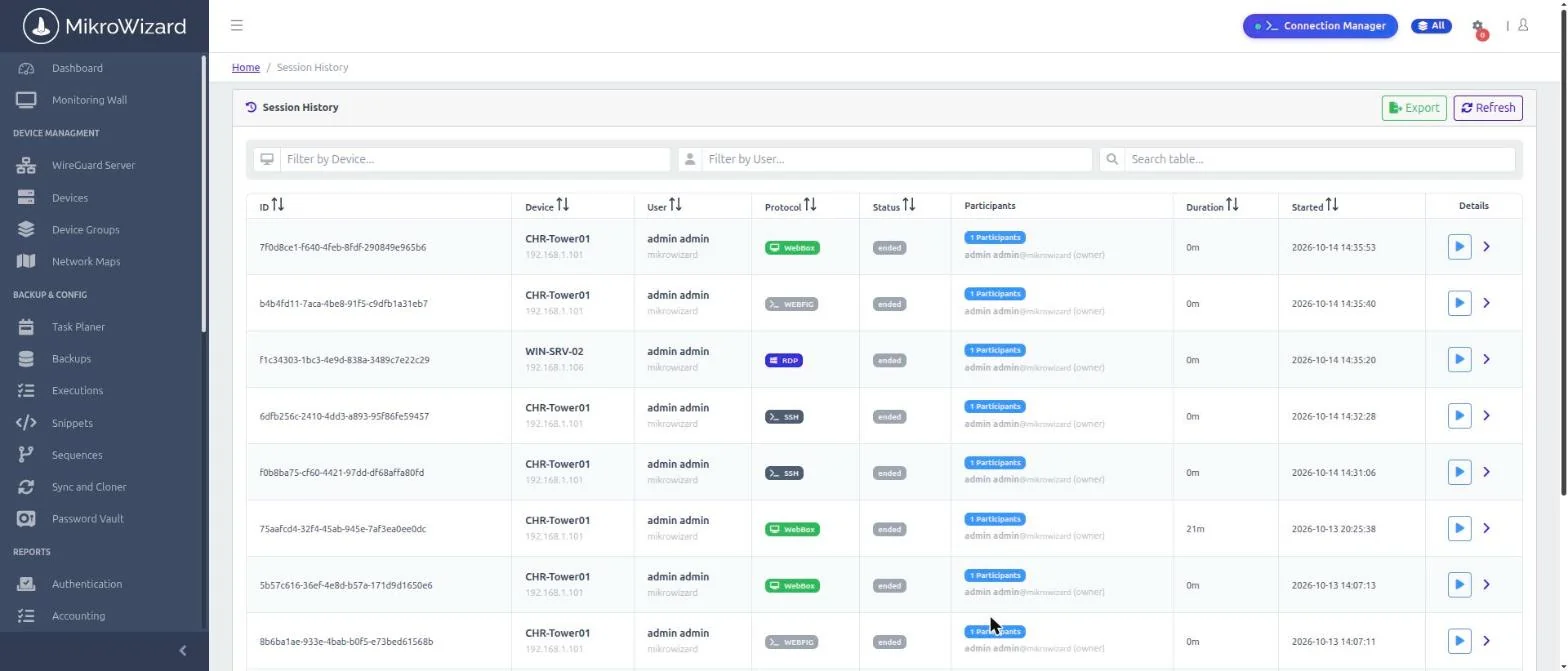
WebBox sessions are recorded as MP4 video with seeking, so reviewers can jump straight to the moment a change was made. Sessions appear in Session History with a WebBox badge, next to SSH, RDP, VNC and WebFig recordings.
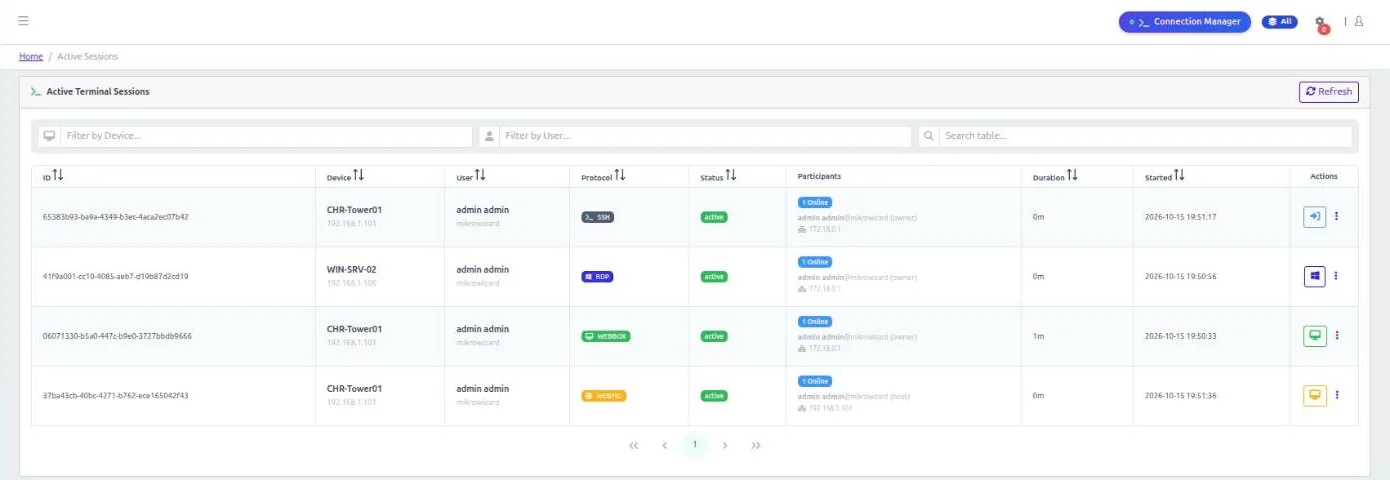
A senior engineer can watch a WebBox session live or join it, just like a shared terminal session. Join and guest links are bound to the signed-in user, which blocks link spoofing.
WebBox is part of MikroWizard PAM and is designed for MikroTik RouterOS devices.
Operators use a browser. The gateway runs WinBox 4 for Linux and keeps it up to date with the current WinBox 4 release.
Operators reach WinBox through MikroWizard instead of connecting to port 8291 from their own machines.
MP4 recording with seeking, live watch and sharing, and session history alongside every other protocol.
Pair WebBox with MikroWizard’s RADIUS one-time-password login for WinBox, SSH and WebFig on MikroTik.
Command policies, credential vault, session DLP and audit logs apply across SSH, Telnet, RDP, VNC, WebFig and WebBox.
WebBox runs on the MikroWizard Terminal Gateway addon v1.3.0 or later.
WebBox is WinBox in the browser. The MikroWizard Terminal Gateway runs MikroTik’s WinBox 4 for Linux in an isolated sandbox and streams it to your browser, with recording and sharing. It is part of MikroWizard Pro.
No. Operators only need a browser. WinBox 4 runs on the Terminal Gateway.
No. WebBox is for MikroTik RouterOS devices. For other devices use SSH or Telnet, and for Windows or Linux desktops use browser RDP and VNC.
Each session is recorded as MP4 video with seeking and appears in Session History with a WebBox badge.
MikroWizard Pro 2.1.0 and the Terminal Gateway addon v1.3.0 or later.
Give engineers WinBox access from any browser, with recording, live sharing and central control.
MikroTik, RouterOS and WinBox are trademarks of MikroTik SIA. MikroWizard is not affiliated with MikroTik.

 MikroWizard