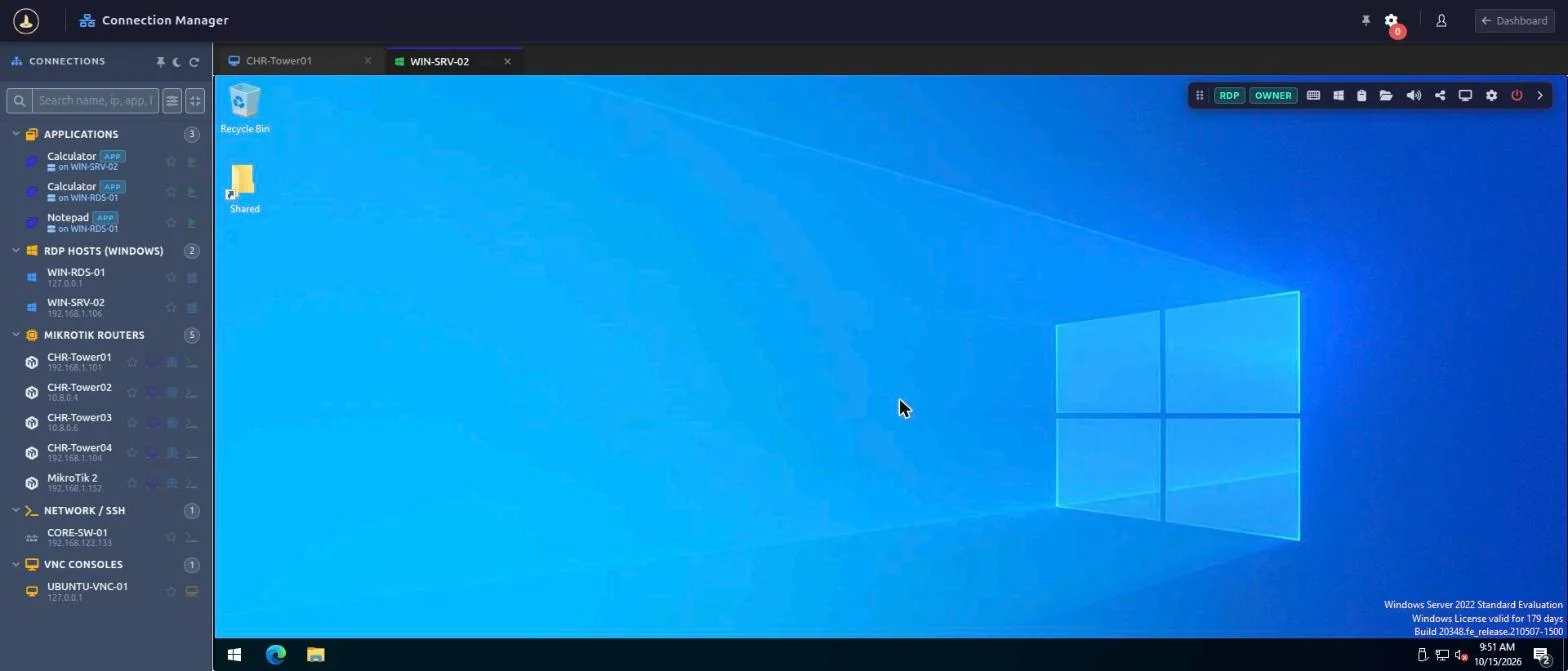
Open Windows RDP and VNC desktops in the browser from the MikroWizard Connection Manager, next to SSH, Telnet, WebFig and WebBox. Sessions are rendered in HTML5, recorded, shareable and governed by session DLP policies, for any Windows or Linux host, with or without MikroTik in your network.
RDP and VNC sessions open in a browser tab from the Connection Manager. Operators don’t need an RDP client, a VNC viewer or a VPN client on their machine.
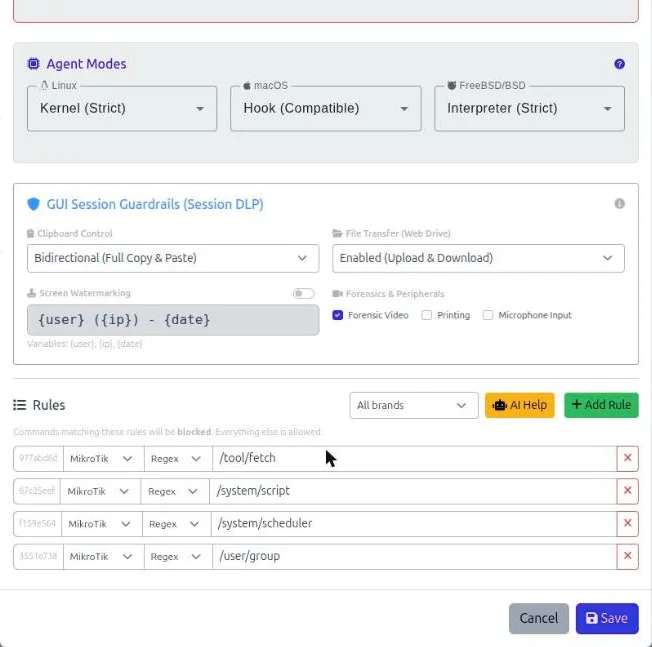
Session DLP policies decide what operators can do inside a graphical session: clipboard direction, file transfer, on-screen watermarking and forensic recording.
RDP and VNC sessions are recorded and replayed in the browser. They can be watched or shared live like terminal sessions, and the Session Manager shows a protocol badge for each one.
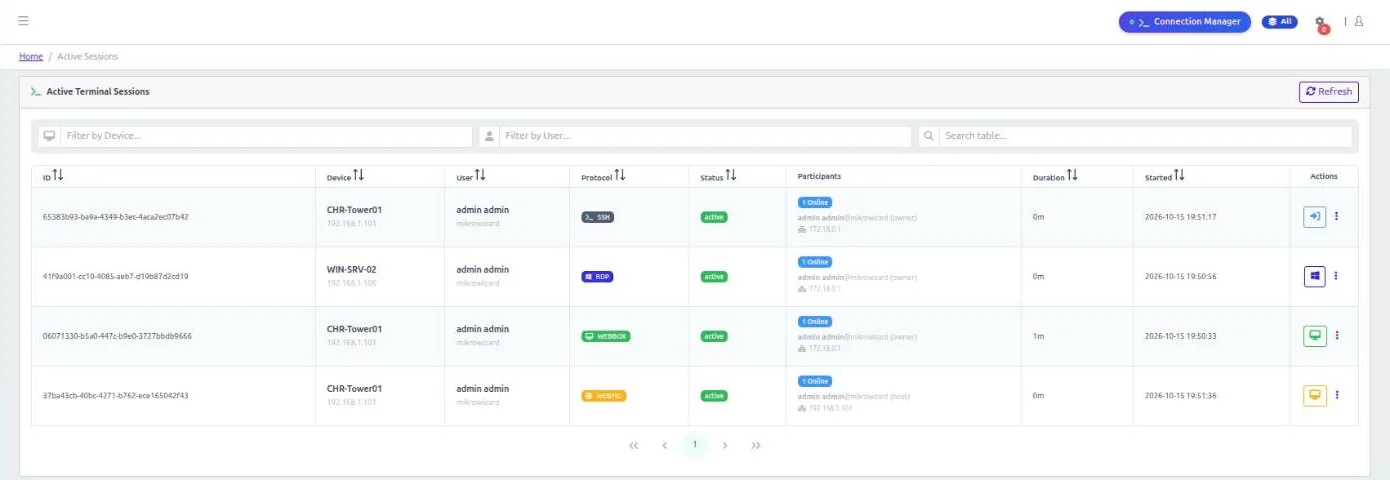
Features that make browser RDP practical for MSPs and IT teams.
Publish single applications from an RDP host instead of the full desktop. Apps appear as child entries under their server and inherit its IP.
Templates carry their own protocol plus display and acceleration settings.
Settings resolve from the template, then the host, then the published app, then the DLP policy.
Devices are unique by IP and port, so several RDP hosts can share one public IP on different ports (e.g. RDP:3390).
Organise hosts with custom categories, favourites, search and grouping by category, group or device type.
Browser RDP and VNC run on the MikroWizard Terminal Gateway addon v1.3.0 or later.
Yes. RDP and VNC work with any Windows or Linux host. MikroWizard PAM does not require MikroTik devices; the MikroTik toolset is a separate module.
No. Sessions are rendered in HTML5 in the browser.
Yes. RemoteApp publishing lets you publish individual applications from an RDP host as child entries under the server.
Yes. RDP and VNC sessions are recorded and can be replayed in the browser. Forensic recording can be set per DLP policy.
MikroWizard Pro 2.1.0 and the Terminal Gateway addon v1.3.0 or later.
Manage RDP, VNC, SSH, Telnet, WebFig and WebBox access from one place, with recording and policies.
MikroTik, RouterOS and WinBox are trademarks of MikroTik SIA. MikroWizard is not affiliated with MikroTik.

 MikroWizard