Pillar 3 • NOC & Fleet Monitoring

High-Density NOC Wallboard &
Dynamic Layer-2 Topology Maps

Engineered for 24/7 network operations centers. Color-coded wallboard health tiles, multi-vendor fleet inventory, hardware telemetry dials, automated Layer-2 neighbor discovery (LLDP/MNDP/CDP), a Network Map with root cause analysis, and live DHCP lease tracking.

Overview

Centralized NOC Fleet Health & Overview Dashboard

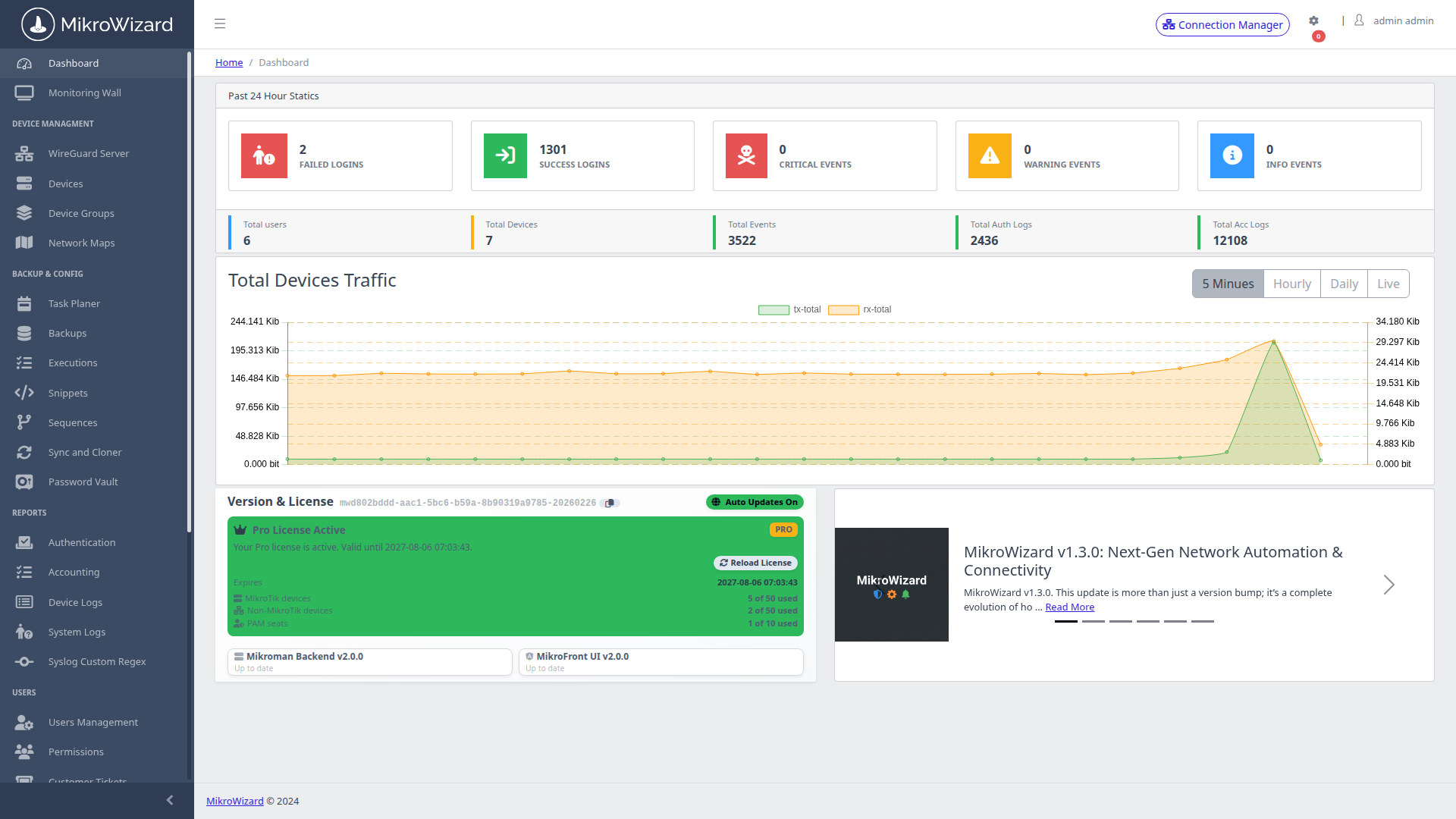
Get an instantaneous executive view of your entire infrastructure. Aggregates fleet-wide online/offline health ratios, RouterOS v6 vs v7 software version distribution, active alerts, and top bandwidth consumers.
  • ✓ High-level KPIs for management and operational reporting.
  • ✓ Identifies end-of-life firmwares and pending security updates automatically.
NOC Overview Dashboard
Inspect High-Res Screen

NOC Overview: Global fleet metrics, version distribution charts, and recent incident logs.

Operations Monitoring Wallboard
Inspect High-Res Screen

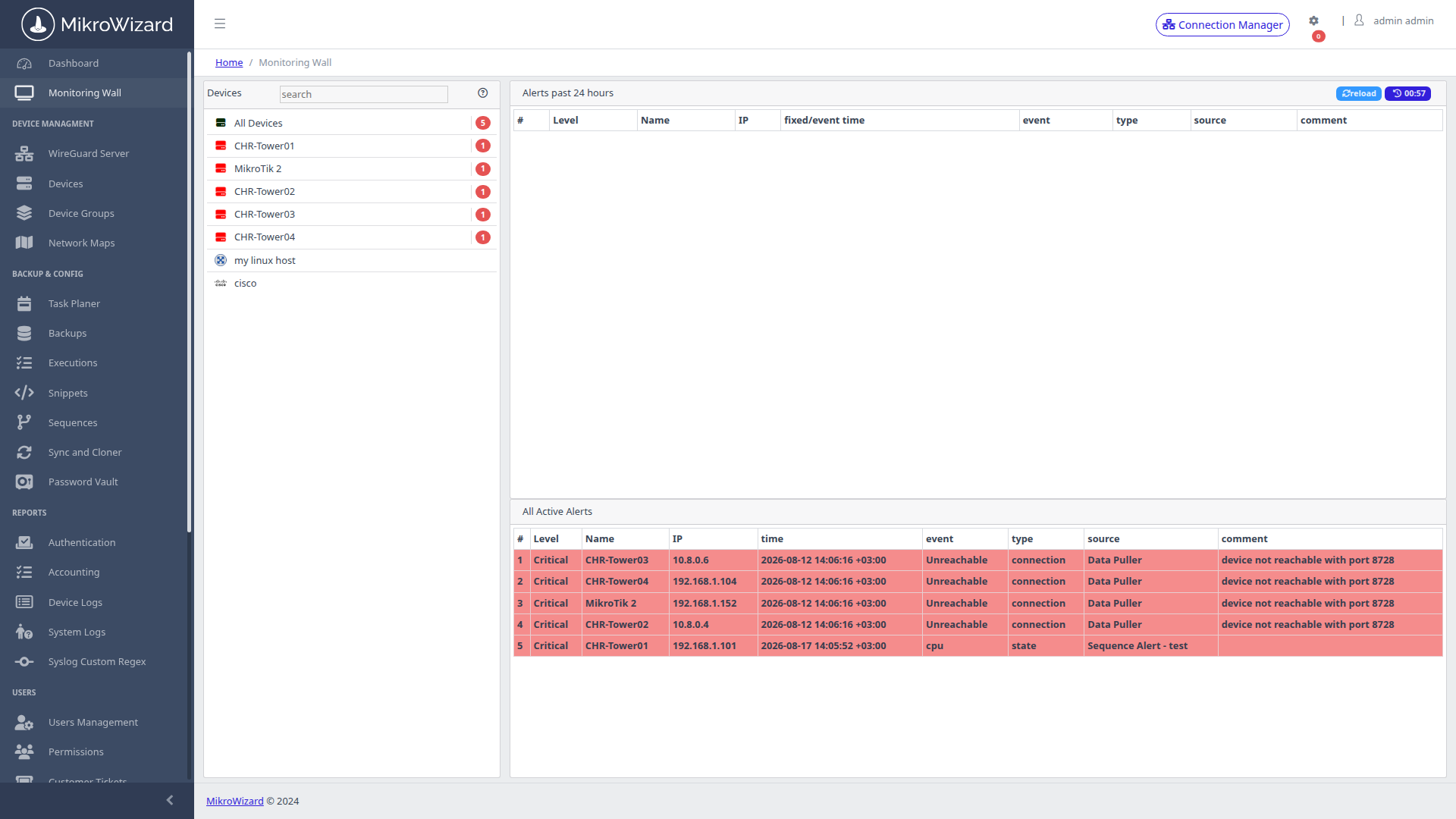
NOC Wallboard: High-density color-coded status tiles with instant 1-click terminal launch and WebFig access.

Video Wall

Real-Time Operations Monitoring Wallboard

Optimized for large NOC wall displays and 24/7 incident triage. Renders dense, color-coded health tiles (Green = Healthy, Yellow = Degraded, Red = Unreachable) across thousands of nodes.

  • ✓ 1-click interactive triage: click any tile to immediately launch a terminal or inspect live telemetry.
  • ✓ Auto-reloading WebSockets telemetry streams with zero page refreshes.
Inventory

Fleet Inventory & Automated Network Scanner

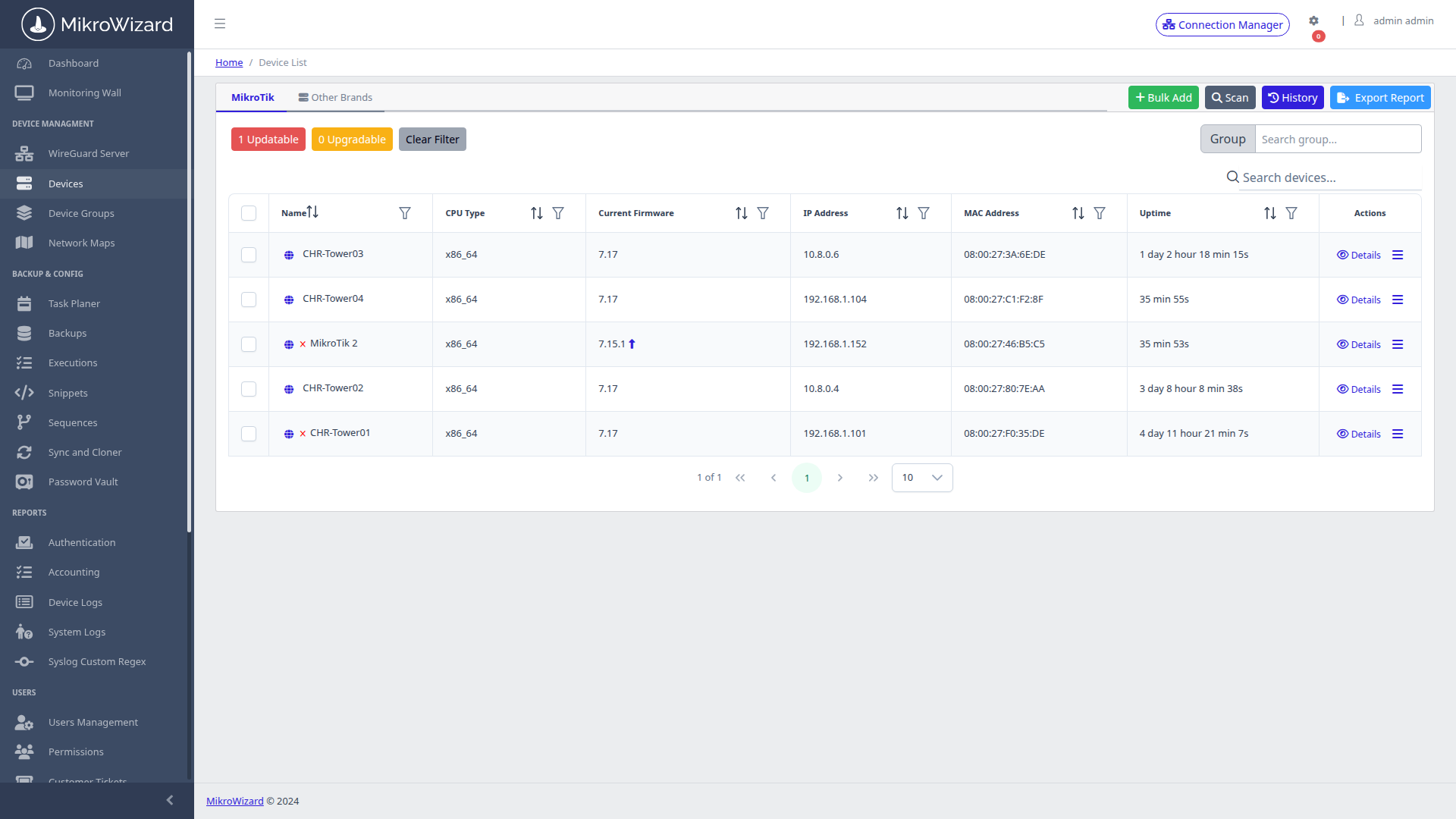
Comprehensive multi-vendor inventory database. Onboard hundreds of routers in minutes via bulk CSV import or run the built-in IP Subnet Scanner Wizard.
  • ✓ Auto-detects RouterOS API, Winbox, and SSH credentials across subnets.
  • ✓ Tag routers with custom metadata (Tower ID, Client Name, GPS Coordinates).
Fleet Inventory Table
Inspect High-Res Screen

Inventory Console: Searchable device table with IP addresses, connection protocols, and firmware versions.

Deep Device Telemetry
Inspect High-Res Screen

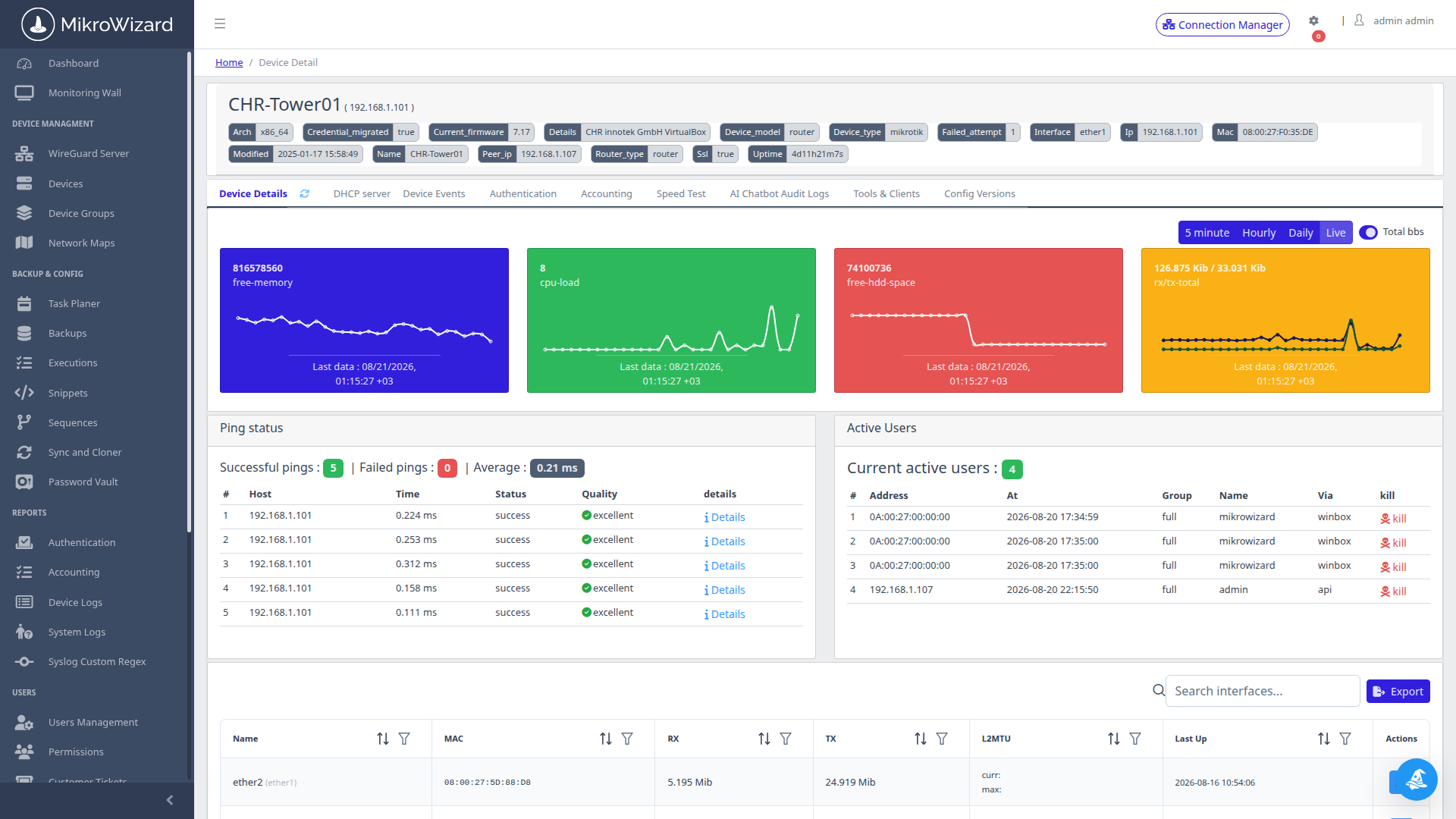
Hardware Telemetry Dials: Live CPU load percentage, RAM usage, storage volume, and per-interface traffic meters.

Diagnostics

Deep Hardware Telemetry & Real-Time Gauges

Drill into individual router performance without overloading CPU with resource-intensive Winbox GUI pollers.

  • ✓ High-resolution CPU, Memory, Disk, and Voltage/Temperature dials.
  • ✓ Per-interface Rx/Tx real-time throughput graphs with packet drop indicators.
Multi-Tenant

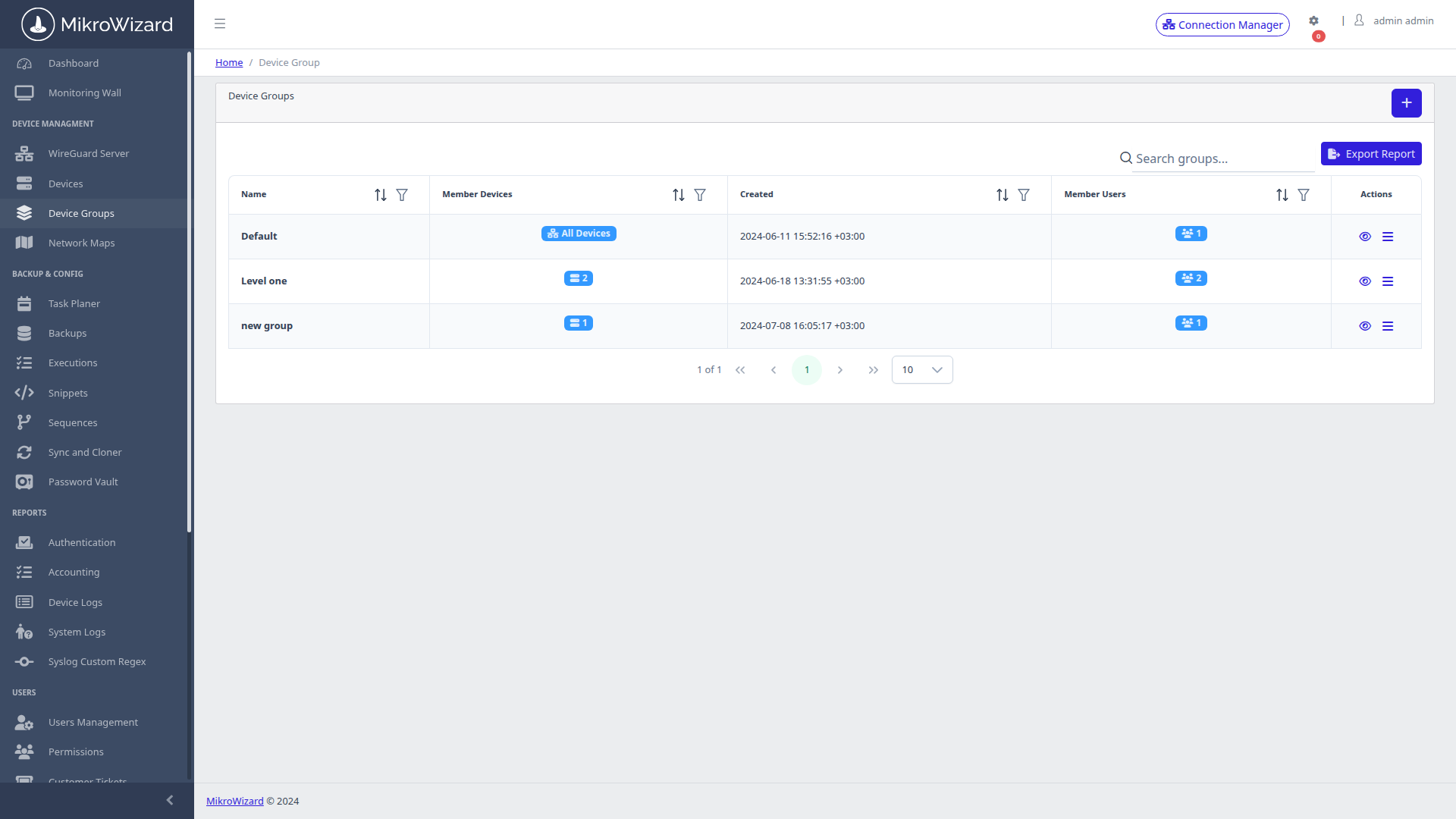
Hierarchical Device Groups & Access Scopes

Structure complex networks into logical, hierarchical tree groups (e.g. Region / Datacenter / Core / Edge or Client / Branch).
  • ✓ Bind RBAC permission profiles to specific tree branches for strict multi-tenant isolation.
  • ✓ Execute batch snippet or backup tasks targeting entire group hierarchies with one click.
Device Groups Hierarchy
Inspect High-Res Screen

Hierarchical Organization: Nested group management tree with device counts and access scopes.

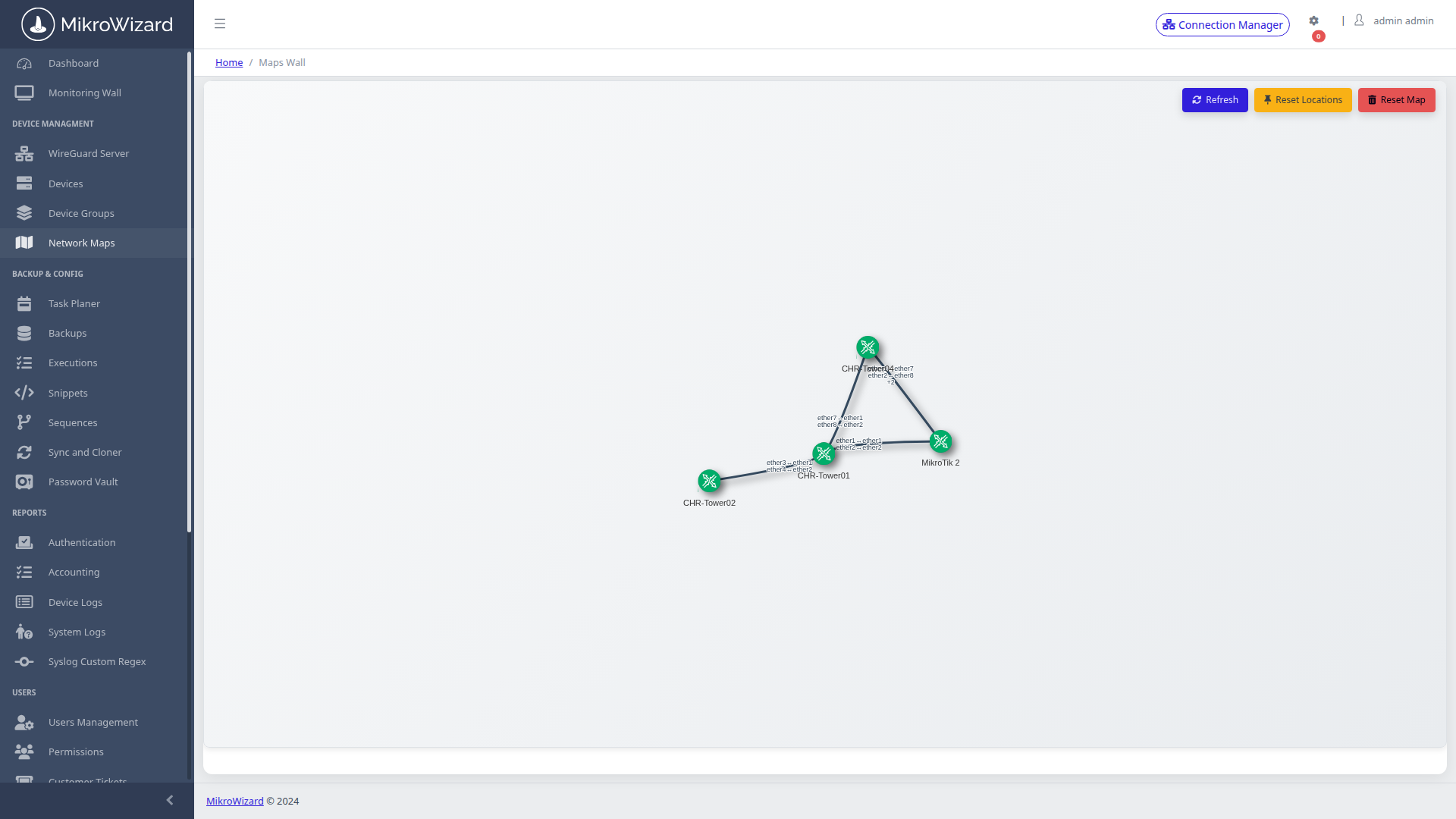
Dynamic Topology Map
Inspect High-Res Screen

Interactive Topology Graph: Vis-Network dynamic graph rendered from LLDP, MNDP, and CDP neighbor discovery packets.

Auto-Discovery

Interactive Layer-2 Topology Auto-Discovery

Stop maintaining static PDF network diagrams. MikroWizard continuously queries neighbor discovery tables (LLDP, MikroTik MNDP, and Cisco CDP) to render living, physics-based network topology graphs.

  • ✓ Click any edge to view connected interface names, duplex status, and real-time bandwidth.
  • ✓ Export topology maps to PNG and CSV for executive presentations and documentation.
Network Map v2 MikroTik Pro

MikroTik Network Map with Root Cause Analysis

The Network Map was rebuilt in MikroWizard 2.1.0. It is drawn from MikroTik neighbour discovery (MNDP, LLDP and CDP), and its Problems drawer separates the device that actually failed from the devices that are only unreachable because of it. You fix the cause instead of chasing a list of red nodes.
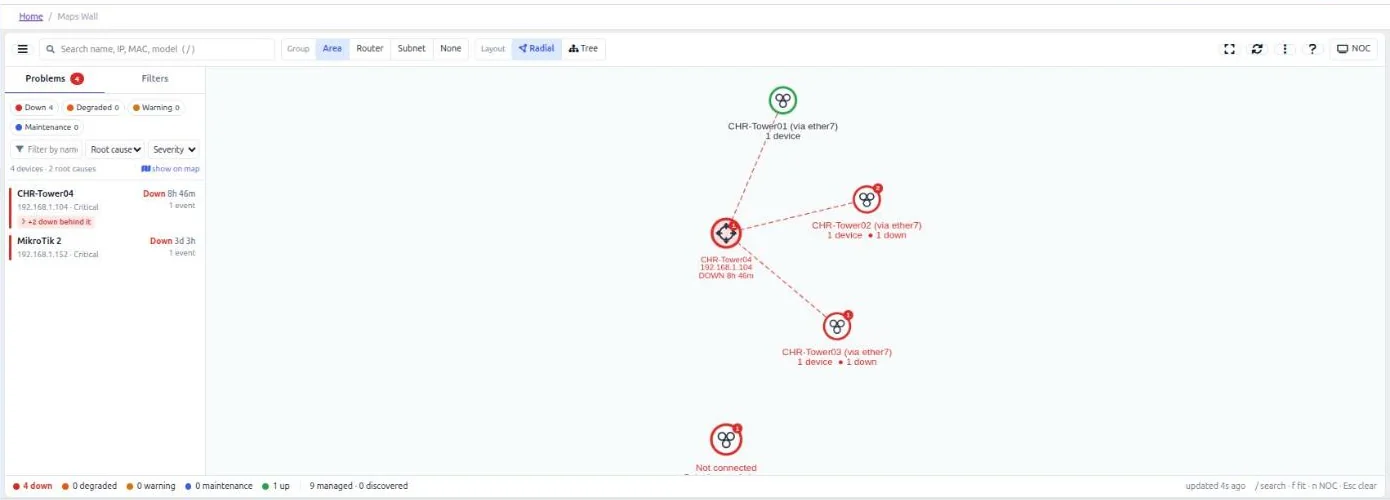
  • ✓ Root cause analysis: the failed device is listed with the devices down behind it.
  • ✓ Path finding between devices, plus search and an inspection drawer.
  • ✓ Smarter discovery: recognises unmanaged peers by router identity, classifies APs and CPEs, shows bridge ports and RouterOS 7 link-local neighbours; admins can set aliases for neighbours.
  • ✓ Per-user visibility and per-user saved positions.
MikroWizard Network Map v2 Problems drawer showing the root cause device and the devices down behind it
Inspect High-Res Screen

Problems Drawer: The device that failed, with the devices that are down behind it grouped underneath.

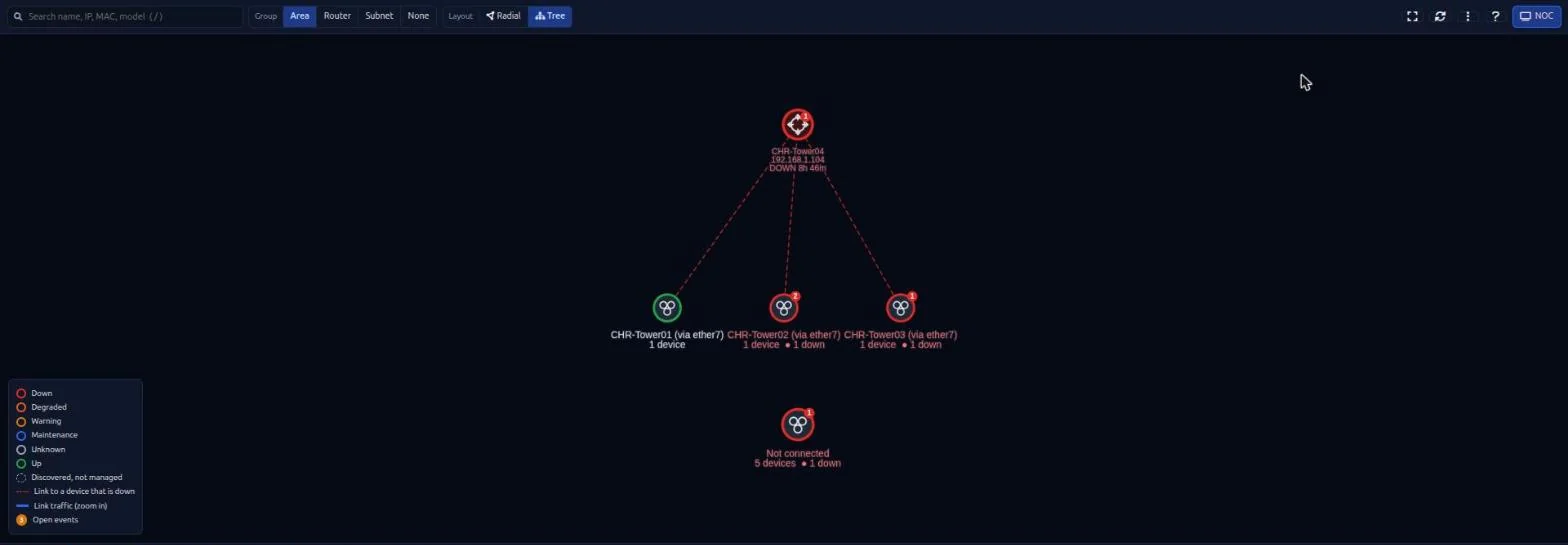
MikroWizard Network Map v2 in full-screen NOC mode with tree layout and legend
Inspect High-Res Screen

NOC Mode: Full-screen Network Map with hierarchical tree layout and legend.

Network Map v2 MikroTik Pro

Network Map for the NOC Wall: Radial and Tree Layouts

Switch between radial and hierarchical tree layouts and put the map on a wall screen in full-screen NOC mode.

  • ✓ SVG device icons with live state rings and link traffic rates.
  • ✓ Light and dark themes.
  • ✓ PNG export of the map and CSV export of the device inventory.

Read what's new in MikroWizard 2.1.0 →

Monitoring Free + Pro

Accurate Uptime, Reboot Detection and Quieter Alerts

Live Offline State & Uptime

Devices show a live Offline state and their uptime, so the NOC sees what is down right now.

Reboot Detection

MikroWizard detects reboots and shows the cause taken from the RouterOS logs.

Alert Suppression During Updates

Alerts are suppressed while a device is updating or rebooting, so planned firmware work does not page anyone.

Configurable Retention

Set how many days of monitoring data to keep, with daily clean-up. The default is 365 days.

Client Tracking

Live DHCP Leases & Connected Client Tracking

Monitor active DHCP leases, static reservations, and client hostnames across all managed MikroTik DHCP server instances in real time.
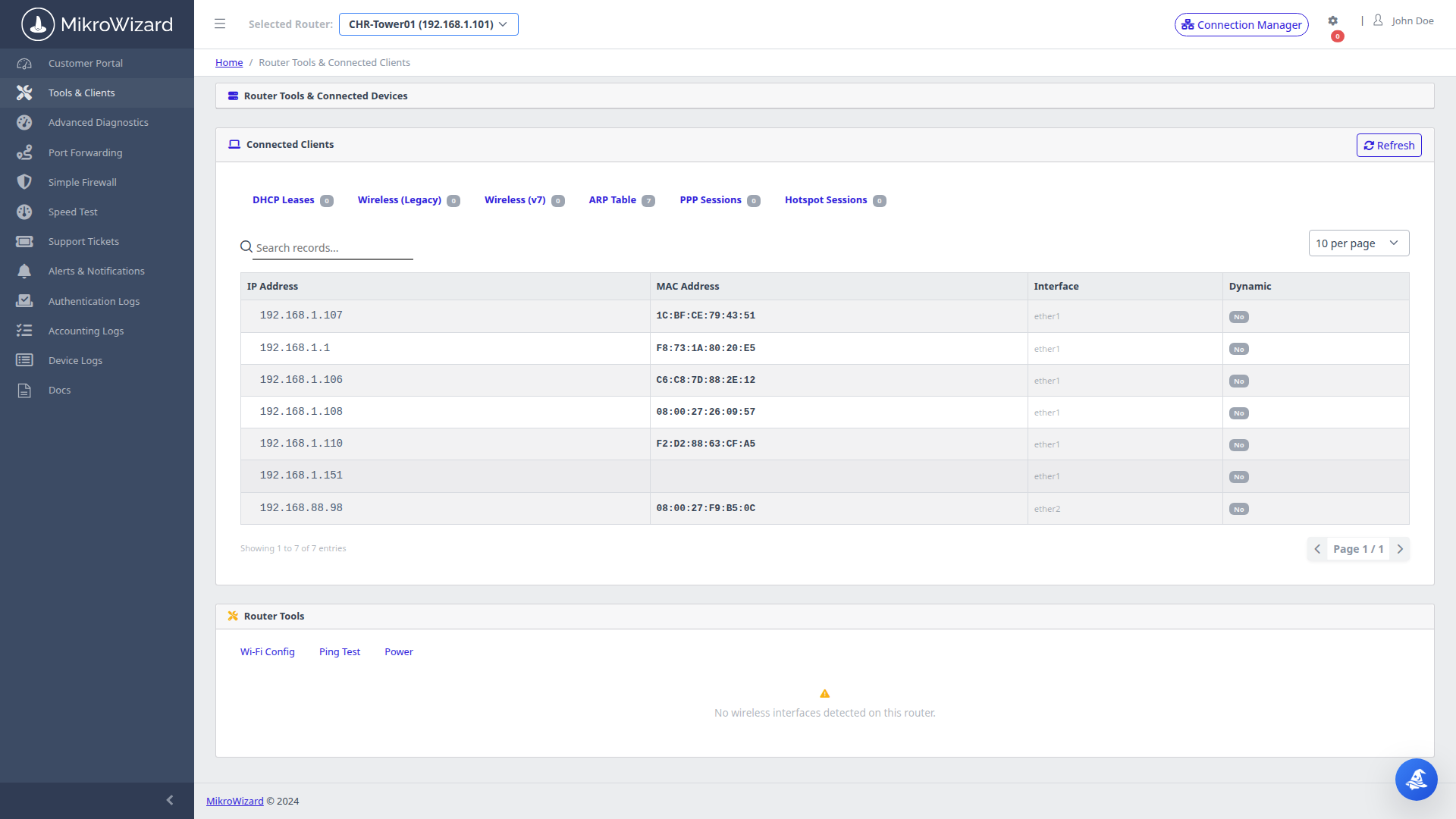
  • ✓ Search across historical client MAC addresses and assigned IPs instantly.
DHCP Leases Console
Inspect High-Res Screen

Client Device Tracking: Connected Wi-Fi and Ethernet client list with IP, MAC, signal strength, and lease expiration.

24/7 Operations

Upgrade Your NOC with 360-Degree Fleet Visibility

Deploy the wallboard in your operations center today. High-density tiles, L2 graph maps, and instant triage.


Request Live Architecture Demo Explore Pricing Plans